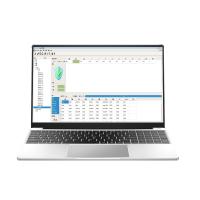
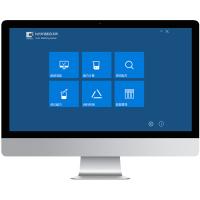
Regarding the introduction of computer color matching software, this article mainly uses Swiss Klippe as an example to explain.
Software functions and features
1. Establish the basic database of basic paint and color paste (made by paint factory or color paste factory)
2. Colorants are grouped to avoid formulas of unsuitable colorant combinations
3. Calculation of customer sample formula, automatic selection of color paste and dosage/appropriate coverage meter
Calculation/Calculation of optimal usage of color paste, formula evaluation—metamerism, price
4. Color formula correction and adjustment, (re-supply formula/supplement and color correction)
5. Batch formula calculation --- processing a large number of color formulas........
6. Professional color detection and evaluation QC module
Simple and convenient data browsing management mode

1. Establish a database of basic paint and color paste, and the quality of the data is clear at a glance
Absolute coloring properties (MF theory), non-relative coloring properties (KM theory) of each colorant

1. Establish a database of basic paint and color paste, and the quality of the data is clear at a glance
Absolute coloring properties (MF theory), non-relative coloring properties (KM theory) of each colorant

2. Colorants are grouped to avoid formulas of unsuitable colorant combinations

3. Calculation of customer sample formula A
Accurate prediction of opacity using colorant absolute characteristics and scatter distribution characteristic phase function H

3. Calculation of customer sample formula B
Opacity, unit cost, total cost, metamerism, color difference optimized formulation sorting

3. Calculation of customer sample formula C

4. Color formula correction and adjustment A

4. Color formula correction and adjustment B
Easy to check recipe records

5. Batch formula calculation
A large number of colors can be pre-selected and stored at one time, no need to select and store one by one

6. Database
Easy database connection

Various data are easily exported to Excel or XML

Advantages of Clipper Software

Main advantages (software display)
 1. Use the SQL database, support multiple terminals to share the same database, and facilitate switching between multiple databases
2. Data browsing mode of Windows Explorer structure, clear workflow
3. Color matching template function, which can group colorants and set cost, metamerism,
Scoring of color difference, covering effect, automatically get a good formula
4. Support the combination of different templates for batch formula calculation function, set the template, the whole
The natural Color Chart automatically completes the calculation
5. High-accuracy first formula prediction, accurate calculation of coverage rate
6. High accuracy of secondary color correction
7. Perfect formula saving and color correction record function
8. Convenient data exchange, directly output excel or xml
Multipass and Kubelk-Munk

light in the material
It is relatively simple to deal with light colors close to opacity, but in many cases semi-transparent and dark tones require complex and precise theory
KM is a special simplified model for multi-channel complex conditions

scattering
Swiss MMC Technology Co., Ltd. Click to match When the electromagnetic wave advances from the direction Ω 0 , it is scattered by the medium to the direction Ω. The scattering process includes single (one) scattering and multiple scattering processes,
Multiple scattering is defined to distinguish single scattering. Any radiation that is scattered more than once by the medium is called multiple scattering.
The distinction between single scattering and multiple scattering is for the convenience of solving the radiative transfer equation,

Mathematical Model Adaptation Situation

Multi-channel has higher precision, which is consistent with the actual absorption and scattering characteristics of light