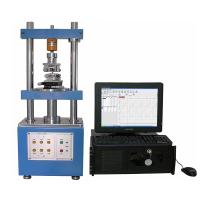
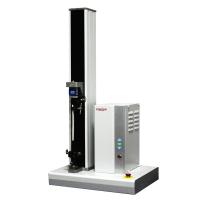
1. Function
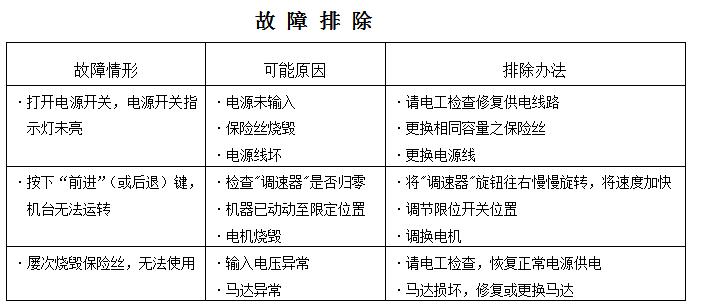
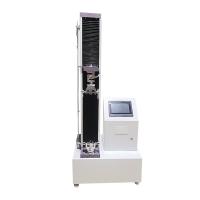
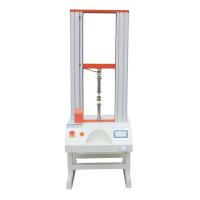
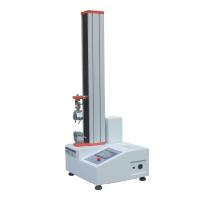
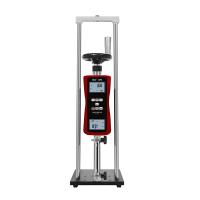
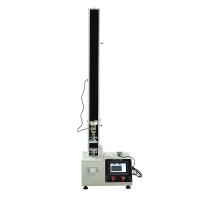
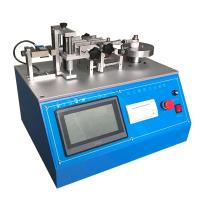
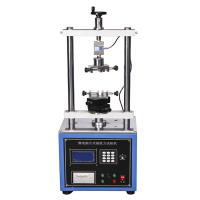
This series of Tensile Testing Machines is a push-pull load test bench specially used for HF series, HG series and NK series push-pull force gauges. This product adopts a built-in double-column structure, which has the advantages of good stability, wide application range, beautiful appearance, and convenient use. series function. Widely used in rubber and plastics, light industry textiles, building doors and windows, composite materials, wire and cable, auto parts, power machinery, scientific research institutions and other industries such as push-pull load, insertion force, destructive test and other testing fields.
Two ﹑ features
*Low noise stepless speed regulation motor automatic loading
*Force holding mode: to the specified position or setting force value holding time can be set freely
*Set force value reciprocating movement: set force value reciprocating movement, set force value and movement times can be set freely
*Stop function when pulling and pressing: Stop immediately after the force applied to the measured object disappears
*Users can customize the working mode (the above functions are customized according to customer requirements)
3. Working conditions
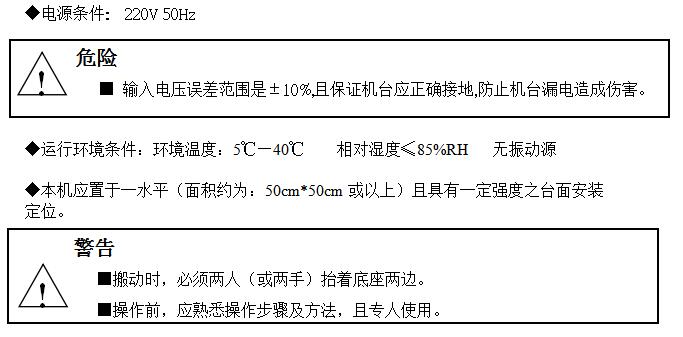
◆Power condition: 220V 50Hz
Four Parameters
HDD series electric double-column vertical machine, HDT series electric horizontal test machine parameters
● Maximum load: 500N/1000N
● Effective stroke: up to 400mm
● Speed: 0~400mm/min (stepless speed regulation)
● Dimensions: 370×250×950mm
● Weight: about 32kg
HDD series electric double-column vertical machine parameters
● Maximum load: 1000N/2000N/5000N/10KN/20KN
● Effective stroke: up to 400mm
● Speed: 0~500mm/min (stepless speed regulation)
● Dimensions: 400×300×1100mm
● Weight: about 55kg
5. Function keys
▲ "Mode" key: Press this key to switch the working mode
▲ "Forward" key: Press this key to start the working mode and move forward (left/down)
▲ "Back" key: Press this key to start the working mode and move backward (right/up)
▲ "Stop" button: press this button in any state to stop the motor movement, often press it for more than 3 seconds to reset the current number of movements to zero
▲ "Setting" button: Press this button to realize the setting of the ones, tenths, hundreds and thousands of current exercise times and force holding time
6. Matters to be confirmed before the test
◆Confirm whether the machine is connected to a power supply that meets the specifications.
◆Confirm whether the tensIon Meter has electricity.
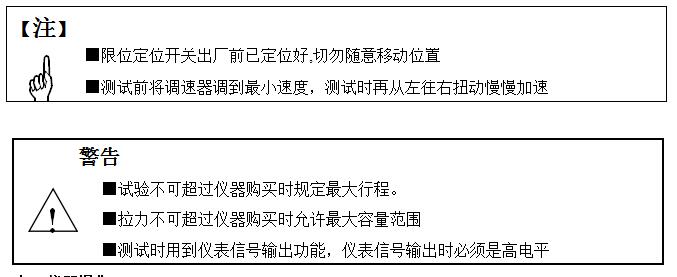
◆Whether the governor is at the lowest speed position to avoid excessive speed and cause abnormalities in the machine
◆Confirm whether the tension gauge, limit position switch and fixture screws are locked
七、仪器操作
1.配备好所需型号拉力计
2.安装好拉力计及机台夹具
3.将试件与夹具两端固定好
4.调好行程限位保护开关
5.打开机台总电源及拉力计电源,并设定好整套拉力设备的各功能参数
6.按前进或后退键,此时就已正式开始工作了
7.待工作完毕后,按前进或后退键使机台回到原来初始状态
8.整个操作步骤完成
八﹑工作模式说明
如需要实现如下全部功能需配合我司的数显式推拉力计
*手动计数模式
按模式键切换到手动计数模式,对应的模式指示灯提示。常按住“前进” 键或“后退” 键,电机执行相对应的“前进”或“后退”动作,释放按键或运动至限位点时电机停止。
*自动计数模式
按模式键切换到自动计数模式,对应的模式指示灯提示。按“前进” 键或“后退”键,电机执行相对应的“前进”或“后退”动作,运动至限位点或力值设定点自动循环往返运动,直至往返次数达到设定次数或按“停止”键。默认值为9999次,按↑键可调整对应位数的数值。
*拉压断即停模式(手动计时模式)
按模式键切换到手动计时模式,对应的模式指示灯提示。按“前进” 键或“后退”键,电机执行相对应的“前进”或“后退”动作,施加在被测物上的力值消失时立即停止运动或运动至限位点停止运动。
*自动计时模式
按模式键切换到自动计时模式,对应的模式指示灯提示。按“前进” 键或“后退”键,电机执行相对应的“前进”或“后退”动作,运动至限位点或设定力值时开始自动倒计,到达指定时间返回运动。按“停止”键电机停止。默认值为5秒,按↑键可调整对应位数的数值。
九﹑应用实例
1拉开力测试
◆测试要求:
测试易拉罐拉环打开的力值。(注: 本测试过程与结果并不能代替国家相应标准,只是提供一个测试方法参考)
◆测试过程:
测试物体为易拉罐。将数显推拉力计固定在安装板上,按“模式”键,切换至手动计数模式下。在数显推拉力计连接杆上拧上挂钩,易拉罐用夹具固定在底盘上,按“前进” 、“后退”键调节挂钩与易拉罐的拉环相连(无力值施加状态)。数显推拉力计将模式设成"PEAK"模式,按住“后退”键,电机执行拉启易拉罐的拉环动作,调节“调速开关”让机器工作在合适运动速度。直至拉环拉开后,松开按键,数显推拉力计显示的值即为拉环拉开力。
注意,为保证测试的力值准确性,数显推拉力计挂钩与易拉罐的拉环应保持垂直。
2疲劳试验
◆测试要求:
对充满气的蓝球,以100N的力挤压1000次,体积没有缩小与变形既为合格。(注: 本测试过程与结果并不能代替国家相应标准,只是提供一个测试方法参考)。
◆测试过程:
将数显推拉力计固定在安装板上,按“模式”键,切换至手动计数模式下。在数显推拉力计连接杆上平头夹具,蓝球固定在底盘上,按“前进” 、“后退”键调节平头夹具与蓝球无接触状态。数显推拉力计模式设成"TRACK"模式,数显推拉力计上限设成100N,机台次数设成1000次。按“模式”键,切换至自动计数模式。调节限位点至合适位置。按“前进”键,电机执行挤压兰球动作,调节“调速开关”让机器工作在合适运动速度。直至挤压1000次后,机台自动停止完成测试。数显推拉力计显示的值为当前挤压蓝球所产生的力值。
3拉断力测量
◆测试要求:
对一根铁丝施加拉力,测试拉断的力值及拉伸率。(注: 本测试过程与结果并不能代替国家相应标准,只是提供一个测试方法参考)。
◆测试过程:
Fix the digital push-pull force gauge on the mounting plate, press the "Mode" button on the machine table to switch to the manual counting mode. Install the iron wire clamp on the connecting rod of the digital display push-pull force meter, take a piece of iron wire of appropriate length, fix one end on the iron wire clamp, and fix the other end on the chassis, press the "forward" and "backward" keys to adjust the iron wire to the position where no force is applied state. Measure the length of the iron wire to be tested, and then set the mode of the digital display push-pull gauge to "PEAK" mode, press the "mode" button of the machine, and switch the machine to the mode of pulling and pressing and stopping immediately. Adjust the limit point to a suitable position. Press the "forward" button, the motor will pull the wire, adjust the "speed switch" to make the machine work at a suitable speed. The machine stops automatically until the wire is broken. Note again the distance from the wire clamp to the chassis. This process completes the user testing task. The value displayed by the digital push-pull force gauge is the force value at which the wire is broken.
(Note. The user should know the approximate breaking force and elongation rate of the iron wire to facilitate user selection. If the user cannot determine the range, the measured object can be sent to the company, and the company will select the appropriate model for the user).
4 force hold measurement
◆Test requirements:
Apply a pulling force of 100N to a test object, and keep it under the applied force for 10 seconds.
◆Test process:
Fix the digital push-pull force gauge on the mounting plate, press the "mode" button to switch to the manual counting mode. Install the fixture on the connecting rod of the digital display push-pull force meter, take a section of the measured object of appropriate length, fix one end on the fixture, and fix the other end on the chassis, press the "forward" and "backward" keys to adjust the measured object to be in the non-applied position state of strength. Set the mode of the digital display push-pull gauge to "TRACK" mode, set the upper limit of the digital display push-pull gauge to 100N, and set the machine time to 10 seconds. Press the "Mode" button on the machine to switch to the automatic timing mode. Adjust the limit point to a suitable position. Press the "forward" button, the motor will perform the pulling action, and adjust the "speed control switch" to make the machine work at a suitable speed. After pulling to 100N, the movement of the machine is suspended and timing starts, and the machine returns automatically after 10 seconds. The value displayed by the digital display push-pull force gauge is the force value exerted by the current machine on the measured object.
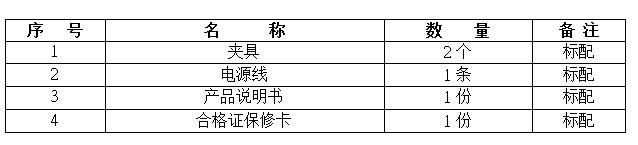
10. Parts list
maintenance matters
1. This machine is made of 45# steel and polished rods. It needs regular oiling and anti-rust oiling treatment for the machine every week. Check whether the fixing screws are loose. If so, please reinforce and tighten them.
2. Regular cleaning and maintenance of the machine
3. It is recommended that the machine be placed in a clean working environment
4. Regularly check whether the switch button is normal, troubleshooting, etc.