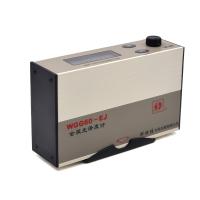
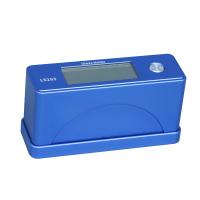
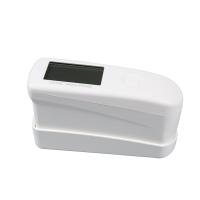
1. OPERATION operation parts
1. SWITCHING ON switch
Press the red button (A2) to switch the instrument on. The instrument will power down 20 seconds after the last key has been pressed. All information stored, being retained.
Press the red button (A2) to start the instrument, the instrument will shut down after 20 seconds without any operation. All information will be kept on record.
2. TAKING A READING
Place the base of the instrument on the surface to be tested. Align the red arrows on the case (Fig 2) over the area of interest. The base of the instrument must be in good contact with the surface to be tested, press the On button (A2) and the Read button (A1). Brackets will appear round the last reading and the number of readings to indicate that these are about to be updated. Approximately one second later the new reading will be incremented.
Put the object to be tested on the measuring port of the instrument, and the test surface must be in good contact with the measuring port of the instrument without light leakage. Press the button On (A2) and the Read button (A1). There will be brackets on the last reading and the reading will show updates. After about 1, 2 seconds the new reading will increase.
3.DISPLAY STATISTICS display statistics
Press the Stats / Print button (A3). The display will show the maximum, average and standard deviation of the set of readings. To start a new set of statistics press the CLR button (A4) once more.
Press the Stats/Print button (A3). The display will show the maximum, mean and standard deviation of a batch of readings. Press the CLR button (A4) to start a new round of statistics.
3.4 REJECTING A READING Delete reading
To reject the most recently displayed reading, press the Batt button (A6) and before the voltage display clears press the button again. This display will then show the previous reading and the total will be reduced by one. The rejected reading will not be incorporated in the statistics stored to data
When the latest reading is not displayed, press the button (A6) and then press the button again after the display voltage is clearly displayed. The display will now show the previous reading and all totals will be decremented. Missing values will not be included in the statistical data.
To delete the new displayed reading, press the Batt button (A6) and press it again when the display digit disappears. At this point the display will only show the previous reading and the total will be decremented. Deleted readings are no longer retained in the statistics.
4. PRINTING print
All readings and calibrations are stored internally and may be printed out or transferred to a computer for later use. The 3 pin DIN connector is wired to the following :- Pin 1: Earth, Pin 2: RS232 Output from meter, Pin 3: RS 232 Input.
All values and calibration values will be saved in the instrument, and can be printed out or exported to the computer after the test is completed. The 3 pin DIN connectors are connected in the following way: Pin 1 ground Pin 2: RS232 output Pin 3: RS 232 input
The voltage levels are + - 5 volts which should work with most RS232 devices. To select the print mode wait until the instrument is off. Press and hold the Stats/Print (A3) button then press the 'on' button (A2). Release the buttons in any order. The display will show how many readings have been stored since the store was last emptied. Press the Print button (A3) again to start printing or the Read button (A1) to empty the store.
Voltage is +-5 volts, compatible with most RS232 devices. Select print mode until the instrument is switched off, press and hold the Stats/Print button (A3) then press the 'on' (Start) button (A2), release the button. The display will show how much data has been saved since the last data clear. Press the print button (A3) again to start printing or press the read button (A1) to clear.
Fig3.
Solid line = Orifice
Broken line = Illumination
It should be note that there is a pause between each character and a longer pause after eACH line to allow slaow devices to keep page. LL RecoGnise the Industry Standard xon.xoff Handshaking Protocol. This allows the receptive device to control the rate of transfer.
When transmitting, there will be a gap after each data, and the gap will be longer after the speed is slowed down to keep the instrument rate consistent. The instrument recognizes the industry standard XON.XOFF signal exchange protocol. In this way, the receiving device can control the transmission rate
155-75 Operation Manual Page 5.
Two, CALIBRATION calibration
1.Procedure program
There is no need to adjust the zero of this instrument. To adjust the scale place it over the supplied reference tile making sure the base is flat and central on the tile, then switch on and press the Cal button (A5).
该仪器不需进行0校准。校准时把校准板放在机器上,并对准中心,然后打开开关,按Cal(校准)按键(A5)
The instrument will automatically calibrate the degree angle. The calibration takes approximately 2 seconds to complete. Before calibration starts the instrument will display the internally stored reference value for a single angle. This should match the value stated on the reference tile, where the value on the instrument and the tile are not matched the value may be trimmed by the following procedure:
仪器可以自动的校准角度,大约2秒钟即可自动完成校准。校准开始前仪器将显示内设的单角度参照值。所得数据应该和校准板上的数据一致,如果不一致,请按照如下步骤操作
Release all buttons and allow the instrument to switch off normally. Press and hold the Cal button (A5) then press the On button (A2) , then release the buttons in any order. The display will show the stored value for the fixed angle facility for the instrument in degrees. t. To increase the displayed tile value in increments of 0.1 unit, press the Read button (A1), and to decrease the displayed tile reading press the Stats/Print button (A3). Repeat this as necessary to obtain the required value for the fixed angle. If the Read button (A1) or the Stats button (A3) are held down for more than two seconds the trim up or down function will automatically repeat. Press any other button to leave this mode or allow the instrument to switch off normally. The new value will be stored from now on. To reset the trimmed value (97.5 units) wait until the instrument is off then hold down the Batt, Cal, and CLR buttons (A4,A5,A6) simultaneously then press the On button (A2).
Release all buttons to allow the instrument to shut down normally. Press and hold the Cal (calibration) button (A5), then press the On (open) button (A2), and then release the button, the display will display the fixed value stored by the instrument at the T angle, press the Read (read) button A1 To increase the reading, the unit of increase is 0.1, to decrease the reading press the Stats/Print button (A3), repeat this operation until the required angle is obtained. The sort function will repeat automatically if the Read button (A1) or the Stats button (A3) is pressed for 2 seconds. Press any key again to close this mode or turn off the instrument, after which new data will be saved. To readjust the average value (97.5 units) simply turn off the instrument and press the batt, cal, and CLR (A4, A5, A6) buttons simultaneously and then press the On button (A2).