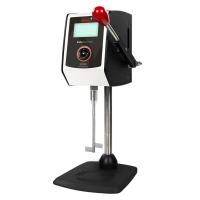
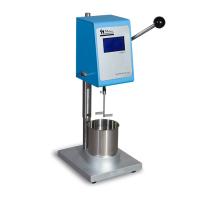
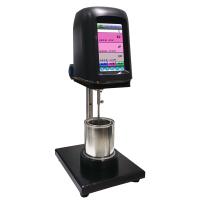
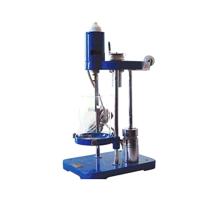
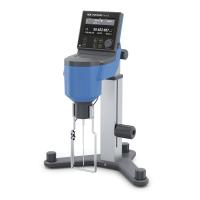
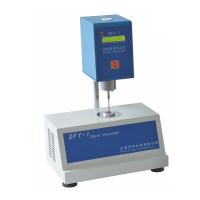
STM-III Stormer Viscometer Overview
Stormer viscometer is a test instrument used to measure the viscosity of paint and other coatings expressed by KU value. The design basis of the instrument is ASTM standard and GB9269-88 standard.
The viscometer adopts a single-chip microcomputer, and the operator can directly read the KU value of the test sample from the instrument without looking up the table.
Working principle of Stormer viscometer
Immerse the paddle rotor into the sample to be tested, increase or decrease the weight of the weight to keep the speed of the paddle rotor at 200 rpm, and input the weight of the sample to be tested at 200 rpm and replace it with viscose by a single chip microcomputer. Consistency KU value.
STM-III viscometer technical parameters
1. Voltage: 220V50HZ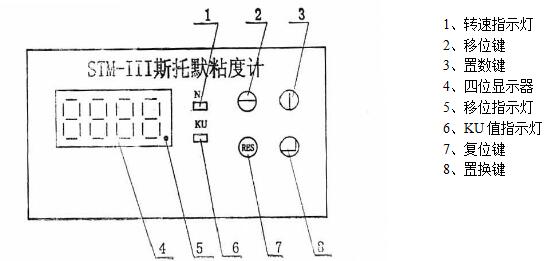
2. Blade size: 54*7.9*0.8
3. Container capacity: ≈50cml
4. Weight weight: 5g~500g
5. Dimensions: 220*220*390 (length*width*height)
6. Weight: 10Kg
Operation and Use of STM-III Stormer Viscometer
1. Measurement environment: 23°C±0.2°C
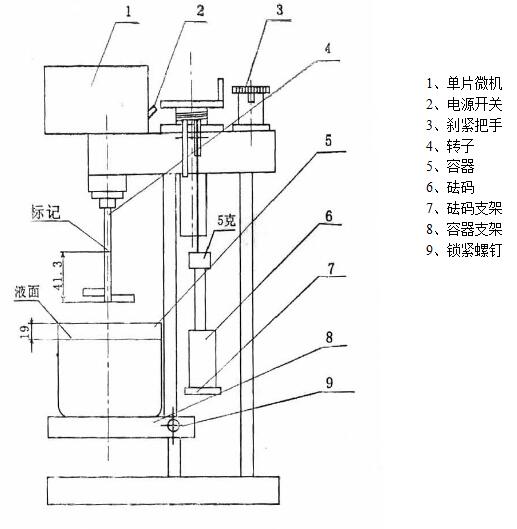
2. Take the instrument out of the box and place it on the edge of the workbench, so that the weight bracket can slide down to the ground smoothly.
3. Plug in the power plug, and turn on the power switch at the bottom right of the back cover. The number on the four-digit display will show zero. At the same time, the indicator light of the speed is on, and the instrument is in the working state of detecting the speed.
4. Fully stir the sample to be tested and put it into the container, so that the liquid level is about 19mm away from the container mouth, then put it on the container support, immerse the rotor in the liquid, so that the liquid level just reaches the mark on the rotor shaft. Then tighten the locking screw.
5. Put the weight on the weight bracket of the instrument, release the brake handle, the rotor will start to rotate, and the counter will start to display the rotor speed per minute on the panel. If the rotating speed is lower than 200 rpm, the weight of the weight should be increased, and if it exceeds, the weight of the weight should be reduced. This step should be repeated several times to stabilize the rotor speed at 200 rpm. At this time, the total weight of the weight (including the bracket 30g) is a constant load.
6. Press the number key and the shift key, and input the total amount of weight (g) added at 200 rpm consistent with the displayed number. Then press the replacement key, at this time the indicator light of the KU value is on, and the number displayed on the display is the KU value of the sample to be tested. (Note: The shift indicator point cannot be mistaken for a decimal point).
Example:
If the sample to be tested is at 200 rpm, the total weight of the added weight is 235g.
(1) Press the number key 5 times, the units digit is 5, press the shift key to move the red dot from ones to tens, press the number key 3 times, then press the shift key to move the red dot from tens to hundreds, Press the number key 2 times, the number displayed at this time is 235, and then press the replacement key to display the number 87 is the KU value (the KU value indicator light is on)
(2) If the number is wrongly entered due to improper operation, press the reset button and re-operate according to the above steps.
7. Press the reset button, the speed indicator light will be on, and the instrument will be in the state of detecting speed again.
Maintenance and Testing
1. When the brake handle is loosened and the weight of 5 grams is added, and the viscometer does not move, the instrument needs maintenance.
2. Come to our company regularly every year for testing.