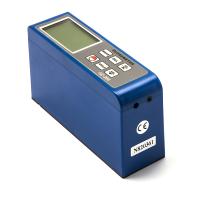
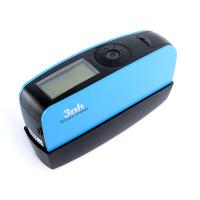
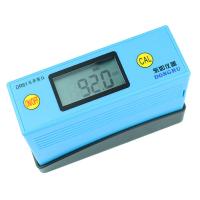
There are three models of TQC gloss meter, GL0010 for 60° single angle, GL0020 for 20° and 60° double angle, and GL0030 for 20°, 60° and 85° three-angle gloss meter. In this issue, we mainly introduce the gloss meter software of TQC.
<1> TQC gloss meter can install relevant software through the official website or the supporting USB disk. Open the software interface, the system will prompt you to import the data in the gloss meter. TQC's gloss meter supporting software is a set of WYSIWYG data analysis software, which can visually view the data of each measurement, and is also equipped with a statistical chart function. When the mouse moves to the relevant test point, the gloss is displayed synchronously related measurement data.

<2>In addition, the software also provides another data display mode - two-dimensional graph, the data measured from different angles are evenly distributed in the graph, making it clear at a glance.

<3> What is even more gratifying is that both of the above two display functions can choose to perform data masking processing for the angle, so that the gloss measurement data under single or multiple angles can be analyzed more concisely. Detailed remarks can be made for each measurement data.

<4> The supporting software of TQC gloss meter also provides a printing function, which can print the test report through the printer, and even generate an electronic report by generating HTML for the web page. The data can also be saved through the navigation bar in the upper right corner.

I will not explain other more detailed functions here. Let's experience its powerful functions in detail through a TQC gloss meter supporting software operation video recorded by NBCHAO Mall.
Disclaimer: The pictures and text in this article are all edited by NBchao.Com . Please indicate when reprinting. The quotation of product pictures needs to be authorized by NBchao.Com, and any reference will be held accountable.