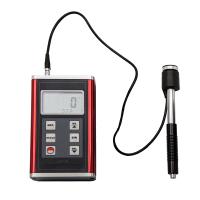
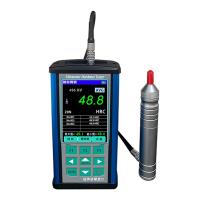
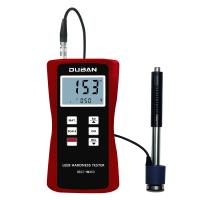
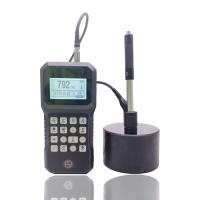
Quick Start Guide
To use the instrument quickly, please follow the steps below:
1. Requirements for the workpiece to be tested
1.1 It is better to choose a solid and heavy measuring entity when measuring.
1.2 The surface finish of the tested material should not be lower than 2µm.
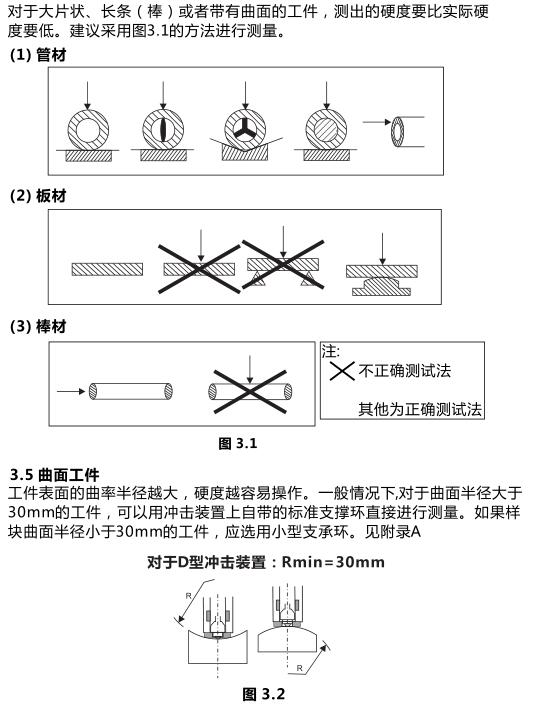
1.3 It is necessary to ensure that the measured material is firmly fixed to avoid bending, deformation, or movement during measurement, which will affect the measurement results.
2. Operation steps
2.1 Install the battery
Install the battery correctly according to the positive and negative labels on the battery box.
2.2 start up
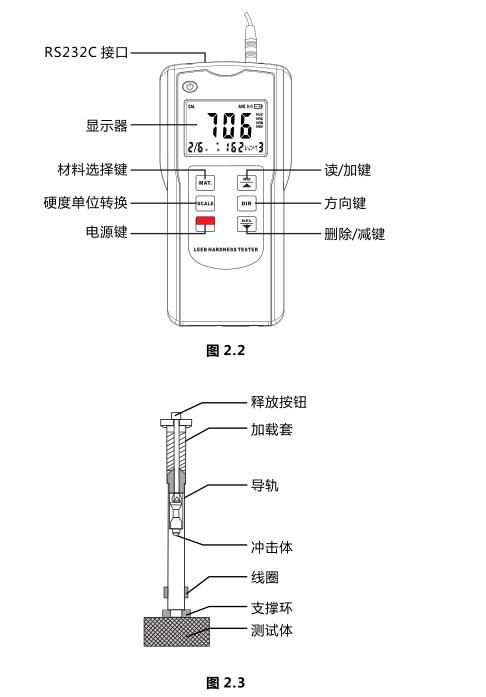
Press the "POWER/MENU" button to turn on the machine.
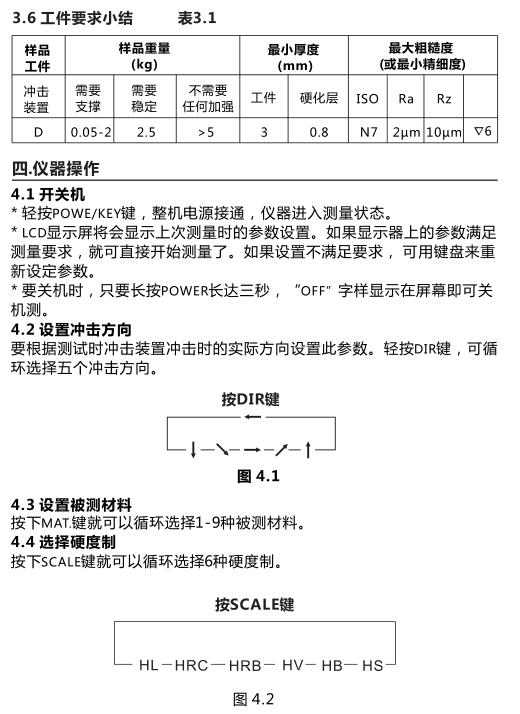
2.3 Press the "DIR/SHIFT" key to set the impact direction after turning on the machine.
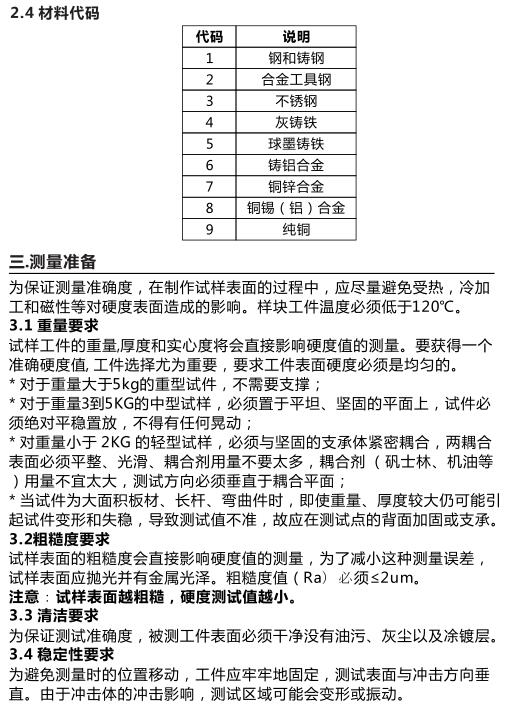
2.4 Select the material to be tested instead of stone _ horse, see section 4.3.
2.5 Select the hardness standard for measurement, see section 4.4 for details.
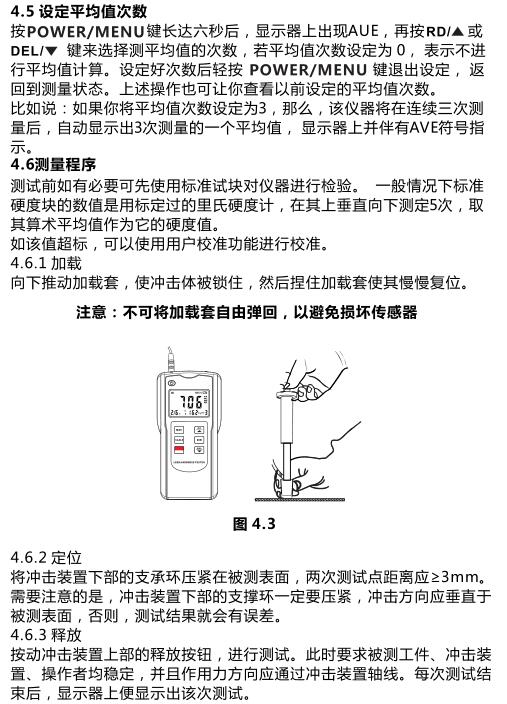
2.6 Place the instrument on the surface of the material to be tested for measurement.
2.7 loading.
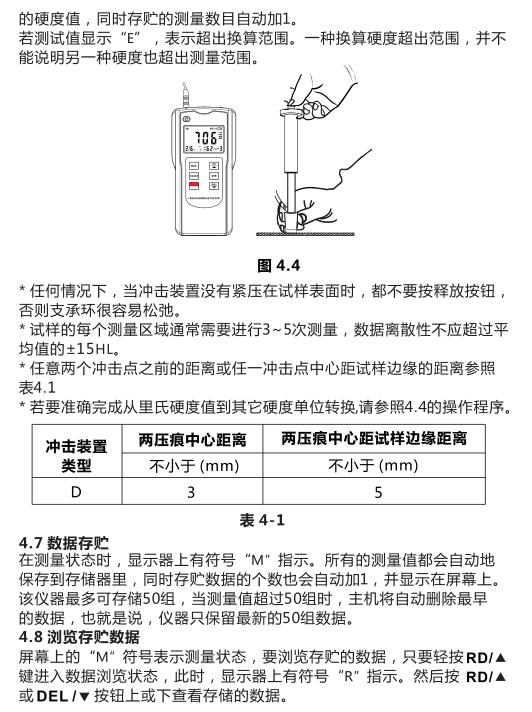
2.8 Release and take readings.
Precautions:
1. It is forbidden to hit the instrument with any copper or other materials with higher hardness, otherwise the instrument will be damaged.
2. When the instrument is not connected to the material under test, the release button cannot be pressed under any circumstances, otherwise the instrument support ring will easily become loose, resulting in inaccurate measurement.
1. Product features and technical parameters
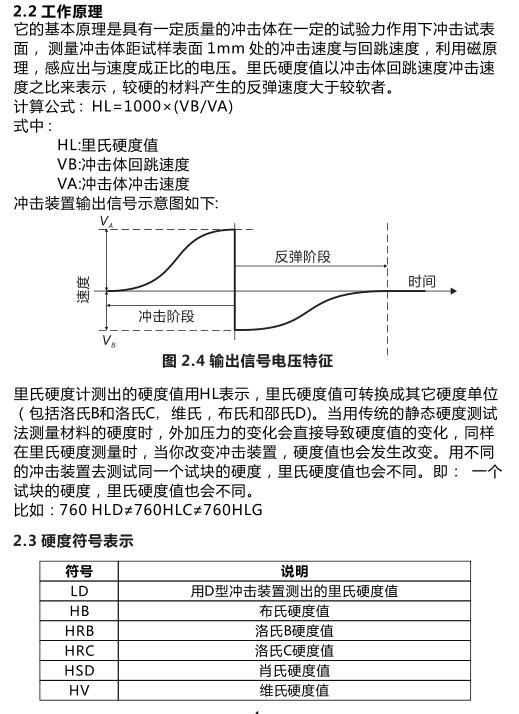
The basic principle of the Leeb Hardness Tester is that an impact body with a certain mass impacts the surface of the sample under a certain test force to measure the impact velocity and rebound velocity at a distance of 1 mm from the surface of the sample. Using the electromagnetic principle, the induction is proportional to the speed. voltage.
1.1 Application occasions
Installed mechanical or permanent assembly components.
* Mold cavity.
* Heavy workpieces.
* Failure analysis of pressure vessels, turbogenerators and their equipment.
*Workpieces with very narrow test space.
* Bearings and other parts.
*A formal original record of test results is required.
*Material classification of metal material warehouse.
*Quick inspection of multiple measuring parts of large workpieces.
1.2 Product Features
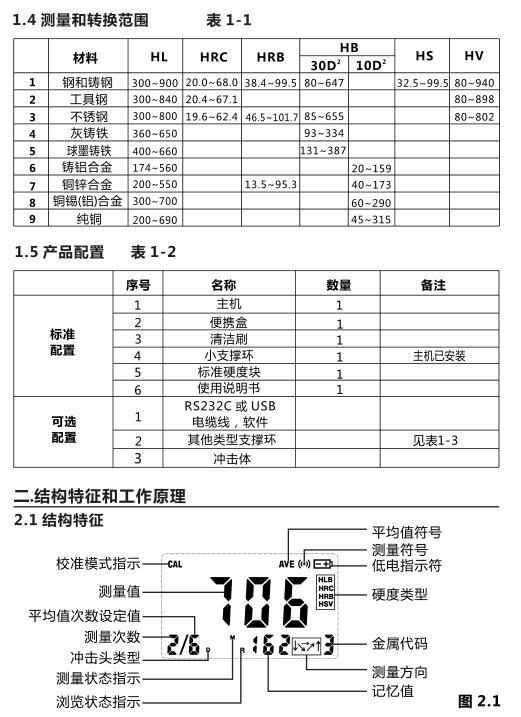
The test material and test direction can be selected through the keyboard.
* It can realize mutual conversion between six kinds of hardness (HL, HRC, HRB, HB, HV, HS). * It can repeatedly display the test results, and can record gross errors.
*It can store 50 sets of measurement values and test status, including material, test direction, hardness and other information. * Allows user calibration to make measurements more accurate.
* With RS232 interface, it is convenient to communicate with the computer.
* There is a backlight display, which is convenient for use in low-light environments.
*Manual and automatic shutdown function.
* Low battery voltage indication.
1.3 Main technical parameters
Display: 12.5mmLCD with backlight.
Accuracy: relative error ±0.8% (HLD=800), repeatability ±0.8%.
Measuring range: 200-900HLD
Hardness conversion: HL-HRC-HRB-HB-HV-HSD
Measurable materials: 9 kinds
With RS-232 interface
Can store 50 sets of measured values and test status
Impact device: D type, weight 75g
Power supply: 4 1.5V AAA batteries
Dimensions: 140x70x30mm
Weight: 130g (without battery)