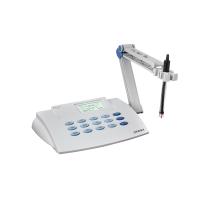
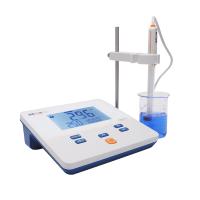
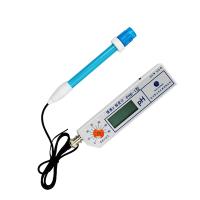
1. Purpose
In order to ensure the normal operation of the instrument and ensure the reliability of the results, this operating procedure is specially formulated.
2. Scope of application
laboratory
3. Responsibility
Laboratory technicians should strictly follow the operating procedures, and the QC supervisor is responsible for supervising the implementation of the procedures.
4. Definition
none
5. Safety Precautions
none
6. Procedures
6.1 Preparation: Turn on the power, the instrument has passed the self-test, and press any key to enter the use state.
6.2 Measurement of acidity
6.2.1 Instrument Calibration: The two-point calibration method is adopted. The instrument needs to be calibrated after each new start-up. According to the pH range of the sample to be tested, an appropriate buffer solution can be selected for instrument calibration. The pH value of the sample to be tested needs to be between the pH values of the buffer solution used for calibration.
6.2.2 Clear memory value
Press the pH key to select pH measurement.
Press the Standardization key to display the calibration operation menu.
Press the 2 key to clear the memory value.
6.2.3. Calibration with buffer
Press the pH key to select universal pH measurement.
Clean the electrode with deionized water, wipe it clean, immerse it in the buffer solution with pH=7.0, and stir properly.
Press the Standardization key to display the calibration operation menu.
Press the 1 key to choose to add a standard value.
After making sure the hole on the electrode is submerged in the buffer, press Enter.
After the electrode is stable, the instrument will automatically calibrate. After calibration, press the Enter key, press the MV key, and read the current mv value. The value should be between -30mv and 30mv, otherwise compensation is required.
The instrument returns to the main screen and displays the corrected value.
Use another selected buffer solution to calibrate the instrument according to the above method.
The error of the secondary calibration result should not exceed 0.07pH.
Press the slop/eff. key, the slope value should be greater than 95%.
6.2.4. Measurement of the pH value of the test solution
Clean the electrode with deionized water, wipe it clean, immerse the electrode in the solution to be measured, and stir properly.
Press the meas./mon key to check whether the measurement key is turned on. If you see the "key" image, it means that the instrument is measuring automatically.
The measurement result appears on the screen, and the measurement is completed, and other samples are measured in the same way.
63. Determination of electrical conductivity
6.3.1. Press the Conductivity key.
6.3.2. Clean the conductivity electrode with distilled water, wipe it clean and put it into the conductivity control solution selected according to the conductivity value of the solution to be tested.
6.3.3. Press the Standardize key.
6.3.4. Enter the conductivity value of the control solution.
6.3.5. After the calibration is completed, clean the conductivity electrode with distilled water and put it into the conductivity test solution.
6.3.6. Press the Conductivity key to measure the conductivity of the solution.
6.4. Finish the work: After the measurement, clean the electrode with deionized water, and then immerse the electrode in a beaker filled with deionized water. Fill in the usage records (see Appendix 1).
7. Reference
"ASSUMEMoModel20 Acidity/Conductivity Meter Operation Manual"
"Model 15 pH Meter Operation Manual"
"CAP020/3 Measurement of pH"
8. Distribution department
Quality Assurance Department
9. Revision history: