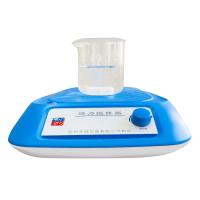
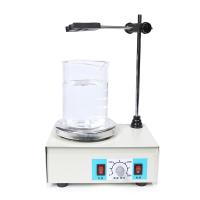
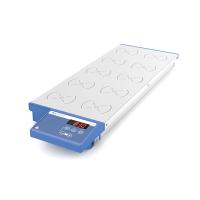
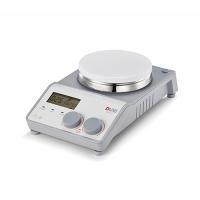
Features
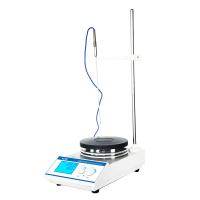
●Touch keys, LCD backlight display
●Digital setting temperature and speed
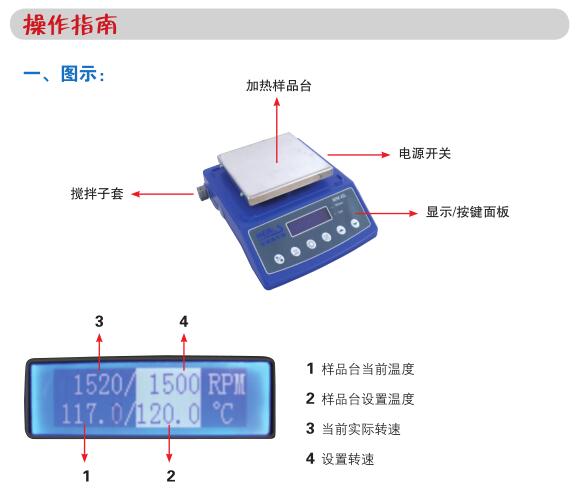
●Simultaneous display of setting parameters and actual parameters
●Low carbon and high temperature resistant stainless steel countertops, anti-acid, anti-alkali, anti-corrosion
●Fast heating
●Smooth start
●Unique automatic reversing stirring function every 30 seconds
●High temperature anti-scalding warning light
●A stirrer and a stirrer take-out rod are included

2. Installation
1. The instrument should be installed on a flat table.
2. Plug in the power and turn on the power switch. The last set speed is displayed on the screen, and the temperature defaults to "OFF".
Note: It is forbidden to place non-heat-resistant or flammable items on or near the work surface!
3. Setting parameters:
1. Set the speed: press the setting function key, when the speed unit "RPM" is highlighted, you can use the up and down arrows to set the stirring speed of the stirring bar. Up Arrow ▲ increases RPM and Down Arrow ▲ decreases RPM. Press and hold to speed up the setting. Press the setting button again to accept the new set speed value.
2. Set the temperature: press the setting function key, when the temperature unit "℃" is highlighted, you can use the up and down arrows to set the temperature of the sample stage. Up Arrow ▲ increases temperature and Down Arrow ▲ decreases temperature. Press and hold the key to speed up the setting. Press the setting button again to accept the new setting value. If the temperature displays "OFF" at this time, it means that the temperature is in the off state. At this time, press the heating switch button to turn on the heater. And display the set temperature value.
3. Turn off the temperature control function: press the heating switch key, the temperature setting will display "OFF", and the heater will not work at this time. Press the key again to turn on the heater and display the set temperature value.
4. Confirm the parameters: press the setting function key, when the speed unit "RPM" and the temperature unit "℃" are not highlighted , the instrument accepts the set parameters.
5. Set automatic reversing: press the automatic reversing setting button, the indicator light on the upper right corner of the panel is on, indicating that the stirring . Press the automatic reversing setting button again to cancel the automatic reversing function, and the indicator light at the upper right corner goes out.
6. Operating parameters can be changed during operation, including speed, temperature and automatic reversing settings, the method is the same as above. After the setting
Note: ①After the temperature setting is completed, if the heating is not in the "OFF" shutdown state, the temperature control system of the sample stage has started to work regardless of whether the "Start" button is pressed or not!
②When the high temperature alarm indicator light is on, it means that the temperature of the working surface is higher than 50°C, and physical contact .
Operation Guide
4. Run/Stop
1. Start to run: Press the start/stop button to run according to the set parameters. At this time, the actual speed .
2. Stop running: When the motor is running, press the start/stop button, the motor will stop running, and the screen will display "End". Press any key to return to the last set value.
Note: The start/stop button is only valid for motor operation, not for temperature control! So when the instrument is idle , please set the temperature to off state.