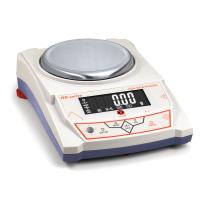
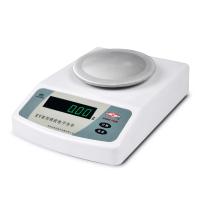
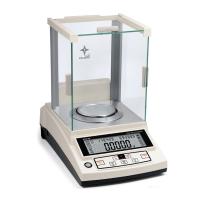
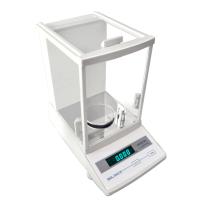
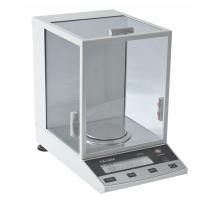
What problems will appear in the daily use of MP series electronic balance? Professionals from Tianjin Tianma Instruments pointed out that MP series electronics are well received by the general public because of their fast fixed point, good repeatability, and stable performance. corporate favourites. However, since the MP series electronic balance is a precision instrument, damage will inevitably occur during use. This is to find out the cause of the balance damage, and it is particularly important to carry out targeted maintenance. The following is a professional introduction to the problems that will occur in the daily use of MP series electronic balances and how to deal with them.
According to professionals, MP series electronic balances will have the following problems in daily use:
1. Fault phenomenon: The display data used to change normally with the change of weighing, but suddenly no longer changes.
Reason: An object larger than the value of the calibration weight has been used for balance calibration, so the display will no longer increase after a certain display value is exceeded.
Solution: Recalibrate the balance.
2. Symptom: No display appears after pressing the "Power On/Off" button.
Reasons: 1) The power supply is not plugged in 2) The power adapter is damaged.
Solution: 1) Plug in the power supply 2) Replace the power adapter.
3. Fault phenomenon: After starting up, only "O" is displayed in the lower left corner of the display screen, and there is no other display. It means that the weighing environment of the balance is unstable, and the balance cannot obtain a stable weighing.
Reasons: 1) There are foreign objects under or around the weighing pan 2) There is strong vibration and airflow around the balance 3) The weighing environment selection and weighing variable range of the balance are not set properly.
Solution: 1) Please gently pick up the weighing pan to observe whether there are foreign objects, especially small foreign objects. 2) Choose a solid installation table, no vibration, and a small airflow environment. 3) Reset the balance weighing environment settings.
4. Fault phenomenon: The balance displays "L".
Reasons: 1) The weighing pan is not installed 2) There are foreign objects under the weighing pan 3) The airflow cover and the weighing pan collide.
Solution: 1) Place the weighing pan on the weighing pan seat 2) Gently lift the weighing pan to check if there is any foreign matter under the weighing pan, and remove the foreign matter 3) Gently turn the weighing pan or the air flow cover to see if there is any collision , to adjust the position of the airflow cover.
5. Fault phenomenon: "H" is displayed on the loading balance.
Reasons: 1) The object loaded on the weighing pan is too heavy, which exceeds the maximum range. 2) The balance has been calibrated with weights or other objects smaller than the value of the calibration weight, causing the weight within the normal range to display overweight.
Solution: 1) Weigh only within the measuring range 2) Re-calibrate with the correct weight.
6. Fault phenomenon: The balance displays "E1", the display overflows, and the displayed value has exceeded 99999999.
Reason: When counting pieces or percentage weighing, the sample value is too small.
Solution: 1) When "E1" appears during piece counting, first remove the objects on the weighing pan, and re-select the number of samples. You can choose 2 times, 5 times, or 10 times the integer of 10 samples as samples. Write down the multiple of the current sample, and multiply the displayed value by the multiple when reading. 2) If "E1" appears during percentage weighing, first remove the objects on the weighing pan and re-select the sample.