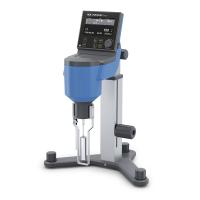
Viscometer: Brookfield DV-II+PRO Rotational Viscometer
Detection object: neutral ink raw material
Conditions of use: constant temperature 25 degrees
Constant temperature Water Bath: 501A super digital constant temperature Water Bath
Note: When measuring low-viscosity liquids, use a combination of large-volume spindles and high speeds. When measuring high-viscosity liquids, a combination of small rotors and low speeds is used.
Pay attention to check the viscosity level before use (whether the air bubbles are in the black circle)
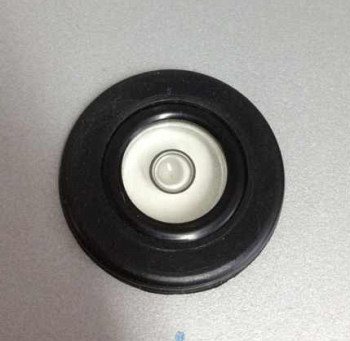
The detection methods are divided into plane test and computer test, as follows:
A. Plane test
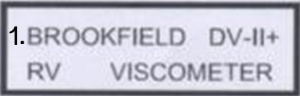
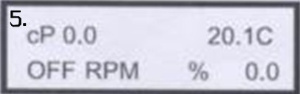
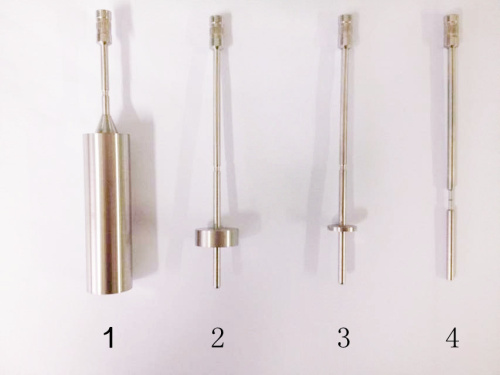
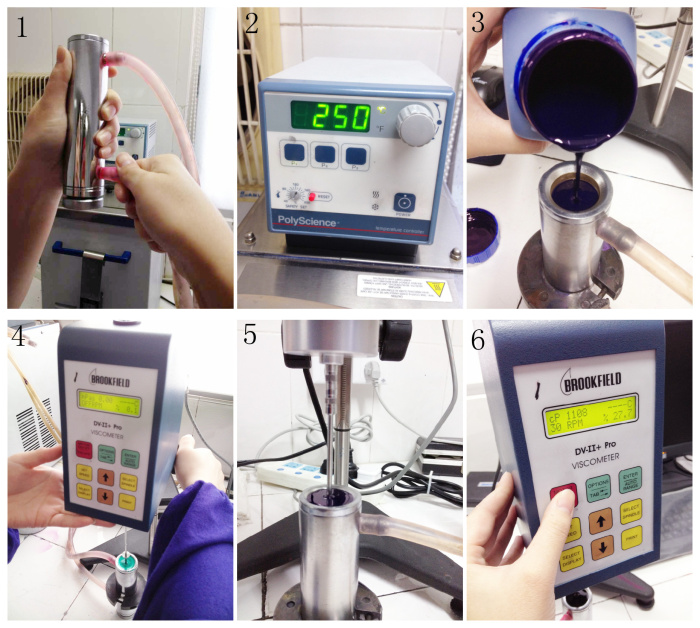
1. When using plane reading, press the down key ↓ on the surface of the viscometer after turning on the machine to select Figure 1. Start the machine and perform zero calibration. (Torque% value appears -1 or more to restart the machine)

2. Connect the selected rotor to the rotating shaft.
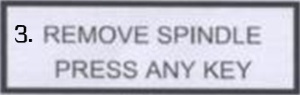
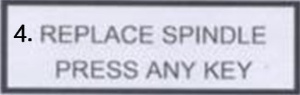
Note that when loading and unloading the rotor, you need to hold the lower end of the shaft by hand and lift it upwards and keep it at the lifted position. After screwing in or out of the rotor, press any key, and the viscometer will perform automatic zero point calibration. Note that when doing zero calibration, the rotor must not be installed on the shaft.
3. Connect the constant temperature bucket of the measuring container to the constant temperature Water Bath, and turn on the switch of the constant temperature Water Bath (set the required temperature of the sample to 20 degrees or 25 degrees)
4. Pour the sample into the constant temperature barrel to the inner edge as the standard, and immerse the rotor into the sample to the groove score on the rotor rod. If it is a dish-shaped rotor, pay attention to immerse it in the sample at an angle to avoid air bubbles that will affect the test results. (Check whether the immersion depth of the rotor is appropriate) Press the red key on/off on the plane to start measurement.
5. Read the data in 5 minutes, make a record and turn off the red button on the plane.
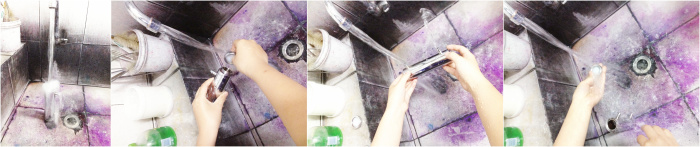
Sixth, turn off the constant temperature Water Bath on\off. Remove the rotor, wash it, and put it in the rotor box, then remove the Water Bath tube on the thermostat barrel and put it away (the Water Bath tube should not be placed lower than the Water Bath box, to avoid water flowing out automatically). Take the thermostatic barrel of the measuring container in the washing tank, remove the low seat, and rinse it under the tap until it is clean.
B) Computer test
According to the needs of routine testing, it is necessary to use a computer to test the sample steps:
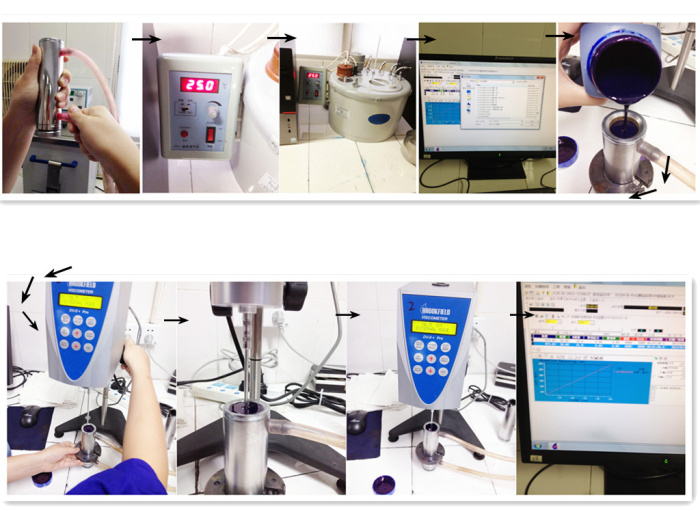
1. Connect the constant temperature bucket of the measuring container to the constant temperature Water Bath, turn on the switch of the constant temperature Water Bath (the required temperature of the sample is 20 degrees or 25 degrees), pour the sample into the constant temperature bucket to the inner edge as the standard,
2. After turning on the machine, press the upper key on the surface of the viscometer ↑
3. Open the viscosity measurement symbol on the computer and enter the safe mode → measure (open the folder) → test wizard (select the required viscosity range) such as select low viscosity → run\acquisition → ① start operation (zero calibration) after zero calibration Connect the rotor to the rotating shaft, immerse the rotor into the sample to the notch on the rotor rod. If it is a disk rotor, pay attention to immerse in the sample at an angle to avoid air bubbles that will affect the test results. (Check whether the rotor immersion depth is appropriate)→②Start running (select the test line for testing)
Fourth, read the data and make a record
5. Turn off the constant temperature Water Bath on\off. Remove the rotor, wash it, and put it in the rotor box, then remove the Water Bath tube on the thermostat barrel and put it away (the Water Bath tube should not be placed lower than the Water Bath box, to avoid water flowing out automatically). Take the thermostatic barrel of the measuring container in the washing tank, remove the low seat and rinse it under the faucet until it is cleaned, and tighten the base after cleaning.
Constant temperature barrel flushing