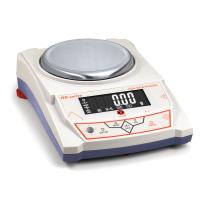
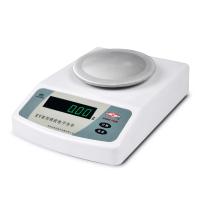
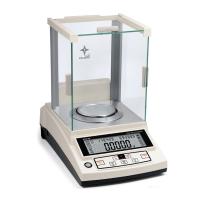
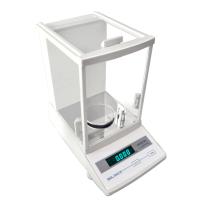
Troubleshooting of FA/JA Series Multifunctional Electronic Balance
Fault | reason | exclude |
no display | The power supply is not connected, or the power supply is not connected properly. | Plug in and plug in the power cord; |
The power transformer is damaged; | Replace the power transformer; it is broken immediately after replacement, and should be sent to the maintenance department for repair; | |
The displayed value is unstable and the value is floating | bad working environment; | Improve the working environment, keep the temperature at 20°C±2, humidity at 50%RH~75%RH, and avoid vibration and airflow interference; |
The windshield door is not closed properly; | Close the draft shield door; be sure to push and pull gently when sliding the glass door. | |
There are foreign objects or scratches between the weighing pan and the work surface; | Take out foreign objects, rotate the weighing pan to prevent scratches, and keep the work surface clean. | |
The power supply is unstable and exceeds the allowable value; | External access to 220V AC power regulator; | |
The weighing object itself is unstable; (such as absorbing water or evaporating) | Maintain the stability of the object to be weighed and prevent the volatilization and water absorption of the object to be weighed; | |
Operator's tools are charged with static electricity | The tools used cannot be charged with static electricity. It is recommended that the operator wear cotton gloves and use tweezers to wrap the head with insulating cloth. | |
The screen displays underlined | Balance sensor damaged | Return to factory for repair |
The displayed value does not match the actual weight | the balance is not calibrated; | Calibrate the balance with weights; |
Not cleared before weighing; | Press TARE to clear; | |
Not leveled properly; | Adjust the level with the leveling feet. | |
The upper middle part of the display shows numbers | The program of the balance is out of order | Replace 93C46 |
SET-A appears after booting | Press the "Power On" button for a little longer | At this time, press "Shutdown" and restart the machine. If not, replace the panel |
Problems with weighing paper and glassware, which make the numbers wobbly | Weighing paper is light, easy to float, and glassware is prone to static electricity | It would be better to put a piece of stiff paper under the glassware Use weighing paper to ensure that the determined environment meets the requirements |
There is a watermark on the display panel | caused by large temperature changes | Wait for the temperature to stabilize |
There is a crash | No change in value | Circuit board problem, return to factory for repair |
Unstable zero | sensor problem | Return to factory for repair |
Maintenance and maintenance of FA/JA series multifunctional electronic balance
FA/JA series multifunctional electronic balance is a precise mechatronic intelligent measuring instrument, so it needs to be treated seriously and carefully maintained like other precision instruments.
(1) Do not use sharp objects (such as pencils, ballpoint pens) to press the keys, only use your fingers to press the keys;
(2) Be careful not to let objects fall on the weighing pan from a high place, so as not to damage the weighing mechanism;
(3) Do not expose the balance to high humidity or dusty environment for a long time;
(4) After the balance is used up, it is better to cover it with a cover to prevent the intrusion of dust;
(5) Keep the balance clean and dry.
Things to keep in mind when cleaning:
Before cleaning, unplug the power supply first;
Do not use corrosive cleaning agents (such as solvents). You can use a soft, lint-free cloth dampened with water and then some neutral detergent (soap) for cleaning.
When cleaning, be careful not to let water drip into the balance;
After cleaning, dry the balance carefully with a soft, dry, lint-free cloth.