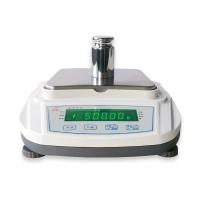
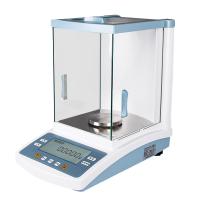
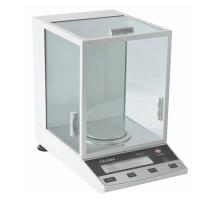
The PR series of Ohaus precision analytical balances is one of its best-selling series. This article introduces how to install the balance? Including components, selection of the place of use, level adjustment, power on and preheating of the balance and data interface, initial calibration.
1. Parts
Depending on the balance model, the included parts are different, and you need to read the instructions carefully for debugging. The packing list is as follows:
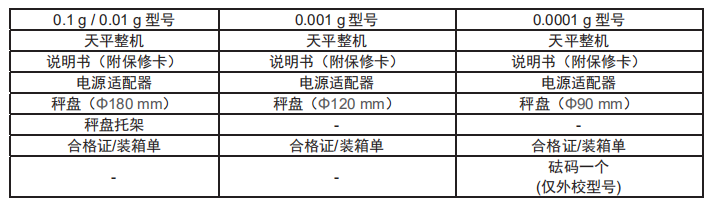
2. Selection of place of use
Avoid placing the balance in direct sunlight, severe temperature fluctuations, strong air drafts and vibrations. Please provide enough space for use.
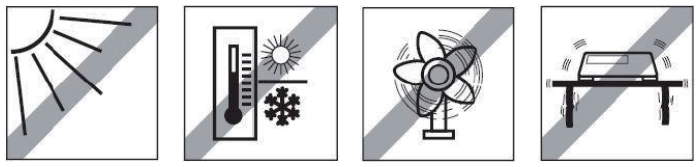
3. Adjust the balance
Adjust the level before using your Ohaus balance or after moving it. PR series balances have a small leveling bubble 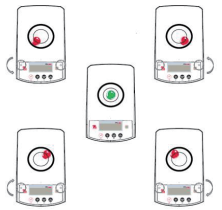 to the right of . Adjust both level adjustment thumbwheels until the air bubble is centered on the level indicator. The level can be adjusted with the help of the figure on the right.
4. Turn on the power and preheat the balance
Connect the power cord to the power socket on the back of the balance, and then connect the other end of the power cord to the power socket to turn on the power.
Warm up the balance for a while before using it. For balances with an accuracy above 0.1 mg, the preheating time is 1.5 hours; for balances with an accuracy of 1 mg, the preheating time is above 0.5 hours.
5. Data interface
PR series balances have 1 RS232 interface. Balance data can be transferred by connecting the balance to a power source or a printer using the RS232 interface. The connection serial port is located on the back of the balance.
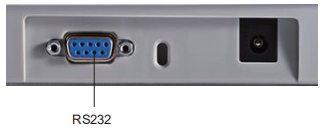
RS232 interface: used to connect power supply and printer
NOTE: About connecting/configuring and testing the printer/computer.
6. Initial Calibration
When the balance is first installed, as well as when the balance is moved, it needs to be calibrated to ensure accurate weighing results. In the case of internal calibration balances, the PR series balances have an internal calibration function which automatically calibrates the balance without the need for external calibration weights. In the case of an external calibration balance, the balance is also manually calibrated with external calibration weights. Before starting external calibration, make sure you have the correct calibration weights.