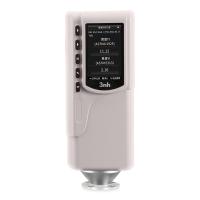
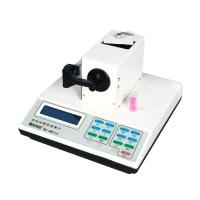
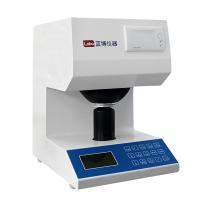
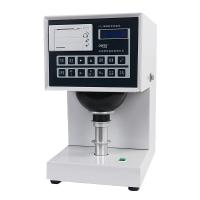
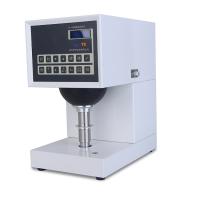
XT-48B/BN whiteness Tester mainly measures paper and cardboard, pulp and chemical fiber pulp, cotton and chemical fiber, textiles, plastics, ceramics, porcelain, starch, salt, white cement, china clay, talcum powder and other objects BaiDu. Optical properties such as opacity of thin sheet materials can also be measured.

1 boot
a. The instrument should be placed on a stable horizontal platform to prevent vibration, strong light, dust and splashing water.
b. The ground terminal of the power socket should be reliably grounded.
c. Press the power switch on the back of the instrument to warm up for about 2 minutes.
2 settings
When the instrument leaves the factory, except for the uncertain value of "quantitative" and ink coefficient c, the fluorescence factor U= and the fluorescence correction number FA= have been set. Every time the user starts the machine, if there is no need to modify it, he does not need to set the number again, but directly enters the third step-calibration.
Press the "Settings" button
a) The first line displays "quantitative setting", the second line displays the quantitative value g=xxxx.x, and the quantitative value can be modified by the "▶" and "▲" keys. After modification, press "↙" key to save the modification and enter the next step. Press other keys to exit without saving the modified value.
b) The first line displays "Ink Coefficient Setting", and the second line displays the ink coefficient value g=xxx.xx, and the ink coefficient value can be modified by the "▶" and "▲" keys. Press the "↙" key after the modification is completed. After modification, press "↙" key to save the modification and enter the next step. Press other keys to exit the setting without saving the modified value.
c) The first line displays "fluorescence factor setting", the second line displays the value of the fluorescence factor u=xx.xxx, and the fluorescence factor can be modified by the " ▶ " and "▲" keys. Press the "↙" key after the modification is completed. After modification, press "↙" key to save the modification and enter the next step. Press other keys to exit the setting without saving the modified value.
d) The first line displays "Fluorescent Whiteness Correction", and the second line displays the fluorescent whiteness correction value FA=xx.xxx, which can be modified by the " ▶ " and "▲" keys. Press the "↙" key after the modification is completed. After modification, press "↙" key to save the modification and enter the next step.
Press other keys to exit the setting without saving the modified value.
e)第一行显示“语言设定”,第二行显示当前语言,可通过“▲”键修改当前语言(中文或英语。修改完成后按“↙”键。修改完成后按“↙”键保存修改并退出设定。按其他键退出设定,不保存修改值。
3 校准
3.1 R457 校准
①推进大小拉板到底。
②调零
试样托上放黑筒,按“调零”键,显示“R457 调零,请放黑筒”,“↙”键,显示“请稍等,正在调零…”,几秒钟后显示“R457 调零完毕”,取下黑筒。
③校准
试样托上放 1 号工作板,按“调准”键,显示“校准:请放标准板,R457=xxx.xx”(可通过“▶”,和“▲”修改标准值”)、“↙”键,显示“请稍等,正在校准…”,几秒钟后显示“R457 校准完毕”,取下1号工作板。
④调荧光
a. 如被测试样不含荧光增白剂,本步序可省略。
试样托上放 3 号工作板,按“测定键”,显示“R457=xxx.xx”。
a) 若显示值与 3 号工作板标准值相等(以相差不超过 0.3 为好),则荧光已调准,取下 3 号工作板。
b) 若显示值小于 3 号工作板标准值,则顺时针方向转动大拉板旁的荧光调节螺钉,同时将大拉板再向里推进到底,按“测定键”,直到显示值等于 3 号工作板标准值,取下 3 号工作板。重复上述调零、校准、调荧光步序。
c) 若显示值大于 3 号工作板标准值,则逆时针方向转动大拉板旁的荧光调节螺钉,按“测定键”,直到显示值等于 3 号工作板标准值,取下 3 号工作板。重复上述调零、校准、调荧光步序。
3.2 Ry 校准
如不测定试样的绿色光漫反射因数 Ry、不透明度、透明度、光吸收系数和光散射系数、油墨吸收值等参数,本步序可省略。
1)拉出小拉板到底,大拉板仍推进到底。
2)调零
试样托上放黑筒,按“调零”键,显示“Ry 调零,请放黑筒”,“↙”键,显示“请稍等,正在调零…”,几秒钟后显示“Ry 调零完毕”,取下黑筒。
3)校准
试样托上放 1 号工作板,按“调准”键,显示“校准:请放标准板,Ry=xxx.xx”(可通过“ ▶”,和“▲”修改标准值”)、“↙”键,显示“请稍等,正在校准…”,几秒钟后显示“R457 校准完毕”,取下1号工作板。
4 测量
b. 蓝光白度(R457)和荧光增白度(F)的测量:推进大小拉板到底。
试样托上放被测试样,按“测定键”,即显示提示符 R457 和试样的 R457 白度值。
对含有荧光增白剂的试样,在测定试样的 R457 值后,接着拉出大拉板到底(小拉板仍推进到底),再按“荧光白度”键,即显示提示符 F 和荧光增白度值(%)。 c. 平均值测量蓝光白度(R457)、绿光漫反射因数(Ry)、光密度 Dy 和 Dz、R0、R∞、R84 及与油墨吸收值计算有关的 RI 等均可用“平均值”键获得多次测量的算术平均值。
在进行平均值测量之前,应先按“平均值”键(提示符显示 Av),再进行同一参数的多次测量(测量次数最多 20 次),然后再按“平均值”键,即显示该参数的平均值 XX(Av)=xxx.xx。
d. 绿光漫反射因数 Ry(亮度刺激值 Y10)的测量:拉出小拉板到底,推进大拉板到底。
试样托上放置被测试样,按“测定键”,即显示提示符 Ry 和试样的Ry值。
e. 试样的不透明度、光吸收系数、光散射系数的测量:拉出小拉板到底,推进大拉板到底。
以多层试样(层数以不透明为宜),按“R∞”键,即显示 R∞数值(%)(可多次测量取平均值)。
试样托上放一层试样,试样下面再放黑筒作为背衬,按“R0 OPT”键,即显示不透明度 OP(%)、光散射系数值 S(m2/kg)和光吸收系数值 A(m2/kg)数值(可多次测量取平均值)。
f. 试样的透明度测量拉出小拉板到底,推进大拉板到底。
以 Ry =84±2 的白板为背衬,放一层试样,按“R84”键,即显示R84 数值(%)(可多次测量取平均值)。
试样托上放一层试样,试样下面再放黑筒作为背衬,按“R0 OP T”键,即显示透明度 T(%)(可多次测量取平均值)。
g. 油墨吸收值的测量
拉出小拉板到底,推进大拉板到底。多层试样(层数以不透明为宜),按“R∞”键,即显示 R∞数值(%)(可多次测量取平均值)。
试样涂油墨后,晾干,并在试样下面衬原试样(未涂油墨的试样),
Press the "Ri I" key, and the ink absorption value I will be displayed (the average value can be measured multiple times).
h. Optical density measurement
① DZ measurement (lead concentration)
a) Push the large and small pull plates to the end.
b) The instrument is equipped with a special sample dish, put the sample in the middle of the sample dish, and the four corners of the square are just inscribed in the circular socket of the sample dish. The sample dish is placed on the sample holder, and the outer ring of the sample dish is elastic to ensure that the tested sample is tightly attached to the center of the measurement hole; press the "optical density" button to display the concentration value DZ (multiple measurements can be averaged) .
② Dy measurement
a) Push the large and small pull plates to the end.
b) Put the sample on the sample holder, press the "Optical Density" key, and display the Dy value (multiple measurements can be taken as the average value).
i. Data printing (applicable to machines equipped with printers)
After each measurement or after pressing the average key, you can press the print key to print the data.