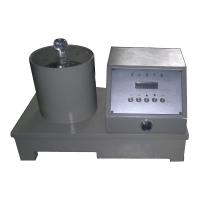
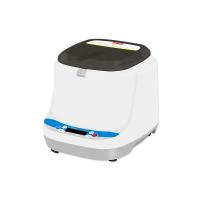
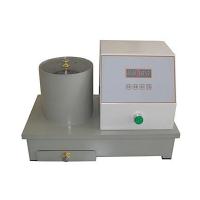
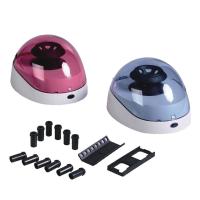
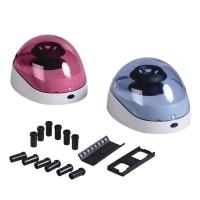
YT-LX2800A CNC electric centrifuge is controlled by a 32-bit ARM high-speed processor, with a 128× 64 graphic dot-matrix liquid crystal display and Chinese display . It is the most widely used centrifuge in the superabsorbent resin industry ; it is also widely used in papermaking and textile , printing and dyeing industries

Installation and Precautions
Do not open the cover during the dehydration process, or do not put your hand in when the water spinner is not completely stopped, so as to avoid accidents.
A rubber plate should be placed under the whole machine to maintain a flat position and reduce vibration. If the noise is louder, place the spin-dried objects evenly and evenly, stop the operation and re-place the cloth bag in the center.
Be careful not to block the drainage pipe with the slurry, and often clean the slurry or impurities around the drainage pipe in the cylinder to keep the drainage smooth.
product structure
Panel function description:

【Setting】: Set time and speed parameters.
【Confirm】: Confirm parameter input when setting parameters.
【▲】key: add numbers when setting parameters.
【▶】key: Shift the selection item when entering the parameter setting interface; shift the number when setting the parameter, and act as a pause button and continue function during the dehydration process.
[Stop] key: It is used as the "Exit" key in the parameter setting interface, and it can stop during the dehydration process.
[Start] key: Start dehydration, and stop automatically when the set time is reached.
Operation Guide
Before using the centrifuge, the instrument shell needs to be safely grounded (that is, the ground pin of the power plug wire needs to be connected to the ground) to prevent electric shock accidents caused by electric leakage!
Connect the drain hose, turn on the power switch on the right side of the instrument, the display will show as follows:

1. Set the time: Press the [Setting] key to select the item "(1) Time":

Press the [Enter] key to display the time setting interface. (You can press the [Stop] key to exit)
The "ten minutes" data flashes, press the [▲] button once to add 1 to the "ten minutes digit" (0~9 cycle); press the [] button once, the flashing digit moves one digit to the right, and the "minute digit" data flashes, press Press【▲】key once to add 1 to the "minute digit" (0~9 cycle); and so on, modify the "ten second digit" and "second digit". After the data modification is completed, press the [OK] key to complete the input of "time".
2. Set the speed
Press【SET】key, then press【▶】key to select "(2) Speed" item:

Press the [Enter] key (you can press the [Stop] key to exit), and the speed setting interface will be displayed.
The "thousands" data flashes, press the [▲] key once and the "ten minutes" adds 1 (0~2 cycles); press the [] key once, the flashing digit moves one digit to the right, and the "hundreds" digit flashes, press it once 【▲】key to add 1 to the "minute digit" (0~9 cycle); and so on, modify the "tens digit" and "ones digit" data. After the data modification is completed, press the [Enter] key to complete the input of "Speed".
Note: The speed range is 1500rpm~2500rpm, and the default is 2133rpm (centrifugal force 250g) if it exceeds the range.
3. Dehydration: Open the cover, put the wet pulp sample into the cloth bag, lock the rope and knot it, put the cloth bag into the center of the dehydration cylinder, close the cover, press the [Start] button to start dehydration, and reach After setting the time, the buzzer will beep 3 times to indicate the completion of dehydration.

If you want to repeat the above dehydration work, if you need to stop in the middle, press the [ ▶ ] key to pause the dehydration, and then press this key to resume the dehydration.