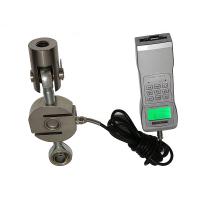
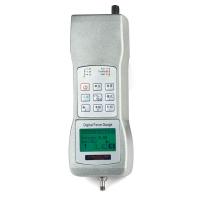
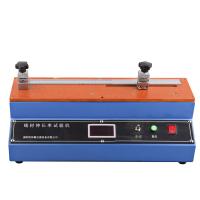
YT-WL horizontal computer tensIon Meter can be used to measure the tensile force, tensile strength, elongation, breaking length, tensile energy absorption, tensile index, tensile energy absorption index, etc. of paper, aluminum foil, aluminum-plastic tape, etc. Tensile energy absorption value, elongation time to break and modulus of elasticity.
Installation and Precautions
The main power supply of the instrument is a three-pin plug , and it is strongly recommended that the protective ground wire be connected to the earth. In order to reduce the vibration and noise during the working process of the stepping motor , it is recommended that the instrument be placed on a solid and stable working platform ( such as a cement test bench ) ;
Before starting work every day , please warm up the machine for 10-30 minutes.
Once the instrument is out of control, please turn off the power immediately.
Note : The time interval between turning off the power switch and turning it on again needs to be more than 20 seconds.
product structure
3.1 Composition
The instrument is an electromechanical integration structure.
The mechanical part is used to clamp the specimen, stretch and measure the force. It is mainly composed of two parts: the tensile moving chuck part and the force measuring static chuck part.
The electrical part is used for parameter setting, measurement display, action control, and result printing. It is mainly composed of main board, display board, power board, motor driver and printer.
3.2 Appearance structure


3.4 Button description
【Curve】key to display the curve graph of the current test result
【Test】key: used for automatic test.
[Forward], [Backward], [Stop] keys: used to manually control the position of the brake chuck.
【Delete】key: used to delete the current or all test data; double-click the delete key to clear all test data.
【Statistics】key: used to display test statistical results.
【Print】key: used to print data.
【<】key: View the previous data, double-click to view the previous 5 data.
【>】key: View the last data, double-click to view the last 5 data
【Setting】key to enter the test setting parameter setting, including test selection, test parameters, unit, language, calibration, factory settings.
Operation Guide
5.1 Boot
Turn on the upper left power switch. After power on, it enters the self-test program and displays "YT-WL30 (or 300) Horizontal Computerized Tensile Tester". After the self-test is completed, it will turn to the standby test interface as shown in Figure 4.2.
5.2 Force zero adjustment
If the static chuck is suspended in the air and the sample is not clamped, the force value display is not 0.0N, and you can press the [Zero Adjustment] key to perform zero adjustment.
5.3 Setting parameters
Press【SET】key to enter parameter setting interface

5.3.1 Chuck distance (specimen length), specimen width The distance between the chucks is the distance between the static chuck and the boss in the middle of the movable chuck, because only the boss touches the sample when clamping the sample. After setting the chuck distance, the movable chuck will be positioned automatically.
The tensile test is set to 180mm according to the national standard, and the peel test is generally set to 40mm.
During the tensile test: the width of the sample is set to 15mm according to the national standard; during the peeling test: the width of the sample is 25mm, and the width of the clamp should be 25mm.
5.3.2 Speed setting
Return speed: The return speed is the speed of returning to the starting point of the test after the test is completed, and has nothing to do with the test data. The general setting is 300-400mm/min.
Test speed: When using constant speed tensile method standard requirements for testing, adjust the speed to 20mm/min. It can also be adjusted according to your own requirements.
During the peel test, the test speed should be 100mm/min.
5.3.3 Quantitative setting
In the tensile test, if the tensile index and energy absorption index are required, it is necessary to set the quantitative value, otherwise the data is uncertain.
5.3.4 Thickness setting
In the tensile test, if the elastic modulus data is required, the thickness needs to be set, otherwise the elastic modulus is uncertain.
5.3.5 Unit setting
The instrument has 3 kinds of units for users to choose (N kg lb), users can choose the unit according to actual needs, generally use "N".
5.3.6 Other parameters