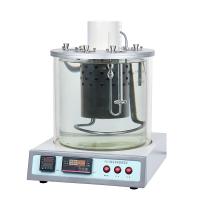
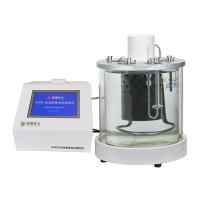
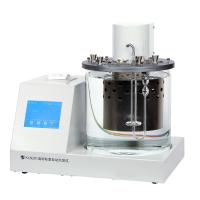
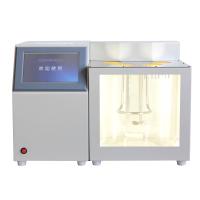
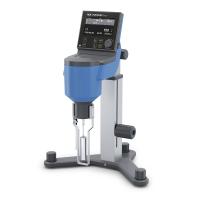
Instrument installation
1 Open the packing box, check the spare parts, and pay attention to the glassware, especially the capillary viscometer, to be handled with care, and do not wrench or plug it hard by hand to avoid damage.
2 Adjust the instrument so that the instrument is in a basic level state.
3 According to the different requirements of the sample on the bath temperature, add a sufficient amount of liquid into the Water Bath (the liquid level should be 15-20mm away from the lower end of the upper cover).
4 Insert the thermometer into the corresponding hole on the bathtub cover.
5 Connect the three-core power cord (the power cord needs to have a grounding terminal).
How to use and instructions
1 According to the test temperature used, fill the bathtub with the liquid in the table below:

2 Select an appropriate capillary viscometer according to the test temperature.
3 Turn on the power switch on the panel of the instrument, the switch indicator light is on.
4 The new generation of kinematic viscometer is designed for full touch operation, and the key functions are clearly defined, making the man-machine interface more friendly. Due to the use of large-screen LCD, the amount of information that can be displayed on the page is more abundant, reducing the number of switching display pages, and making it easier for users to learn to use the instrument. The instrument is divided into 4 display pages: 1. Start-up welcome page; 2. Sample measurement main page; 3. History page; 4. Instrument setting page.
5 boot will enter the welcome interface

(Figure 2) Welcome interface
6 Press any area of the screen to enter the standby interface (Figure 3)

(Figure 3) Standby interface
7 Press the "Test" button to enter the test interface.
8 Press the "History" button to enter the history interface, where you can query the latest 20 experimental results.
9 Press the "Settings" button to enter the setting interface, which can be used to set the machine.
10 The time is displayed on the right side of the interface, click the dial to modify the time.
11 Press the "Test" button to enter the test interface

(Figure 4) Test interface
12 After filling the Water Bath with water or heat transfer oil, click the temperature control button to start controlling the temperature.
13 Click the cooling button to stop the heating control.
14 Set the sample number and viscometer number in the group A or group B area, and automatically display the stored viscosity coefficient.
15 Click the timing button to start timing, click the OK button to automatically record the time, and automatically calculate and save the test results after the test is completed.
16 Press the "History" button to enter the history interface

(Figure 5) History interface
17 Press the left arrow or right arrow button to turn pages up and down
18 Press the "Print" button to print the test results on this page
19 Press the "Delete" button to delete the test results on this page
20 Press the "Settings" button to enter the setting interface

(Figure 6) Setting interface
21 Press the "Preset Temperature" button to pop up a numeric keyboard to set the temperature of the Water Bath.
22 Press the "Temperature Correction" button to pop up a numeric keyboard for temperature correction.
23 Press the "Auto Print" button to pop up a numeric keyboard, which can be used to set the automatic print switch.
24 The viscosity coefficient setting area on the right can store 10 viscometer parameters.
Precautions
1 The instrument is not equipped with a separate stirring switch, turn on the power switch, and the stirrer starts working at the same time.
2 The vertical state of the capillary viscometer can be adjusted by three small screws on the holder.
3. When the Water Bathtub does not have enough liquid, it should not be heated by electricity, so as not to damage the heating element.
4 When the instrument is in use, the liquid level of the Water Bathtub should be kept 15-20mm away from the lower end surface of the upper cover.
5. The special PID working program has been set when the instrument leaves the factory, no need to adjust.
6 Glass devices such as capillary viscometers should be handled with care to avoid damage.
7 After the test, when not in use for a long time, drain the liquid in the bathtub and keep the bathtub and instruments clean.
maintenance