operating environment
The AT4202/4204/4208 needs to be used under the following environmental conditions:
Temperature: 0℃~55℃,
Humidity: Less than 70%RH at 23°C
Altitude: 0~2000 meters
to clean
Do not clean the inside of the appliance.
Note: Do not use solvents (alcohol or gasoline, etc.) to clean the container.
Please use a clean cloth dampened with a little water to clean the case and panel.
Replacement battery
The instrument has a built-in rechargeable lithium battery, which has been installed in the battery compartment of the instrument at the factory. If replacing the battery, follow the steps below
carry out
Figure 1-1 Replacing the battery
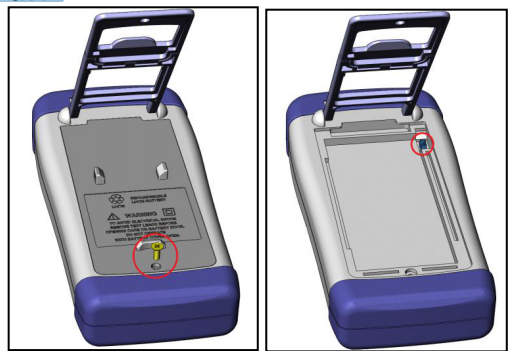
1. Use a screwdriver to loosen the screws on the battery cover and remove the battery cover.
2. Take off the pinch head on the old battery, and pinch the pinch head on the new battery, pay attention to the direction of the pinch head.
3. Put the new battery into the battery compartment, cover the battery cover, and tighten the screws
Adjust the support
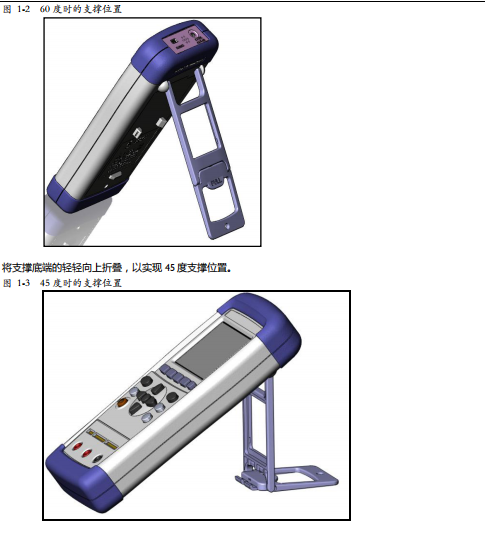
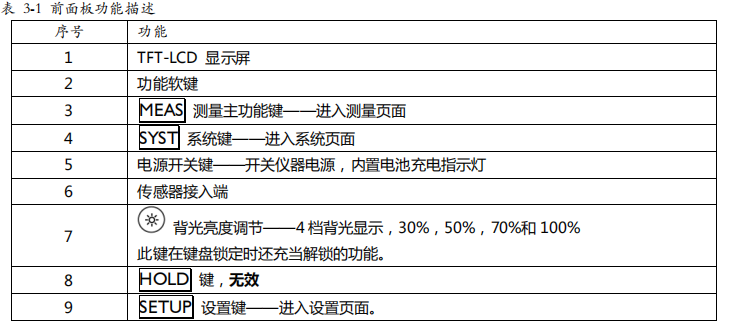
The appliance support has 2 positions for user convenience: 60 degrees and 45 degrees.
Using the 45-degree position can make the crutch more stable.


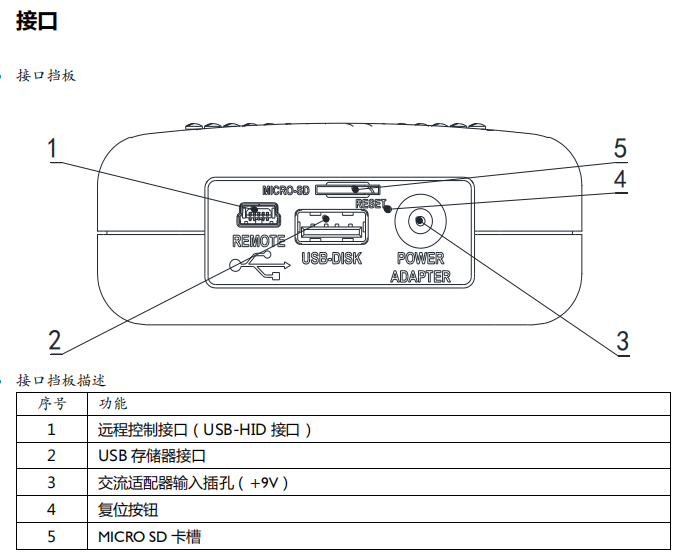
use external power
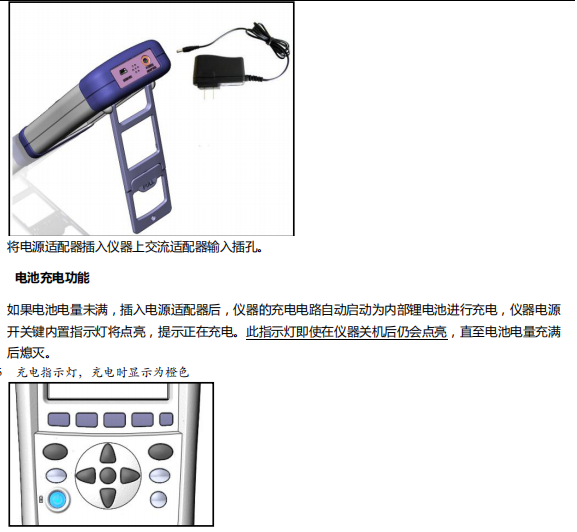
The standard power adapter ATL909 is equipped with the device.
In addition to powering the device, the power supply also charges the lithium battery inside the device, so the power adapter cannot be replaced. It is recommended to use the power adapter.
The company uses the power supply L909.
start up
The button is a light touch button, press the power switch button, the device will be turned on or off.
Connection to test side
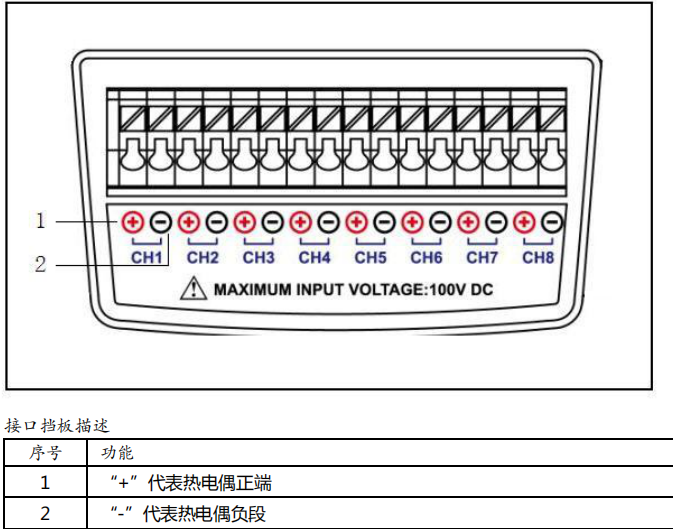
AT4202 has 2 sets of input ports.
AT4204 has 4 groups of input ports.
AT4208 has 8 groups of input ports
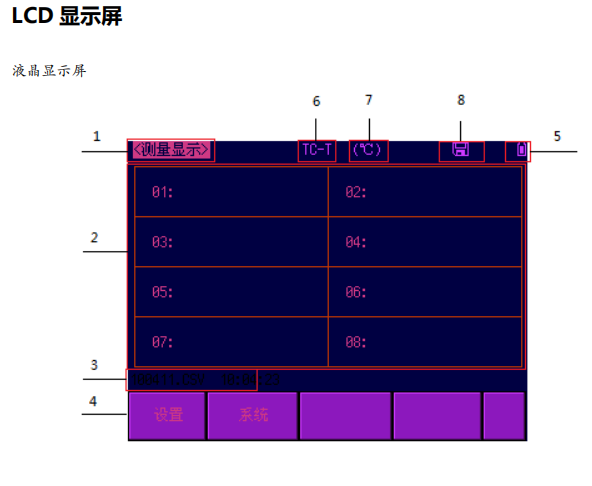
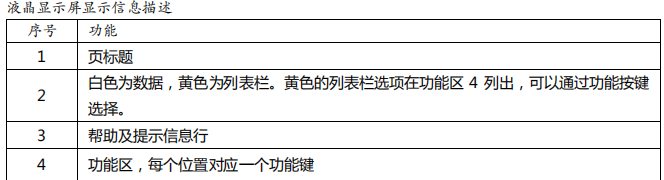
<Measurement display> page
No matter what page you are on, you only need to press the [Meas] shortcut key to enter the <Measurement Display> page. The <Measurement Display> page mainly highlights the measurement results. At the same time, change the font color symbol display for the current selection result. One common function can be set on this page, which includes: Channel setting Note: The measurement data and selected results are only available on the <Measurement Display> page
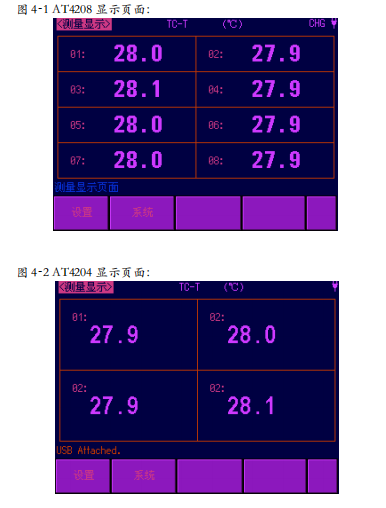
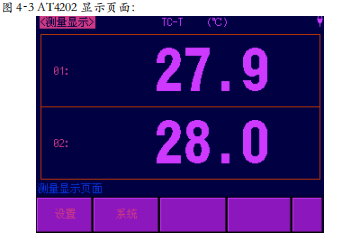
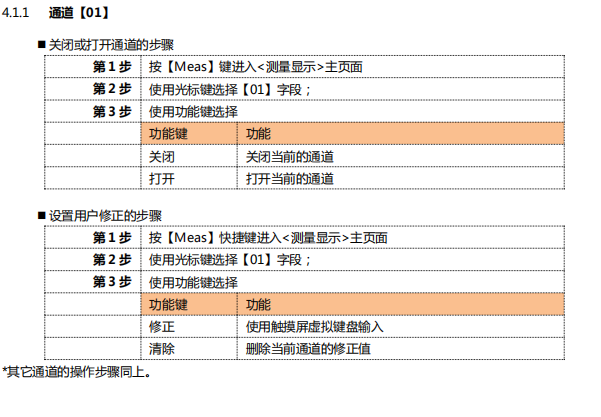
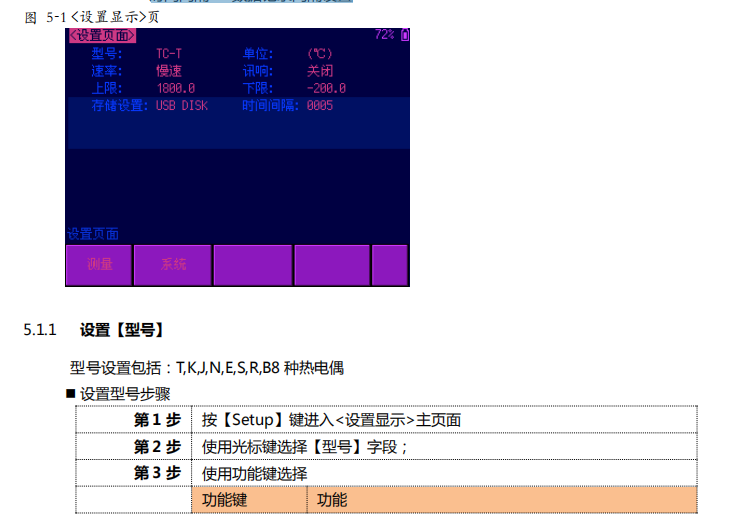
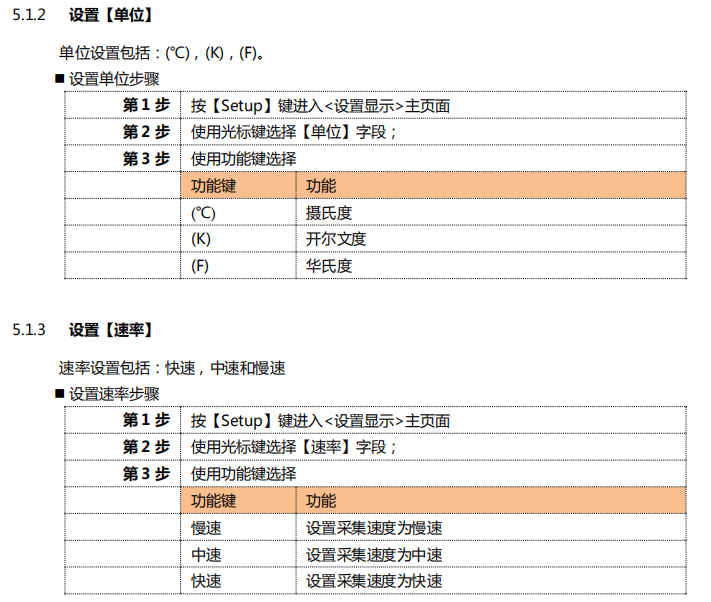
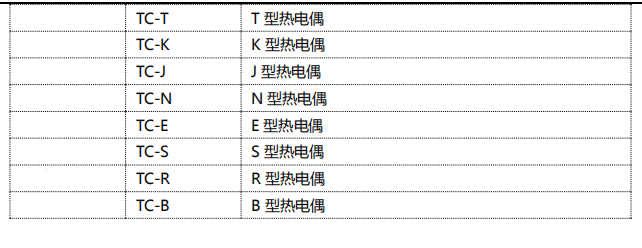
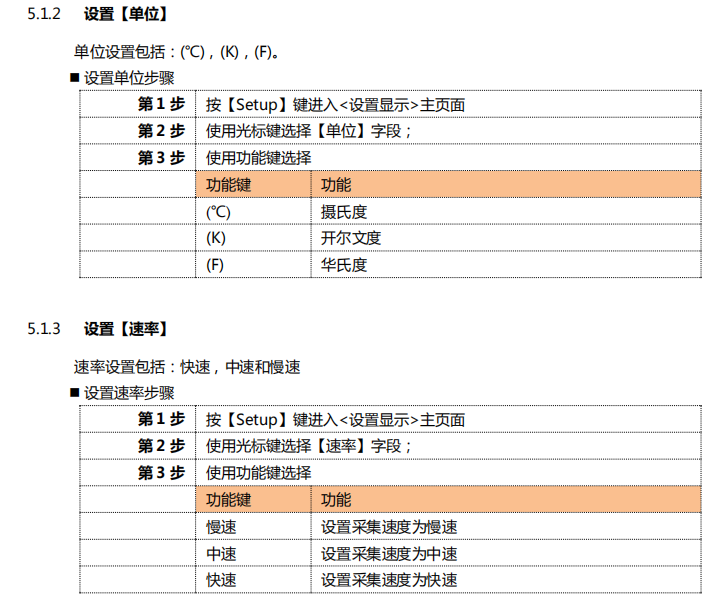
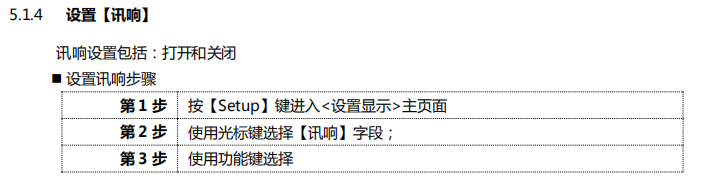
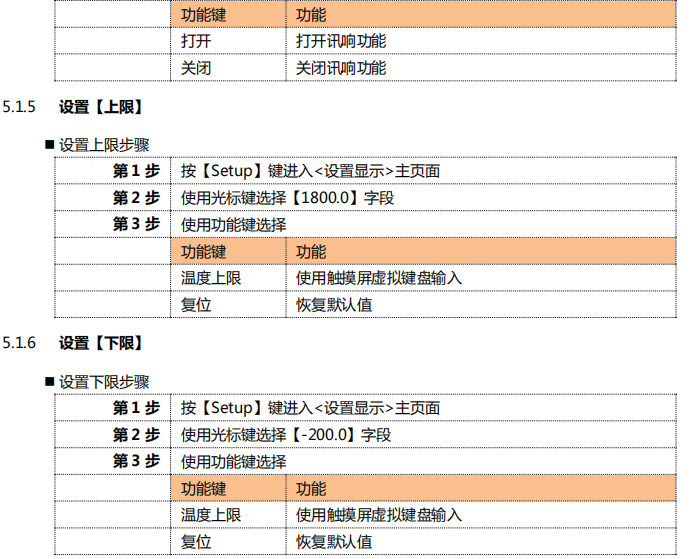
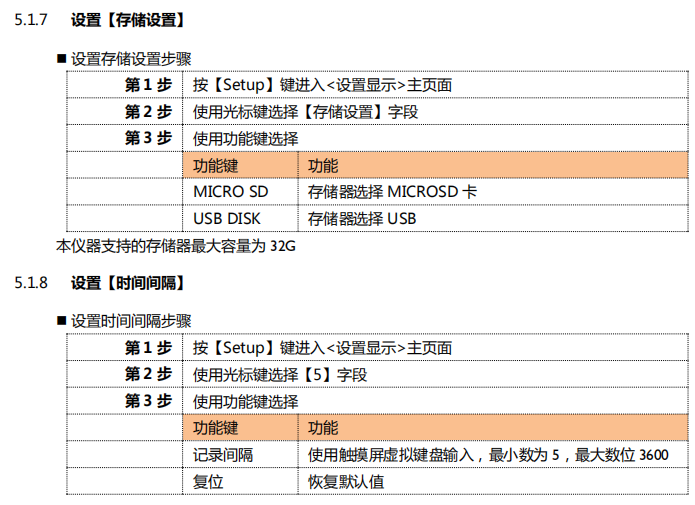
5.1 <Setting Display> page At any time, you only need to press the [Setup] shortcut key to enter the <Setting Display> page. <Setting Display> page can complete all the settings related to measurement, but the monitor does not display the measurement results and selected results, and the monitor is in a waiting state. These settings include the following parameters:
Model – sensor model setting
Unit – temperature unit setting
Rate – Sampling speed setting
Beep – Buzzer setting
High Limit – Comparator high limit setting
Lower limit – comparator lower limit setting
Storage settings – storage method settings
Time Interval – digital recording interval setting
Notice:
1 The steps to record data are: first select [USB DISK] or [MICRO SD], then insert the MICRO SD card or
USB memory, the device automatically starts recording data.
2 This time interval indicates how often to record the scan results, because scanning all channels requires the least
The time is 5S, so it is recommended to set the interval time not less than 5S.
The data consists of two parts, the recording time and the corresponding channel temperature.
example:
The current time of the device is: 2013-11-20 15:
Create folder name: 20131120, file name: 153035.CSV under the root directory of the storage
The data format is float type, retaining one decimal point, and the channel is marked with ","

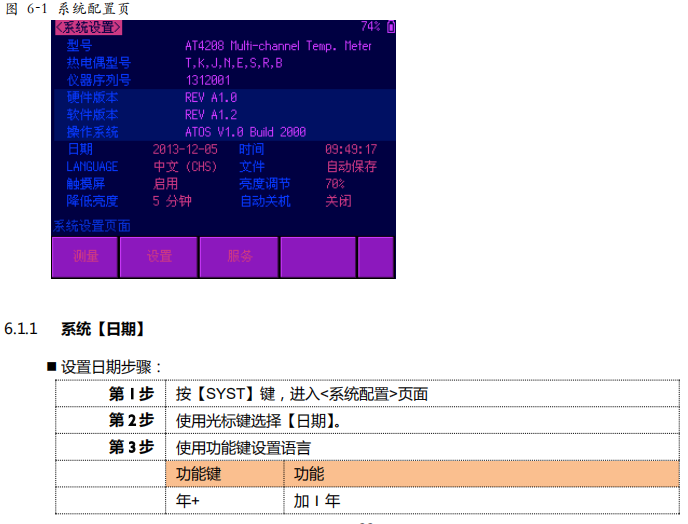
<System Configuration> page
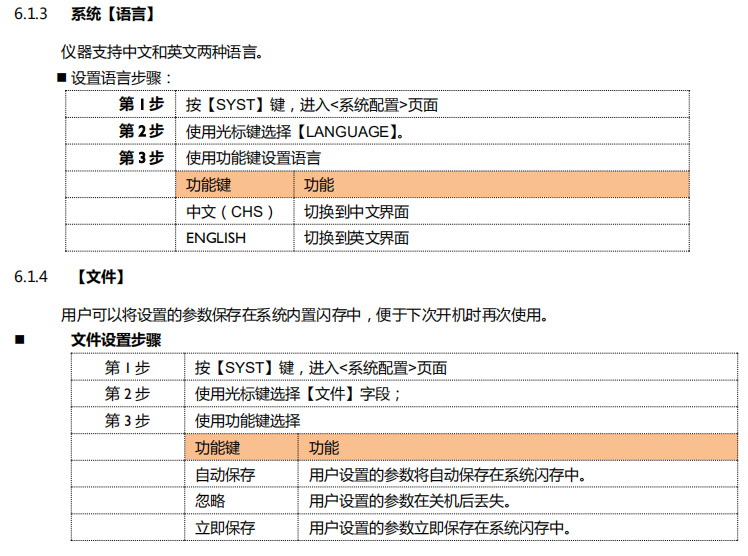
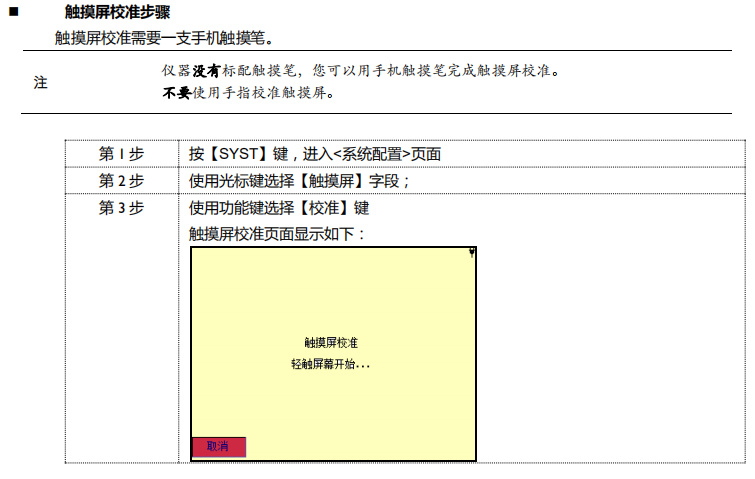
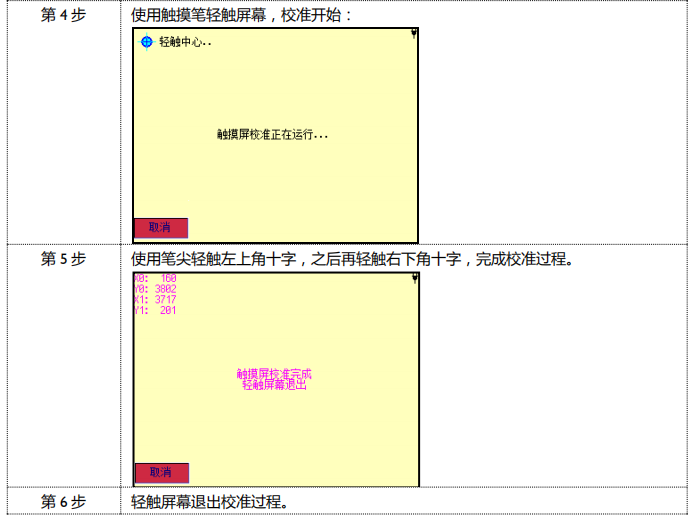
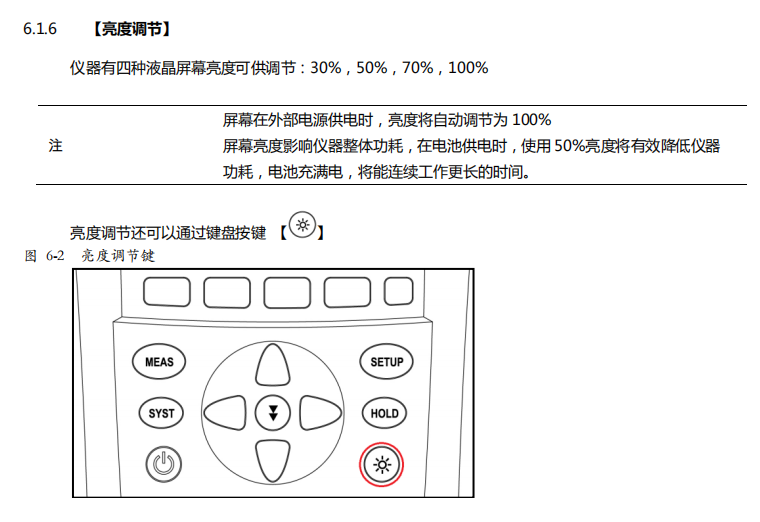
At any time, you only need to press the [SYST] key to switch to the [System Configuration] page
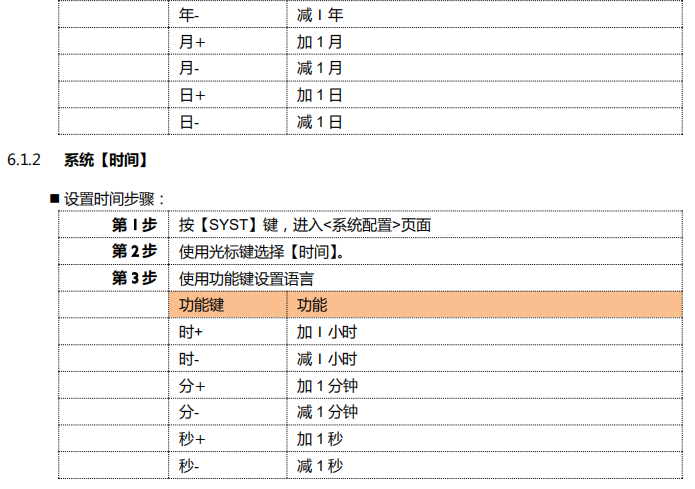
The <System Configuration> page includes the following settings:
date
Time
language
Documentation
Touch screen
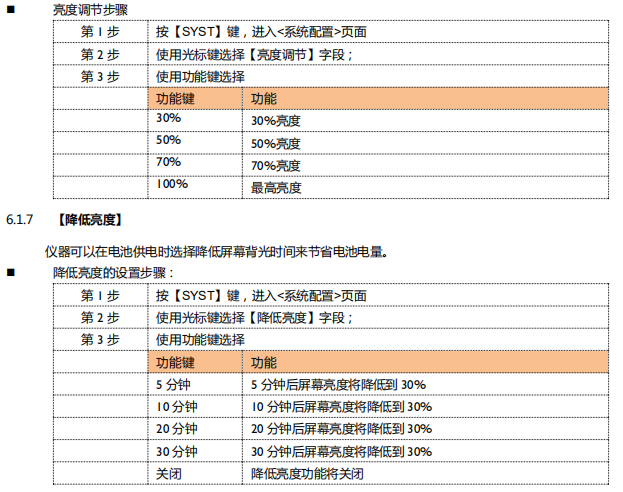
Brightness adjustment
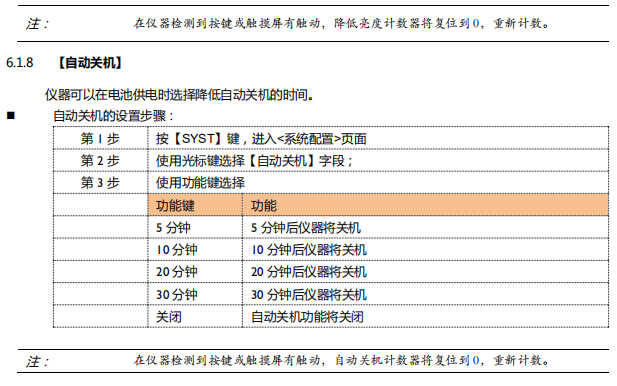
Reduce brightness
Automatic shutdown
All the settings on the system configuration page will be automatically saved in the system, and will be automatically loaded at the next startup.

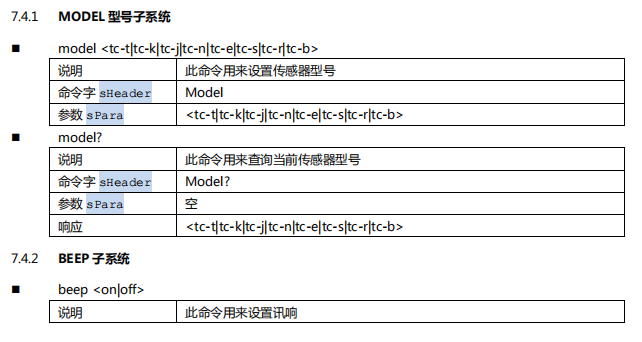
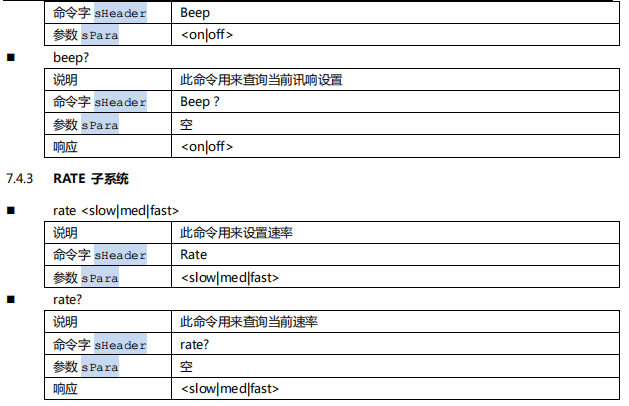
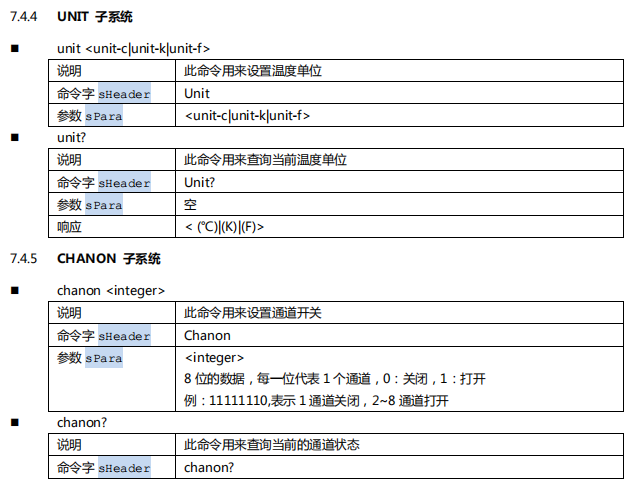
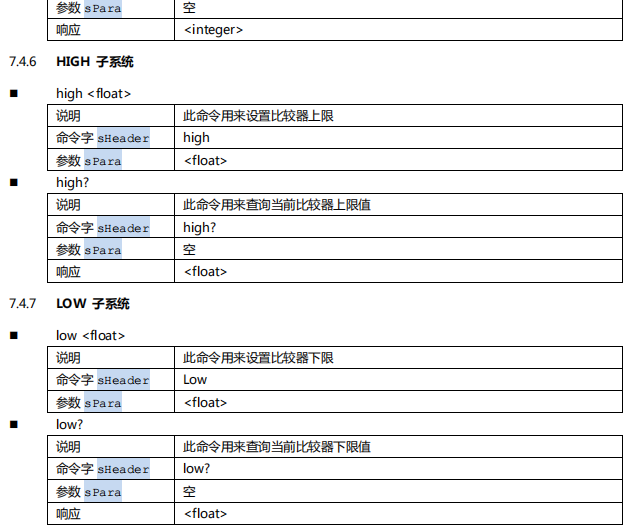
7.4 Command Reference
The controller contains the following subsystems:
MODEL model subsystem
BEEP sounding subsystem
RATE rate subsystem
UNIT unit subsystem
CHANON channel subsystem
HIGH temperature upper limit subsystem
LOW temperature lower limit subsystem
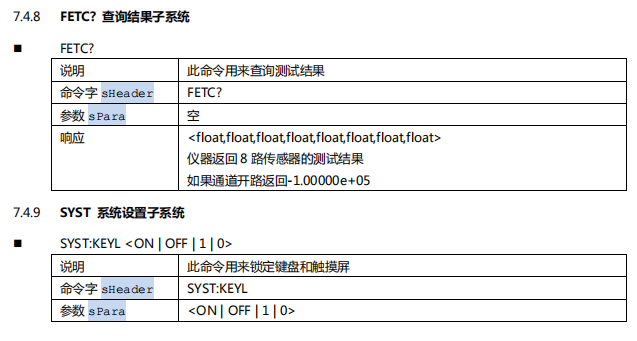
FETC? query result subsystem
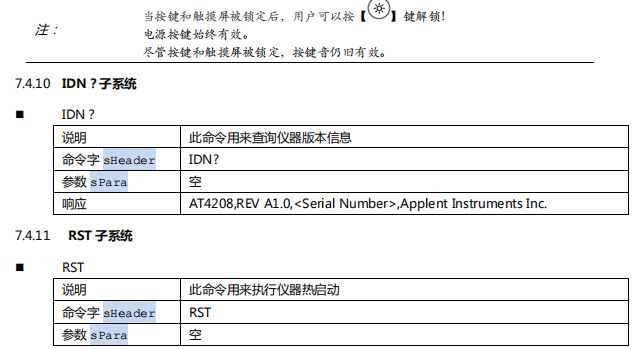
SYST system setup subsystem
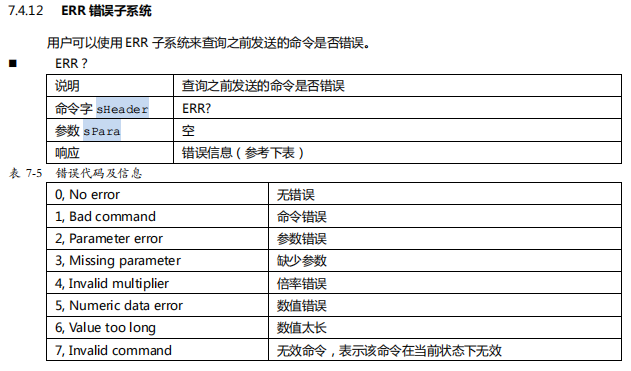
IDN? query version subsystem
RST hot start subsystem
ERR error subsystem