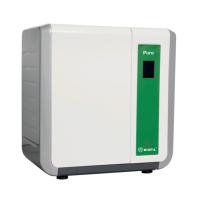
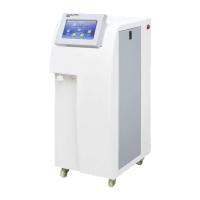
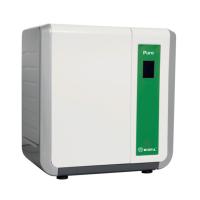
1 Introduction to the basic principle of the equipment
Polypropylene (PP) fiber filter element: The unique loose outer structure and inner tight structure can effectively remove suspended solids, sediment, and particulate impurities above 5micron or 1micron (according to the pore size of the PP fiber filter element) in the water source.
Activated carbon (AC) filtration: It has strong adsorption and filtration performance, effectively removes impurities such as color, odor, and organic matter in distilled water, chemical adsorption removes chlorine, and organic adsorption removes soluble organic matter. Because the reverse osmosis membrane is sensitive to chlorine and soluble organic matter, activated carbon filters are often placed in front of the RO membrane to remove these substances.
Reverse Osmosis Membrane: Osmosis is the flow of water through a semi-permeable membrane from the low concentration to the high concentration side. If a high-pressure pump is used to provide a high-concentration solution with a pressure greater than the osmotic pressure difference, water molecules will be forced to pass through the semi-permeable membrane to the low-concentration side. This step is called reverse osmosis. Reverse osmosis can filter 90%-99% of most pollutants. Because of its superior purification efficiency, reverse osmosis is a very effective technology for water purification systems. Because reverse osmosis removes most of the contaminants, it is often used as a pretreatment method, which can significantly extend the life of the deionization column. Reverse osmosis treated water is high quality pre-purified water suitable for routine use in many laboratories. The reverse osmosis membrane made in the United States can effectively remove various salt ions, organic matter, bacteria, and viruses in the water, and the total salt removal rate can reach more than 99%, and can remove organic matter with a molecular weight greater than 300dalton;
2 Mole (Ultra) Water Purifier Working Conditions
Operating Voltage | 220V±10%/50Hz, with reliable grounding |
Electric power | 150W |
raw water temperature | 5-40℃ |
tap water pressure | 0.15-0.25Mpa (if it is higher than 0.25 Mpa, the customer needs to take decompression measures, otherwise it is easy to cause overpressure damage and water leakage; if it is lower than 0.15 Mpa, the equipment will alarm and stop, and a booster pump needs to be added) |
working environment | The installation site should ensure a ventilated and dry environment, and the temperature should be between 5-30°C; especially in northern areas, prevent the instrument from freezing in winter, as the water in the instrument will freeze and cause the instrument to be effectively damaged; do not place the equipment in a place with high acidity big environment |
3 Water purifier equipment installation steps
3.1 Requirements for installation conditions
3.1.1 The equipment should be installed in a ventilated and dry environment as much as possible.
3.1.2 The specifications of the inlet and outlet pipes should meet the requirements of the supporting interface of the water purifier, and should be within 2 meters from the host.
3.1.3 The equipment is placed stably, reliably and in the correct position.
3.1.4 Provide drains or gutters.
3.1.5 The power supply and wire configuration of the system meet the design requirements.
3.2 Installation
Schematic diagram of machine installation: see the figure below

4 Equipment maintenance standard procedures:
4.1 Function description
4.1.1 Working mode selection
After shorting the K2 of the circuit board, the system works in the pressure control mode, and the digital display pressure value (in kilograms).
After K2 is disconnected from the circuit board, the system works in the fixed time water intake mode, and the digital display time (unit S).
4.1.2 Settings
When setting the state, the following keys are multiplexed.
during normal work | function at setup | illustrate |
Tertiary keys/settings | set up | When in standby, press and hold for 3 seconds to enter the settings |
RO flush key/select | choose | In pressure control mode, choose to set high-low pressure control points. Select the hundreds, tens and ones to be modified in the fixed time water intake mode |
up | Increase | increase the number |
down | reduce | reduce the number |
When the system is in the standby state, press and hold the setting button for 3 seconds to enter the setting state, press the selection button to select the data item to be modified, and press the increase or decrease to modify the data. You can press the standby button or press the setup button again to exit the setup.
4.2 Indicator light description
indicator light | state | illustrate |
start light | red | standby |
green | work, set | |
Call the police | 1 second - 1 second flashing | Low water inlet pressure or faulty water inlet pressure switch |
0.5 seconds - 0.5 seconds flashing | Medium or high level switch failure | |
0.3 seconds - 0.3 seconds flashing | Water level below low level or low level switch failure | |
Three-stage water intake | flashing | Three-level fixed time water intake and the window displays the remaining time for three-level water intake |
always on | Random water intake at the first level, or the period when the first and third levels are simultaneously drawing water at a fixed time but the window displays the remaining time of the first level water intake. | |
rinse | flashing | It is in programmed automatic flushing such as power-on flushing, regular flushing or flushing after water creation. |
always on | RO manual flushing | |
pure water backup | flashing | The water level in the Water Tank is between the medium level and the high level |
always on | Water tank level reaches high level | |
off | The water level of the Water Tank is lower than the medium level | |
make water | Bright | Hydrogenation state |
4.3 Flushing
4.3.1 Power-on automatic flushing. When the start button is pressed, the automatic power-on flushing function can be interrupted by the RO flushing button to enter the RO manual flushing.
4.3.2 Automatic flushing after making water. When the water is full, it will automatically perform flushing after water generation, and the automatic flushing after water generation can be interrupted by the RO flushing button to enter RO manual flushing.
4.3.3 Regular flushing. When the accumulative water generation exceeds two hours, it will automatically perform a 2-minute scheduled automatic flushing. When the scheduled automatic flushing is not completed, it can be interrupted by the RO manual flushing and enter the RO manual flushing, but the timing flushing memory of the system cannot be eliminated immediately. When the RO manual flushing is interrupted, it will still A timed flush will be performed. However, when the power-on flushing or RO manual flushing time exceeds 2 minutes, the memory of the scheduled flushing in the system can be eliminated.
4.3.4 RO manual flushing. When the RO button is pressed, manual flushing is performed, and the RO button is pressed again to interrupt RO manual flushing, otherwise the flushing will end automatically after 5 minutes.
上电冲洗、定时冲洗、造水后冲洗属于系统自动执行的冲洗动作,当执行自动冲洗时,冲洗指示灯闪烁指示,当自行RO人工冲洗时,冲洗指示灯常亮。
4.4 造水
当系统检测到水箱水位在中液位下时,启动造水,当水位到达高液位时,停止造水。但当虽然检测到中液位无水而高液位水满时(液位开关有故障),或检测到进水压力低时,则不会执行造水动作,如果正在执行造水动作也会立即中断,系统会进入报警状态(见报警)。
4.5 取水
当低液位有水时,按下三级取水按键,执行三级取水功能,再次按下相应按键,停止相应动作。
当电路板后面的K2处于断开状态时,系统工作于定时间取水模式。该模式下,如用户设定的定时间值不为0,取水动作执行到设定的时间后自动停止,如用户设定的定时间值为0(显示―――),则关闭定时功能。
4.6 压力控制
当选压力控制模式时,显示窗口显示压力桶压力。当水箱低液位有水10分钟后或当中液位有水时,系统判断压力值,当压力值低于设定的压力低限时,系统输出控制信号驱动外部故态继电器,反之,当压力高于等于设定的压力高限时,系统关闭该驱动输出。
4.7 报警及保护
4.7.1 当系统检测到进水压力低时,不能执行或中断执行的造水动作,系统发出1s-1s间隔的声光报警。按任意键或一分钟后自动消除报警声音。
4.7.2 当系统检测到中液位无水高液位水满时,不能执行或中断执行的造水动作,系统发出0.5s-0.5s间隔的声光报警。按任意键或一分钟后自动消除报警声音。
当系统检测到低液位无水时,不能执行取水、循环或中断当前的取水、循环动作,系统发出0.3s-2s间隔的声光报警。按任意键或一分钟后自动消除报警声音。
摩尔纯水机操作维护说明
日 常 操 作 内 容 | 1 检查自来水水有足够压力并且阀门已经打开(自来水压力范围0.15-0.25Mpa); 2 将设备电源插头连接在220V电源上,按下设备背部的电源开关,然后按下面板上“系统启动”键,此时“系统启动”指示灯亮,此时设备自动造水,造水时电导仪液晶会显示纯水电导值。当压力储水桶到满水时(此时输送水压力为0. 15MPa),设备将自动停止造水,但此时“系统启动”指示灯仍然亮。 3 设备有Ⅲ级取水口,可按面板上的Ⅲ级取水键,放出纯水,再次按下,停止放水。 4 当老化机需用水时(设备机箱后部预留“接QSUN-3H”老化机接口),压力储水桶会自动输送水到用水点,当压力桶内压力降到0.10MPa时,设备会自动启动并造水。 5 当设备连续工作8个小时后,务必进行RO冲洗。方法:在开机状态下按下面板上“RO冲洗” 键,冲洗5分钟,5分钟后再次按下此键停止冲洗。 6 下班时或设备不使用时请再次按下启动开关,设备关闭, “系统状态”灯熄。 |
日 常 维 护 | 1每天需对RO膜进行手动冲洗,每次冲洗不要超过5分钟。(冲洗时按“RO冲洗”键,冲洗完后再按一次“RO冲洗”键即可,指示灯灭。) 2 建议每2个月更换PP滤芯, 如果自来水质差,可1个月更换一次。 3 建议每4个月更换活性炭滤芯。如果自来水质差,可2个月更换一次。 4 一年左右更换一次RO膜。实际更换周期According to自来水的实际情况而确定。 |
注意 | 严禁设备在断水状态下工作! |
5耗材更换操作步骤
关闭自来水进水阀,打开机箱两侧活动门, 可利用简单工具进行设备的更换:
5.1用皮带扳手套住标有PP滤芯的筒体逆时针旋转,慢慢将PP筒体拧松,取下筒体,将内部的滤芯取出,清洗一下筒体(清洗时请注意筒体内的黑色O型密封圈取出,在装入新的滤芯时装上,避免密封不好漏水),将新PP滤芯装回筒体,注意PP滤芯的中心孔要与筒体的中心孔对齐,然后把筒体装到固定的端盖接口上,用皮带扳手套住筒体,顺时针旋转拧紧。
5.2活性碳的更换与PP滤芯更换一样(请注意活性碳上的黑色O型圈取出,在装入新的滤芯时装上,避免密封不好漏水)。
5.3 Molp mp3号纯化柱的更换,松开固定纯化柱的抱箍和纯化柱两端的PE管接头,换上新的纯化柱即可。更换时注意PE管中的内塞不要弄掉。
5.4反渗透膜的更换,了解膜的三个接口的进出水方向,特别注意纯水口与废水口不要混淆。然后用小的呆扳手拆掉需要更换的膜,同时也请注意PE管中的内塞避免掉落。接上新到的反渗透膜。
注意:
①、按顺序安装,对号入座。
②、各个部件要拧紧,卡到位,否则设备在制水过程中容易漏水。
③、安装完毕后,接通电源进行冲洗和运行,如果发现漏水,请及时紧固接头,确认不漏水和水质达到标准方可使用。
6 故障现象诊断和处理
序号 | 常 见 故 障 | 原 因 分 析 | 解 决 方 法 |
1 | 开机出现系统保护,设备报警 | ① 进水阀门未打开 ② 自来水压力低于0.1Mpa ③ 滤芯被堵 ④ 进水电磁阀没有全打开 | ① 打开进水阀门 ② 调整自来水压力 ③ 更换新的滤芯 ④ 更换对应型号的新进水电磁阀 |
2 | 主机纯水备用后,纯水箱有水溢出 | ① 进水电磁阀有异物卡住 ② 纯水箱上的溢水口未接出至水槽内 | ① 清除杂物更换电磁阀 ② 用白色PE管接溢水口至水槽内 |
3 | 按下取水键后,取水指示灯不亮,不能正常取水 | ① 纯水箱水位低于低液位开关 ② 液位信号线松脱 | ① 待水箱水位升高后再取用 ② 重新连接信号线 |
4 | 按下取水键后,取水指示灯亮,不能正常取水 | ① 取水电磁阀坏 ② 智能控制器坏 ③ 系统有空气进入 | ① 更换新的电磁阀 ② 更换新的智能控制器 ③ 将水箱放在高于主机的位置排出空气 |
5 | 插上电源插头,面板指示灯不闪烁,不能开机 | ① 插座没电 ② 保险管熔断 ③ 智能控制器上的灰色连接线松脱 ④ 开关电源有220V输入无24V或48V输出 | ① 更换到有电插座 ② 更换保险管 ③ 重新连接好灰色连接线 ④ 更换对应型号新开关电源 |
6 | 产水量降低 | ① 预处理滤芯堵塞 ② RO膜堵塞 ③ 天气温度低于10℃ | ① 更换预处理滤芯 ② 更换RO膜 ③ 等气温回升后产水量自然会提升 |
7 | 机器不制水 | ① 管路接错 ② 机器无电不启动 ③ 耗材到期 ④ 增压泵不动作 ⑤ 智能控制器坏 | ① 正确连接管路 ② 更换电路配件 ③ Replace consumables ④ Replace the booster pump ⑤ Replace the smart controller |