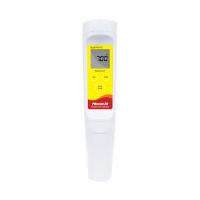
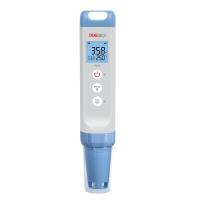
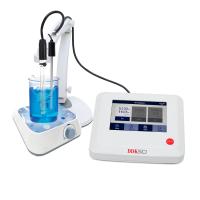
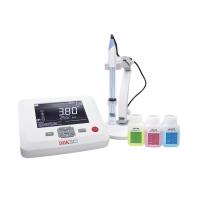
pH6175 can not only detect pH/ORP and temperature, other functions include single-point, double-point or three-point calibration (6175-3C is double-point calibration), electrode zero point determination, electrode slope determination, electrode efficiency percentage display, built-in Calibration fluid coefficient, automatic and manual temperature compensation and 50/60HZ AC noise rejection capability, this instrument is suitable for laboratory use.
install battery
The pH6715/6175-3C uses 6 AAA ("AAA") batteries, the following are the installation steps:
1. Unhook the battery cover buckle with both hands and take off the battery cover. (figure 1)
2. Take out the old battery and install a new one. When replacing, please pay attention to the correct polarity of the battery.
3. Put the battery cover back and make sure the snaps are engaged.

Steps
A. Selection of standard solution groups
pH6175/6175-3C has two sets of standard solutions: 7.00, 4.01, 10.01pH and 6.86, 4.00, 9.18pH. The factory setting groups of this machine are 6.86, 4.00, 9.18pH.
To change the standard solution group, please turn off the machine first, then press and hold the "Stand" key and the power key at the same time to turn it on, and then you can select another calibration solution group.
[Note: You don't need to do this every time you power on, unless you really need to change the standard solution group. ]
B. pH Calibration
pH6175 can be used for single-point, double-point or three-point calibration (6175-3C is double-point calibration). If you want to do two-point or three-point calibration, the first point calibration needs to be 6.86/7.00.
a. Calibration with automatic temperature compensation in pH auto-lock mode:
1. Turn on the host, press and hold the "Clear" button for 2 seconds, the LCD will be fully displayed, and the machine will delete all the calibration values stored last time.
2. Connect the input connector of the pH electrode to the BNC head of the host, and connect the temperature input connector to the temperature interface of the host: "ATC" display will light up, "pH" and "AUTO" displays will also light up, and the standard solution display will flashing.
3. Wash the electrode with distilled water and dry it, put it into the first cup of calibration solution (7.00 or 6.86), when the temperature reading is stable, press and hold the "Stand" key for 5 seconds, the machine enters the calibration mode, this The "WAIT" display will blink while the When the value is stable, the machine will store this stable value as the calibration value of the first point, the display of "WAIT" disappears, and the machine completes the calibration of the first point. Prepare for the second correction.
[Note: At this moment, press the "Mode" key, the machine will leave the calibration mode, and the single-point calibration 7.00 or 6.86 is completed. If the first cup of calibration solution is 4.00, 4.01, 9.18 or 10.01, the machine will automatically exit the calibration mode after the single-point calibration is completed. 6175-3C does not have this single point correction function. ]
4. Wash the electrode with distilled water and dry it, put it into the second cup of calibration solution (4.00/4.01 or 9.18/10.01), when the temperature reading is stable, press the "Slope" button, the machine starts to do the second point Calibration, at this time the "WAIT" display will flash. When the value is stable, the machine will store this stable value as the calibration value of the second point, the display of "WAIT" disappears, and the machine completes the calibration of the second point . Prepare for the correction .
[Note: At this moment, press the "Mode" key, the machine will leave the calibration mode. The two-point calibration function is completed. ]
5. Wash the electrode with distilled water and dry it, put it into the third cup of calibration solution (9.18/10.01 or 4.00/4.01), when the temperature reading is stable, press the "Slope" button, the machine starts to do the third point Calibration, at this time the "WAIT" display will flash. When the value is stable, the machine will store this stable value as the calibration value of the third point, the "WAIT" display will disappear, the machine will complete the calibration of the third point, and exit the calibration mode automatically. The three-point calibration function is completed.
6. The host computer has the function of calculating and compensating the electrode slope deviation. After completing the two-point or three-point calibration , press and hold the "Mea./Eff." key for 5 seconds, and the machine can display the electrode efficiency .
b. Calibration with manual temperature compensation in pH auto-lock mode:
1. Turn on the host, press and hold the "Clear" button for 2 seconds, the LCD will be fully displayed, and the machine will delete all the calibration values stored last time.
2. Connect the input connector of the pH electrode to the BNC head of the host, the "MAN" display will light up, the "pH" and "AUTO" displays will also light up, and the standard solution display will flash.
3. Wash the electrode with distilled water and dry it, put it into the first cup of calibration solution (7.00 or 6.86), adjust the manual temperature to the temperature (0 ~ 60.0 ℃), after temperature adjustment, please press and hold the "Stand" key for 5 seconds, the machine enters calibration mode, and the "WAIT" display will flash at this time. When the value is stable, the machine will store this stable value as the correction value of the first point, the display of "WAIT" disappears, and the machine completes the correction of the first point, at this time the display of "4.00/4.01 or 9.18/10.01" will flash alternately, indicating that the machine has Prepare for the second correction.
[Note: At this moment, press the "Mode" key, the machine will leave the calibration mode, and the single-point calibration 7.00 or 6.86 is completed. If the first cup of calibration solution is 4.00, 4.01, 9.18 or 10.01, the machine will automatically exit the calibration mode after the single-point calibration is completed. 6175-3C does not have this single point correction function. ]
4. Please repeat steps 4~6 in "Calibration with automatic temperature compensation in pH auto-lock mode".
c. Calibration with automatic temperature compensation in pH non-auto lock mode:
1. Turn on the host, press and hold the "Clear" button for 2 seconds, the LCD will be fully displayed, and the machine will delete all the calibration values stored last time.
2. Connect the input connector of the pH electrode to the BNC head of the host, and connect the temperature input connector to the temperature interface of the host: the "ATC" display will light up, the "pH" display will also light up, and the standard solution display will flash.
3. Wash the electrode with distilled water and dry it, put it into the first cup of calibration solution (7.00 or 6.86), when the temperature reading is stable, please press the "Stand" key for 5 seconds, the machine immediately stores this stable value as The correction value of the first point, the first point calibration is completed, at this time "4.00, 9.18 or 4.01, 10.01" display will flash alternately, indicating that the machine is ready for the second point calibration.
[Note: At this moment, press the "Mode" key, the machine will leave the calibration mode, and the single-point calibration 7.00 or 6.86 is completed. If the first cup of calibration solution is 4.00, 4.01, 9.18 or 10.01, the machine will automatically exit the calibration mode after the single-point calibration is completed. 6175-3C does not have this single point correction function. ]
4. Wash the electrode with distilled water and dry it, put it into the second cup of calibration solution (4.00/4.01 or 9.18/10.01), when the temperature reading is stable, press the "Slope" button, and the machine will store this stable value immediately As the calibration value of the second point, the second point calibration is completed, at this time "9.18/10.01 or 4.00/4.01" is displayed and flashing again, indicating that the machine is ready for the third point calibration.
[Note: At this moment, press the "Mode" key, the machine will leave the calibration mode. The two-point calibration function is completed. ]
5. Wash the electrode with distilled water and dry it, put it into the third cup of calibration solution (9.18/10.01 or 4.00/4.01), when the temperature reading is stable, press the "Slope" button, and the machine will store this stable value immediately As the calibration value of the third point, the machine completes the calibration of the third point and exits the calibration mode automatically. The three-point calibration function is completed.
6. The host computer has the function of calculating and compensating the electrode slope deviation. After completing the two-point or three-point calibration , press and hold the "Mea./Eff." key for 5 seconds, and the machine can display the electrode efficiency of the new electrode.
d. Calibration with manual temperature compensation in pH non-auto lock mode:
1. Turn on the host, press and hold the "Clear" button for 2 seconds, the LCD will be fully displayed, and the machine will delete all the calibration values stored last time.
2. Connect the input connector of the pH electrode to the BNC head of the host, the "MAN" display will light up, the "pH" display will also light up, and the standard solution display will flash.
3. 将电极用蒸馏水洗净并擦干,放入第一杯校正溶液中(7.00或6.86),把手动温度通过按上键和下键调到第一杯标准溶液的温度(0 ~ 60.0℃),温度调准后请按住“Stand”键5秒,机器立即存储此稳定值作为第一点的校正值,完成第一点校正,此时“4.00/4.01或9.18/10.01”显示将间接闪烁,表示机器已准备第二点的校正。
[注意:此刻,按“Mode”键,机器将离开校正模式,单点校正7.00或6.86完成。如果第一杯校正溶液为4.00、4.01、9.18或10.01,机器在校正单点完成后,自动退出校正模式。6175-3C无此单点校正功能。]
4. 请重复操作“在pH非自动锁定模式下,具有自动温度补偿的校正”中的第4~第6步骤。
[注意: 如需精准测量,建议每周或更换新电极之后,对整套仪表重新做一次校正。]
C. pH 测量
在pH测量模式,标准溶液指示需要显示,表示机器已完成单点、双点或三点校正,为测量数值做好了准备。如果,标准溶液显示闪烁,表示机器未曾校正,请在使用测量模式之前进行校正。
a. 在pH自动锁定模式下,具有自动温度补偿的测量:
1. 将pH电极的输入接头与主机的BNC头连接,温度输入接头与主机的温度接口连接,“ATC”显示将亮起。
2. 按“MODE”键直到“pH”和“AUTO”显示也亮起。
3. 将电极用蒸馏水洗净并擦干,放入被测液中,稍作搅动,赶走空气泡,让电极球泡与被测液充分接触。
4. 按“Mea.”键,“WAIT”显示将闪烁,当数值稳定,“WAIT”显示停止闪烁,机器将显示“LOCK”并将此稳定值存储为此被测溶液的测量值,此时机器读值不再随电极的变动而变动。
[注意:对于不稳定的被测溶液,建议使用“pH NON- AUTOLOCK”非自动锁定模式。]
b. 在pH自动锁定模式下,具有手动温度补偿的测量:
1. 将pH电极的输入接头与主机的BNC头连接。不接温度探棒,“MAN”显示将亮起,用上下键调节温度值到被测溶液的温度(0.0 to 100.0℃)。
2. 请重复操作“在pH自动锁定模式下,具有自动温度补偿的测量”中的第2~第3步骤
[注意:对于不稳定的被测溶液,建议使用“pH NON- AUTOLOCK”非自动锁定模式。]
c. 在pH非自动锁定模式下,具有自动温度补偿的测量:
1. 将pH电极的输入接头与主机的BNC头连接,温度输入接头与主机的温度接口连接,“ATC”显示将亮起。
2. 按“MODE”键直到“pH”显示也亮起。
3. 将电极用蒸馏水洗净并擦干,放入被测液中,稍作搅动,赶走空气泡,让电极球泡与被测液充分接触。
4. 等待片刻,让被测溶液的读值稳定,此稳定值就是被测溶液的测量值。
d. 在pH非自动锁定模式下,具有手动温度补偿的测量:
1. 将pH电极的输入接头与主机的BNC头连接。不接温度探棒,“MAN”显示将亮起,用上下键调节温度值到被测溶液的温度(0.0 to 100.0℃)。
2. 请重复操作“在pH非自动锁定模式下,具有自动温度补偿的测量”中的第2~第3步骤。
D. 温度测量
pH6175/6175-3C在没有pH电极,有温度探棒的情况下,也可作为测量温度的仪表。接上温度探棒,机器就可测量温度。
E. mV 测量
a. 在自动锁定模式下的mV值的测量。
1. Connect the input connector of the ORP electrode to the BNC head of the host.
2. Press the "MODE" key until the "mV" and "AUTO" displays light up.
3. Wash the electrode with distilled water and dry it, put it into the liquid to be tested, stir it slightly, drive away the air bubbles, and let the electrode bulb fully contact with the liquid to be tested.
4. Press the "Mea." key, the "WAIT" display will flash, when the value is stable, the "WAIT" display will stop flashing, the machine will display "LOCK" and store this stable value as the measured value of the measured solution, at this time Machine readings no longer vary with electrode changes.
[[Note: For unstable measured solutions, it is recommended to use the "mV NON-AUTOLOCK" mode. ]
b. Measurement of mV value in non-auto lock mode.
1. Connect the input connector of the ORP electrode to the BNC head of the host.
2. Press the "MODE" key until the "mV" display lights up.
3. Wash the electrode with distilled water and dry it, put it into the liquid to be tested, stir it slightly, drive away the air bubbles, and let the electrode bulb fully contact with the liquid to be tested.
4. Wait for a while to allow the reading value of the tested solution to stabilize, and this stable value is the measured .