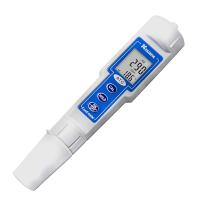
waterproof case
The 3010M has a waterproof case but cannot be used in water (because the connection between the conductivity electrode and the instrument is not waterproof). This waterproof feature prevents damage to the instrument if it is accidentally dropped into a non-corrosive solution. If the instrument accidentally falls into the solution, please do the following steps immediately:
(1) Clean the instrument carefully with distilled water. After cleaning and drying, the dirt in the connector must be cleaned, otherwise it will affect the connection of the electrodes.
(2) Make sure that the instrument and electrodes are dry before re-use.
(3) If the above steps still cannot be used, please contact the JENCO agent. (Please refer to the "Quality Assurance" section)
battery replacement
When the "BAT" on the LCD flashes, it means that the power is insufficient. It can be used for about 1 hour and needs to be replaced with a new battery. The steps to replace the battery are as follows:
1. Remove the two screws using a screwdriver to remove the battery cover. (Please refer to Figure 1)
2. Take out the old 9V battery and install a new one. When replacing, please pay attention to the correct polarity of the battery.
3. Put back the waterproof ring and battery cover, and tighten the two screws just taken out.

Display and key functions


Steps
A. Preparation of standard solution
Suitable standard solution preparation powders need to use commercial or research grade powders. The following are the preparation methods of three concentrations of standard solutions. Users can use them to calibrate the conductivity electrode of 3010M.
1. 1413uS standard solution (25°C): Accurately weigh 0.746 g of research grade KCL and dissolve it in 1000ml of pure water.
2. 12.90mS standard solution (25°C): Accurately weigh 7.4365 g of research grade KCL and dissolve it in 1000ml of pure water.
3. 111.9mS standard solution (25°C): Accurately weigh 74.264 g of research grade KCL and dissolve it in 1000ml of pure water.
4. 147uS standard solution (25°C): Accurately measure 100ml of 1413uS standard solution and dissolve it in 900ml of distilled water.
5. 14.94uS standard solution (25°C): Accurately measure 100ml of 147uS standard solution and dissolve it in 900ml of distilled water.
[Note: You can store leftover unused standard solutions in airtight containers at temperatures below 4°C for a week. If you have doubts about the accuracy of the standard solution, please prepare a new standard solution. ]
B. Conductivity Calibration
校正步骤包含5个步骤:TDS系数、电导电极常数、温度系数、参考温度以及电导率值的校正。详细步骤如下:
1. 连接电导电极109A(K=0.1)、106A(K=1.0)、107A(10.0)到主机的输入端口。 按开关键开机后,主机显示“CELL”和存储在微处理器中的电导电极的电极常数。(出厂值设定为K=1.0)
2. 当温度读值稳定后,按“CAL”键进入校正模式。“CAL”将显示在LCD上。按“MODE”键将继续显示以下参数。

TDS总固体溶解量是用有温度补偿的电导值乘以TDS因数值取得,出厂设定值为0.65。你可以用上键和下键调节这个TDS因数值,调整范围是0.30~1.00。按“ENTER”键储存新的设定值,或者按“MODE”键退出储存,进入“常数”界面。

用上键和下键选择电极常数:“C0.1” 或者 “C1.0” 或者 “C10.0” ,按“ENTER”键储存所选择的常数值,机器将自动进入下一个校正参数;或者按“MODE”键退出储存,上次存储的常数值将被保留,并自动进入“温度系数”校正界面。

本仪器是用温度系数计算具有温度补偿的电导率值的,此温度系数默认值为1.91%. 你可以用上键和下键调节这个温度系数值,调整范围是0.00~4.00%,按“Enter” 键储存新的设定值,或者按“Mode”键退出储存,进入“参考温度”界面。

本仪器是用参考温度来计算具有温度补偿的电导率值的,此参考温度默认值为25℃。你可以用上键和下键调节这个参考温度值,调整范围是15~ 25℃,按“ENTER” 键储存新的设定值,或者按“MODE”键退出储存,进入“电导率校正”界面。

(a) 将电导率电极清洗后,放入已知电导度的标准溶液中,此标准溶液的选择更好基于被测溶液电导值的范围之内。把电极浸入标准溶液中(至少2~3英寸或者5~7cm),并稍作搅动以便消除电极极片上的空气泡。
(b) 稍等片刻,等待温度稳定。在此期间,主机显示“rAGE” 表示主机在自动抓取测量的量程,这是正常的。当温度稳定后,你可以用上键和下键调节这个标准的电导度值(25℃),按“ENTER”键确认当主机发出哔哔声后,表示校正步骤已.
成功完成,主机自动退到测量模式。
C. 电导率的测量
1. 电极接上仪表后,开机,把清洗后的电极直接放入被测溶液中(至少浸没2~3英寸或者5~7cm),稍做搅动,赶出电极极片上的空气泡。
2. 按“MODE” 键切换到自己需要测量的参数。机器在自动切换量程的时候显示“rAGE”这是正常的。当温度稳定后,就可以读取测量值,此值为被测溶液的测量值。
D. 存储、回叫和清除数据
a. 存储数据。
1. 在带温度补偿的电导率、盐度、总固体溶解量及无温度补偿的电导率模式,按“CLEAR/ENTER”键一次,机器将存储当前数据值。此时“Save”显示将显示一次,并且有一位置号也同时显示,表示当前界面值已被存储并做了此位置号的记录。
2. 如果界面上显示“Full”,则代表机器的50组数据已存储满了,不能再存储其他数据。使用者只能删除或删除部分数据才能存储新的数据。
b. 回叫存储数据。
1. Press the "MODE" key to enter the callback mode, press the "CLEAR/ENTER" key, the machine will display last set of stored data.
2. At this time, press the up key or down key to select the position number and find the stored data you need to read. .
3. After reading the stored data, press the "MODE" key to exit the callback mode.
c. Clear stored data.
1. Press the "MODE" key to enter the clearing mode, press the "CLEAR/ENTER" key, the machine will enter the selection of the clearing mode, press the up key or down key to choose between "Delete All" and "Delete Each".
2. On the "Delete All" interface, press this key once, the machine will delete all stored data , and display None, indicating no stored data.
3. On the “Delete Each” interface, press this key once, and the machine will enter the interface for deleting a single stored data. At this time, you can press the up and down keys to select the position number to be deleted, press this key to confirm, and the machine will delete The stored data of this position number, at the same time, the stored data of this position number will be replaced by the stored data of the next position number.
For example: 01,400uS,25℃;
02,5mS,23.8℃;
03,18mS,15.6℃;
…
If the stored data of 02 position number is cleared, the stored data of the machine becomes:
01,400uS,25℃;
02,18mS,15.6℃;
4. After clearing the data, you can press the "MODE" key to exit clearing.