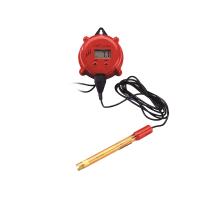
Use of MODEL3621


B. Front panel and key description
The display board of the whole machine has a four-digit LCD display and four mechanical switches.

1. [ MODE ] key:
1a. In the measurement mode, press this key to cycle display pH, temperature, ORP absolute mV value, ORP relative mV value..
1b. In the setting mode, press and hold this button for three seconds, and the whole machine will return to the previous setting parameter
2. [Up key] :
2a. In calibration mode, press this key to display the previous calibration item. In the setting mode, press this key to display the previous setting item or increase the value of the setting item.
2b. In the measurement mode, press this key and [ENTER] key at the same time, the machine will enter the calibration mode.
3. [Down key]:
3a. In calibration mode, press this key to display the next calibration item. In the setting mode, press this key to display the setting item or decrease the value of the setting item.
3b. In the measurement mode, press this key and [ENTER] key at the same time, the machine will enter the setting mode.
4. [ ENTER ] key:
In the calibration and setting mode, press this key to store the set parameters into the EEPROM memory, and enter the next page or next page of parameter setting
C. LCD display

1. Main display: display pH/ORP or temperature
2. CAL – indicates that the whole machine enters the setting and calibration mode.
3. HI1 & LOW1 – Used to indicate the working condition of relay 1. On means the relay is working, off means the relay is not working. H1 means that relay 1 works when it is higher than the set value; LOW1 means that relay 1 works when it is lower than the set value.
4. HI2 & LOW2 – Used to indicate the working condition of relay 2. On means the relay is working, off means the relay is not working. H2 means that relay 2 works when it is higher than the set value; LOW2 means that relay 2 works when it is lower than the set value.
5. ℃ – temperature unit.
6. pH – pH units
7. STAND – 该图标闪烁表示正在经行零点校正, 当零点校正完毕,该图标会保留在界面.
8. SLOPE – 该图标闪烁表示正在经行斜率校正, 当斜率校正完毕,该图标会保留在界面.
9. 6.86 – 表示NIST校正液组: 6.86, 4.00, 9.18.
10. 7.00 – 表示US校正液组: 7.00, 4.01, 10.01.
11. ATC –该图标显示,表示自动温补状态.
12. MAN –该图标显示,表示手动温补状态.
13. RmV – ORP单位.
D. 接线端子图

1. Model 3621所用交流电的范围是100~240V;50/60HZ。装机时需要正确连接交流电源到接线端子上,并确定机器的“E”与交流电源的大地充分连接。
2. 正确连接继电器输出控制线,需要确定其已正确接在接线端子上。继电器的最大负载不能超过5A/115V或者2.5A/230V。
3. V+ (5VDC) 和V- (5VDC) 是给pH/ORP的前置放大器提供电源。
E. 测试模式
接通电源开机后,整机会进入测量模式。3621 可以测量四种参数.

1. pH – pH的测量.
2. Temperature – 温度的测量.
3. ORP mV – ORP绝对值的测量.
4. ORP RmV– ORP相对值的测量.
F. 设定模式
在同时按[DOWN] 和 [ENTER] 键的时候, 仪器进入设定模式.

按 [上键] 或 [下键] 仪器显示 01 (10KΩ)、02 (PT1000)、03 (手动) .按[ENTER]
键,存储选择温补模式并进入下个界面.
2. pH 零点缓冲液的选择:
按[上键]或[下键] 仪器会循环显示 7.00、6.86 .
选择好所需缓冲液, 按 [ENTER] 键存储并进入下一个界面.

3. pH 斜率缓冲液的选择:

按[上键] 或[下键] 仪器会循环显示 4.01、10.01 (or 4.00、9.18).
选择好所需缓冲液, 按[ENTER] 键存储并进入下一个界面.
【注意】: 当pH零点缓冲液选择了6.86组别,则pH斜率缓冲液应选择4.00或9.18;
当pH零点缓冲液选择了7.00组别,则pH斜率缓冲液应选择4.01或10.01;
4. 继电器控制参数的选择:

按 [上键] 或[下键] 仪器会循环显示 pH、ORP mV、ORP RmV .
选择好所需控制参数, 按[ENTER] 键存储, 并进入下个界面.
继电器1 高/ 低 设定:

按 [上键] 或 [下键] 仪器会循环显示 HI、LOW . 选择好所需模式, 按 [ENTER]键存储, 并进入下一个界面.
5. 继电器1的设定:

按 [上键] 或[下键] 将数值调整到所需控制点的数值, 按[ENTER] 键存储,并进入下个界面.
6. 继电器1迟滞量的设定:

按 [上键] 或[下键] 调整到所需继电器迟滞量的值, 按 [ENTER] 键存储并进入下个界面.
7. 继电器 2 高 / 低点设定 : 同“继电器 1 高 / 低点设定”
8. 继电器 2 的设定: 同 “继电器1 的设定”
9. 继电器2迟滞量的设定: 同 “继电器1 迟滞量的设定”
G. pH 校正模式
3621 pH是两点校正 . 第一点须校正 6.86/7.00, 第二点校正4.00/4.01 或9.18/ 10.01. 在pH测量模式下, 同时按 [上键] 和 [ENTER] 键仪器会进入pH校正模式
1.pH零点(STAND)校正:

Enter pH calibration mode, "STAND" starts flashing, put the connected pH electrode into (7.00 or 6.86) buffer
When the pH display stops flashing and SLOPE starts flashing, it means
The pH zero point calibration is completed.
2. Correction of pH slope (SOLPE):

Put the pH electrode into the buffer at the second point (4.00/9.18 or 4.01/10.01), press tENTER, and the pH display flash. When the pH stops flashing and jumps back to the measurement interface, the pH calibration has been completed. This "STAND" and "SLOPE" will be displayed at the same time.
H. RmV Correction Mode

The ORP calibration of 3621 is a single-point calibration. In the RmV measurement mode, press the [UP] and [ENTER] keys at the same time, and the instrument enters the RmV calibration mode.
Put the connected ORP electrode into the ORP standard solution, press the [up key] or [down key] to adjust the displayed value to the value of the ORP standard solution, press [ENTER] key to store, and jump to the measurement mode.
【Notice】:
The setting range of the instrument: pH 0.00 to 16.00 pH.
mV -2000 to 2000 mV.
RmV -3000 to 3000 mV.