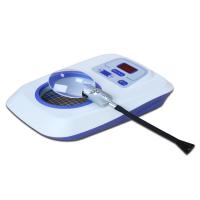
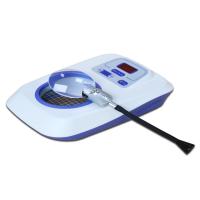
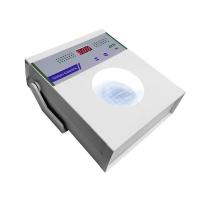
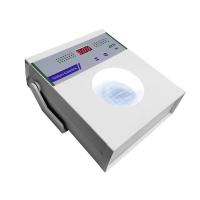
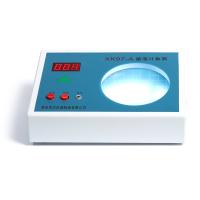
How to use XK-97A colony counter
3-1. Plug the instrument's power cord (8) into a 220-volt power outlet.
3-2. Plug the special probe (7) of the instrument into the hole of the probe socket (3) on the instrument.
3-3. Turn on the power switch (10) of the instrument, the light in the counting pool (2) is on, and the digital
The display (1) should read "000", indicating that counting is allowed. If the digital display does not show
It is displayed as "000", and it should be reset by pressing the reset key (5).
3-4. Put the colony culture dish to be tested into the counting pool.
3-5. Use a probe pen to count all the colonies one by one on the bottom of the Petri dish. Count one at a time, and you should hear the bee
The "beep" sound issued by the buzzer verifies that the points are valid, otherwise the points need to be re-counted. At this time, the colonies that are spotted are marked with colors, and the numbers displayed on the digital display are automatically accumulated.
3-6. After indicating the points, check with a magnifying glass (6) to confirm that there are no omissions, and the counting is complete. The number displayed on the digital display is the number of colonies in the petri dish.
3-7. Take out the petri dish after recording the number, press the reset button, and the digital display should display "000", ready for the counting of another petri dish.
3-8. After using the instrument, turn off the power switch and pull out the plug to cut off the power. And clean the probe (especially the head) and counting pool in time for the next use.
4. Probe Maintenance
4-1. Do not pull the two ends of the probe pen with force to prevent it from falling off or affecting its sensitivity.
4-2. The replacement of the color refill of the probe pen is similar to the refill replacement method of the water pen for daily writing.
4-2-1. Method 1: Unscrew the head of the probe pen from the casing, pull out the replacement refill, and exchange it with the corresponding refill in the auxiliary pen.
4-2-2. Method 2: Pull out the rear part (connection end) of the probe pen from the casing, and replace it with the auxiliary pen.
4-3. If the probe pen is not sensitive to counting, you can fine-tune the adjustment screw from the pen part at the back of the probe pen to make it to a suitable position, and it can be used only after successful adjustment.
4-4. When cleaning the probe pen, care should be taken to protect the contact micro switch inside the pen at the rear. It is forbidden to soak it in the detoxification solution and cleaning solution to prevent the liquid from penetrating and damaging the electronic components.
Precautions
5-1. The instrument should be placed on a flat and firm laboratory bench for use.
5-2. When the instrument is counting colonies, the probe pen should not be tilted too much, and gently tap down until there is a bouncing feeling.
The buzzer "beep" is enough, if the point is pressed too hard, it is easy to damage the probe pen.
5-3. The instrument should be protected from moisture, violent vibration, direct sunlight exposure, acid and alkali erosion, and should be cleaned after use.
Dust cover.
5-4. Care should be taken to prevent bacterial contamination in the counting pool of the instrument.
5-5. If the instrument does not count, you can press the check key (4) to carry out the test. such as count, description
Probe is damaged. If it still does not count, it means that the host of the instrument is faulty.
5-6. Turn on the power switch of the instrument. If the light of the counting pool and the digital display are not displayed, first check whether the power socket has power, whether the connector is loose, and whether the fuse in the safety seat is
If it is not in good condition, if it still can not work normally after eliminating the above faults, please contact the after-sales service department of AN Angni company directly, and do not ask people who are not familiar with the performance of the machine to disassemble it, so as to avoid accidents.