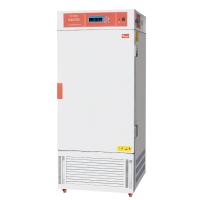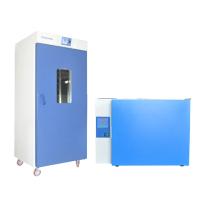
Button definition:
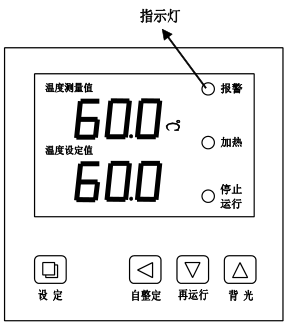
1. "Setting" key: You can set or refer to temperature, time and related parameters.
2. "◄" shift/auto-tuning key: Press and hold this key for 6 seconds in the non-setting state to enter or exit the system self-tuning; click this key in the setting state to make the set value shift and flash to modify.
3. "▼" decrease/rerun key: in non-setting state,
When the operation is over, press and hold this key for 3 seconds to restart the operation; click this key in the setting state to decrease the set value, and press and hold this key to continuously decrease the set value.
4. "▲" increase/backlight key: in
Click this button in non-setting state to turn on or off the backlight of the LCD screen; click this button in setting state to increase the set value, and press and hold this button to increase the set value continuously.
.Operation and usage
1. When the controller is powered on, the upper row of the display will display "graduation number and version number", and the lower row will display "maximum temperature setting value" for about 3 seconds before entering the normal display state.
2. Reference and setting of temperature and constant temperature time
1) If there is no constant temperature timing function:
Click the "Setting" button to enter the temperature setting state. The prompt "SP" is displayed on the upper row of the display screen, and the temperature setting value is displayed on the lower row (the first digit flashes). Modify to the required setting value; then click the "Setting" button to exit this setting state, and the modified setting value is automatically saved.
2) If there is a constant temperature timing function
Click the "Setting" button to enter the temperature setting state, the upper row of the display will display the prompt "SP", and the lower row will display the temperature setting value (the first digit flashes), the modification method is the same as above; then click "Setting" key to enter the constant temperature time setting state, the prompt , and the set value of the constant temperature time will be displayed on the lower row (the first digit flashes); then click the "Setting" button to exit this setting status, the modified settings are automatically saved.
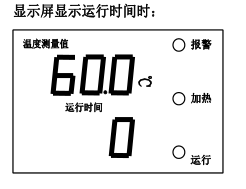
When the constant temperature time is set to "0", it means there is no timing function, the controller runs continuously, and the lower row of the display screen displays the temperature setting value; when the set time is not "0", the lower row of the display screen displays the running time or temperature Set value (refer to the running time display mode (value of parameter ndt) in VII. Internal parameter table-2 ), when the running time is displayed, the "running time" character lights up, and when the measured temperature reaches the set The timer starts counting, the "running time" character flashes, when the counting time is up, the running ends, the lower display shows "End", and the buzzer beeps for 1 minute and then stops beeping. After running, press and hold the "Down" button for 3 seconds to restart the running.
Note: If the temperature setting value is increased during the timing process, the indicator will restart timing from 0, and if the temperature setting value is decreased, the indicator will continue to keep timing.
If there is an upper deviation over-temperature alarm during the system self-tuning process, the alarm indicator light will not light up, and the buzzer will not sound, but the heating alarm relay will be automatically disconnected. The "SET" key is invalid during the system self-tuning process. During the system self-tuning process, regardless of whether there is a constant temperature time setting, the lower row of the controller display window always displays the temperature setting value.