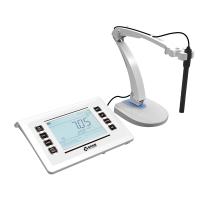
pH measurement mode:
● Prepare:
1. Connect the power supply. Install the gimbal holder. Connect the pH electrode.
2. Long press the MODE key in the measurement mode to enter the pH mode.
3. Select the standard buffer solution and pH calibration mode.
4. Set the pH measurement mode of pure water or pure water with ammonia added as required.
● Calibration:
General Calibration:
1. Press the CAL key, the instrument enters the calibration mode, and the lower right corner of the LCD flashes 6.86 pH, prompting to use the pH6.86 buffer solution for the first point calibration.
2. Wash the electrode with pure water and dry it, immerse it in pH6.864 buffer solution, stir it and place it still until the reading is stable. When the instrument is locked at 6.86 pH, the LCD will display a stable icon. At this time, press the ENTER key to calibrate the instrument. After the calibration is successful, the End icon will be displayed, and the calibration of the first point is over.
3. For 3-point calibration, please change the buffer solutions of pH4.003 and pH9.182 in turn and repeat step 2. The operation process of 5-point calibration mode is the same as above, but you can choose the calibration solution and calibration sequence at will.
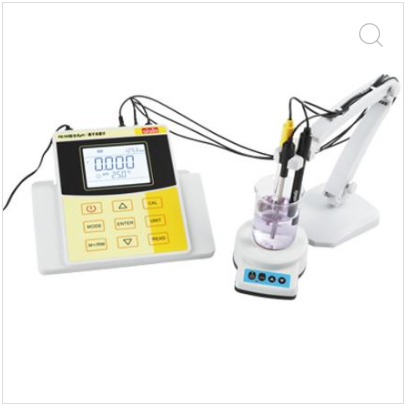
Custom Calibration:
1. Enter the custom calibration mode, press the CAL key, the CAL1 icon flashes in the upper right corner of the LCD, prompting the first point of custom calibration.
2. Wash the electrode with pure water and dry it, immerse it in the first calibration solution, stir it and place it still until the reading is stable. When the LCD displays a stable measured value and icon, press the ENTER key to adjust the main display value to 1.60, and then press the ENTER key to calibrate the instrument. After the calibration is successful, the upper right corner of the LCD flashes the CAL2 icon, prompting the second point of custom calibration.
3. Change to the second buffer and repeat step 2 for the second point of custom calibration.
●Measurement:
1. Wash the pH electrode with pure water and dry it, immerse it in the solution to be tested, stir it a little, then place it still, and wait for the LCD to display a stable measurement value and icon to read, which is the measured pH value.
2.mV and EH measurement mode
Switch the instrument to mV measurement mode, press UNIT to select: mV → EH. Connect the ORP electrode (need to be ordered separately), insert it into the solution to be tested, stir it a little, then place it still, and take a reading when the symbol is displayed, which is the measured ORP value.
● Maintenance:
1. There is an appropriate amount of electrode soaking solution in the protective bottle at the front end of the pH electrode, and the electrode head is soaked in it to keep the activation of the glass bulb and the liquid junction.
2. The electrode should avoid long-term immersion in pure water, protein solution and acidic fluoride solution, and prevent contact with organic oil.
3. The sensitive glass bulb at the front end of the composite electrode should not be in contact with hard objects, any damage or brushing will cause the electrode to fail.
4. When the electrode-sensitive glass bulb is aging, soak the electrode in 0.1mol/L hydrochloric acid for 24 hours, wash it with pure water, and then soak it in the electrode soaking solution for 24 hours. If the passivation is serious, you can also soak the lower end of the electrode in 4% HF (hydrofluoric acid) for 3-5 seconds, wash it with pure water, and then soak it in the electrode soaking solution for 24 hours to restore it.