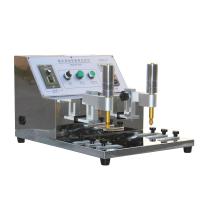
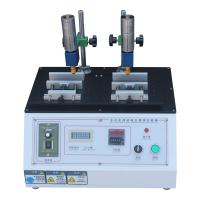
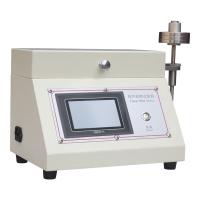
Before you are fully familiar with the operation and use of the electronic counting RCA paper tape wear Tester, please continue to use the mechanical paper tape wear Tester for the wear test
1. After the sample to be tested is placed, the electronic counter can be operated and used;
2. Press the "MODE" button on the electronic counter once, and "U" will be displayed to set the counting mode (*If the display is not "U", you can keep pressing the "MODE" button);
3. There are two counting modes, which can be selected by pressing the "6" button:
(1) Display "U": the counting method is to increase the number of times until the preset number of times is reached, and then stop;
(2) Display "d": The counting method is based on the preset times as the starting point, and it will stop after decreasing to "0".
4. After the counting mode is set, press the "DISPLAY" key to confirm;
5. The red ON/OFF power button under the electronic counter is in the off state (the button protrudes upwards), and the power cord of the testing machine is connected to the power supply;
6. Press the "MODE" key once to confirm that the counting mode is "up (U)" or "down (d)", and then press the "DISPLAY" key;
7. Press different number keys to set the number of times required ("1" is the single digit, "2" is the tens digit, "3" is the hundreds digit...and so on);
8. Press the red ON/OFF power button to start the test;
9. During the test, if you press the red ON/OFF power button, you can pause the test and check the wear test situation, but the preset or already performed times are still retained, and will not disappear when restarted, and continue to count;
10. After pausing, press the red ON/OFF power button again to continue the test until the preset number of times stops, and "OUT" is displayed in the upper right corner;
11. If you want to continue to the next test, you can press the "RESET" button and perform the test according to the same set number of times (*"OUT''display disappears);
12. You can change the set number of times first, and then press the "RESET" button to perform tests with different times.
Note:
1. When "OUT" is displayed in the upper right corner, you need to press the "RESET" button to start the test.
2. If the set times is "0", press the red ON/OFF power button to continue the counting test, but it cannot stop by itself.