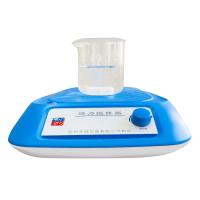
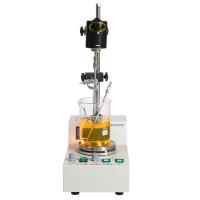
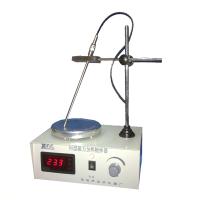
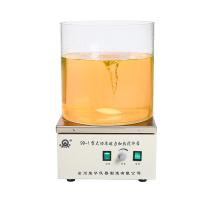
The specific operation steps of Ronghua HJ-5 digital constant temperature multifunctional mixer:
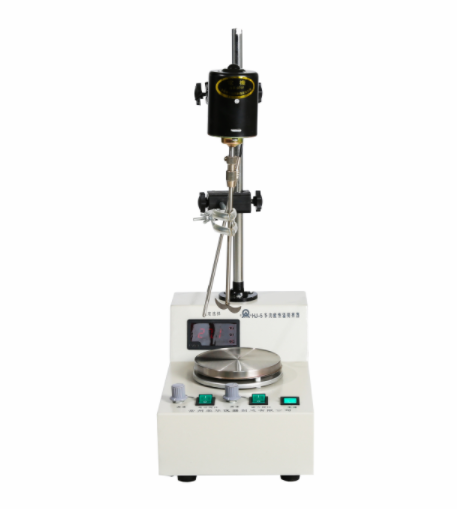
Instructions
1. Turn on the external power supply, turn on the power switch, and the indicator light will be on. Put the test bottle (or other vessel) with the solution and stirring bar on the working panel, turn on the magnetic stirring switch, the corresponding indicator light will be on, and adjust the "magnetism" adjustment. Speed knob to increase to the desired speed. It can be used for magnetic stirring. If electric stirring is required, please first determine the clamping position of the test bottle (or other utensils), adjust and calibrate the position and height of the motor and fixture on the column, turn on the electric stirring switch, and the corresponding indicator light is on ,Adjust the "electric" speed control knob, increase to the required speed to start electric stirring, when you need to do constant temperature stirring. Set the temperature and press the SET key to enter the temperature setting mode to set or view the set value, press the SET key to see the number flashing Dynamic means that in the setting mode, press the up button to increase the setting value, and the down button to decrease the setting value. Press and hold to increase or decrease to the value you need. After setting, press the SET button to exit the setting mode and return to Normal working measurement mode.
2. Adjust parameter Sc: Press and hold the SET key for 3 seconds to enter the internal parameter setting adjustment interface. The interface displays Sc as the error calibration value, indicating the error between the measured value and the actual value of the temperature controller. The default is 0.0, and you can adjust it again Press the SET key, the flashing number will enter the adjustment state (the following parameters are set in the same way), press the up or down button to adjust the value. (-9.9~9.0)
E: After setting, press the SET key to enter the next parameter adjustment. The interface displays E to indicate the advance of the breakpoint control (only effective when the P value is set to 0), the default value is 0.5, and the adjustment method is the same as Sc.
P: Press the SET key again to enter the third parameter, and the interface displays P to indicate the P value setting. The meaning of P value is roughly the start control temperature = set value - (10/P value). For example, if it is set to 50 degrees, when the P value is 10, it means that the control starts at 49 degrees, and when the P value is 4, it means that the adjustment starts at 47.5 degrees. If the temperature overshoot is too large during use, adjust the P value appropriately; if the temperature rises too slowly or never reaches the control temperature, adjust the P value appropriately.
Note: When the P value is 0, enter the breakpoint control mode. That is, the system PID is invalid, when the temperature is lower than (set value - E value), it starts heating, otherwise it stops heating. c: Press the SET button again to enter the setting of the last parameter c, the last parameter is temporarily reserved for the system, please do not adjust, the default value is 20.0. After setting all the parameters, press the SET button to return to the normal working state.
Precautions
1. Generally, the heating time should not be too long. Intermittent use can prolong the service life.
2. The medium-speed operation can work continuously, and the high-speed operation is better for intermittent use.
3. Please read the instruction manual in detail for correct use.
4. If you will not use it for a long time, please turn off the stirring switch and the power switch. Wipe the column, working surface, fixture, and sensor clean, and no water droplets or dirt will remain on it. Put it in a dry and ventilated place.