简介
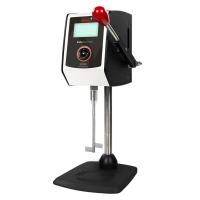
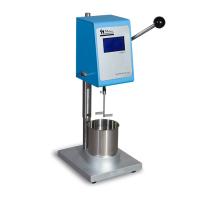
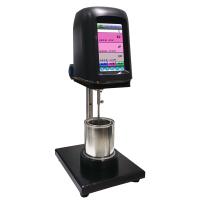
STM-IVB斯托默粘度计以 Krebs 为单位来测量流体粘度,靠一个 200RPM 的恒速马达驱动一个桨叶式转子旋转。转子在 200RPM 转速下的反作用扭矩转换为 Krebs 单位的粘度值。STM-IVB 粘度计的数字显示器可显示 Krebs 单位(KU)、克单位(gm)、厘泊(cP)为单位的粘度值。STM-IVB 粘度计可测量的范围:40~141 KU,32~1,099 克,27~5274cP。实际应用参考请参阅 ASTM D562 标准。
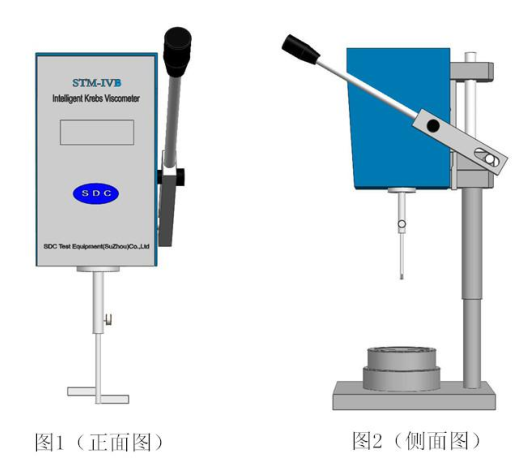
软件安装使用
I.7.1 软件安装
第一步运行“setup”文 件, 直接点击下一步,需要安装在C:\KU 文件夹下,否则会出 现未知错误。
第二步运行“start” 文件。
第二步单击“开始”——“所有程序”——“STM 数据处理软件”,打开软件。
I.7.2 硬件驱动安装
在配件中有一根数据线 HL-340,将 HL-340 一端插在 STM 粘度计上,另一端 USB 接口插在电脑上,此时要求安装驱动,选择从移动光盘中安装驱动。
将 HL-340 的驱动光盘 HL USB DRIVER 放入光驱中,然后点击从移动光盘中安装驱动,点击仍然继续,安装成功。右击“我的电脑”选择“属性” ——“硬件” ——“设备管理器” ——“端口”,查看 USB 当前的端口号,然后在 STM 数据处理软件的左下方选择该端口,然后点击“打开串口”,如果指示灯变绿,则说明已经连接成功了。
I.7.3 软件使用
After the test is over, press the HOLD toggle switch on the panel of the STM-IVB viscometer, and the viscosity data and the current test time will be sent to the data processing software. The switch can only be toggled once for each measurement, and the data will not be sent if the switch is toggled repeatedly .
If you are dissatisfied with a certain data in a set of data, you can click the "Select" button behind the row , and you can delete the row of data.
After the data is deleted, the serial numbers of the data are interrupted. If necessary, click the "Rearrange" button to reorder the serial numbers .
Select all to select all data groups, and not to select a group of data.
Each page can print up to 28 lines, if more than 28 lines need to be printed multiple times, each time select 28 lines of data to save. If you do not select any data and there is no data in the page, it cannot be saved.
Press the "Save" button and the data will be sent directly to the Excel document. You can select a folder for storage and name the file name. If the folder and file name of the two files are saved the same, the last file will be overwritten .
After the data is saved in Excel, Excel can be used to print, merge, retrieve, and tabulate the data.
Click the "Exit" button to exit the software.
I.8 Viscosity units
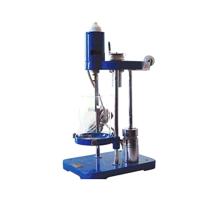
The Krebs unit is a special measure of viscosity that is not based on the Newtonian theory of fluids. The ASTM D562 standard test method was developed earlier around the special state of the instrument using gravity to drive . The weight change required to reach 200 RPM depends on the viscosity . The Krebs unit was developed from the relationship between the weight used and the time required to make 100 revolutions of the paddle rotor . The ASTM standard also provides a correlation from Krebs units to the scientific measure of viscosity (centipoise) .
克刻度表示了驱动桨叶式转子在测试液体中以200RPM转速旋转所需的重量。ASTM D562 标准中规定的重力驱动系统要求重量应持续改变,直到 30 秒内能达到 100 次旋转为止(200RPM)。STM-IVB 粘度计驱动了该装置自动以 200RPM的转速运行,并提供了在该重力驱动系统所需求的克单位值。克刻度并非一个粘度单位。
I.9 仪器清洗
确定在清洗之前将转子从仪器上取下来。如果不取下来可能会导致仪器严重损坏。
仪器和面板的清洗:用干而柔软的布清洗。不要用溶剂或洗洁精来清洗。
浸入部件(转子)的清洗: 转子是由不锈钢材料制成的,可用柔软的布和对样品有溶解力但对浸入部件没有腐蚀性的溶剂来清洗。
注意:当清洗转子时,不要用力过猛,以免导致转子弯折。
操作说明
II.1 安装
II. 操作说明
II.1 安装
1) 确认电源开关关闭。连接电源线到合适电源。
2) 移动操作手柄至最顶部位置。
3) 如需打印,请连接上通讯线。
4) 松开粘度计主轴翼型螺钉,插入桨叶式转子到粘度计主轴里面尽头。确
保转子上的凹槽与拇指型螺钉进入的孔排成一行。旋紧拇指型螺钉。
5) 对于 500ml 容器罐:该罐直接放置在粘度计基座上。
II.2 测量
1) 装入样品至容器中,装满至 500ml 处 。
2) 使容器中的样品达到指定的温度。
3) 打开 STM-IVB 粘度计的电源开关。
5) 扳动粘度计手柄下至最低位置。这将使转子自动浸入到液体中。如果容器中放进了正确的液体量,则液体表面将恰好在转子浸入环上。
6) 一旦手柄在距离最低位置的 60mm 以内,转子将开始转动。
7) 等待 5 秒钟,以使显示读数稳定。液晶屏幕上显示三个粘度单位:KU、cP、g。如果超量程了。需要关机重启。
8) After connecting the data cable, just lift the handle and the data will be sent to the computer.
9) Lift the handle to the top position, the rotor will stop rotating.
NOTE: When using the 500ml jar you will need to lift the jar and then tilt the jar slightly to remove the rotor.
10) Loosen the T-screws, then remove and clean the rotor.
CAUTION: Do not remove the T-screw. If dropped, it may fall into the sample.
II.3 Troubleshooting
The rotor does not rotate if the operating handle is in the depressed position. The following should be checked:
Check if the motor is turning. If the maximum range is exceeded, the machine will alarm.
The STM-IVB Viscometer requires a power off period . If the instrument is turned off and then turned back on immediately (ie less than 10 seconds off), the display and rotation will be temporarily locked.
If you experience this problem, lift the operating handle, power off the instrument and wait a minimum of 30 seconds before restarting the instrument.