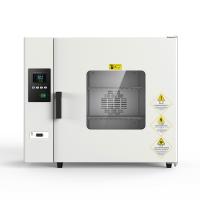
Instructions

① PV display: display the measured temperature, display various prompts according to the status of the controller;
② SV display: display the set temperature, display various parameters according to the status of the controller;
③ Indicator light
l RUN (running indicator light): it is on when the controller is working, and it is flashing when it is self-tuning;
l OUT (heating output indicator light): lights up when there is heating output;
l ALM (Alarm Output Indicator): Lights up when there is an alarm output;
④ button
l Function keys: used to call out parameters and confirm parameter modification;
l Decrease key: used to adjust the size of the value or start auto-tuning;
l Increase key: used to adjust the size of the value or start self-tuning.

Detailed description of each function
If 000 is displayed, it means that the sensor is open circuit or the input signal exceeds the measurement range.
How to change the set value
Press the function key, the upper row will display SP, and press the 5 or 6 button to make the lower row display the desired set temperature. Press the function key again, the upper row displays St, and press the 5 or 6 button to make the lower row display the required timing time. Press the function key again to return to the standard mode.
Timing function
When ST is set to 0, the meter cancels the timing function; when ST is not set to 0, the meter has the timing function, and the time unit can be minutes or hours.
Power on the instrument: ①After the measured temperature reaches the set temperature, the timing function starts (-2,-3 table); ②The timing function starts. When the ST time is reached, the heating output is turned off, and the buzzer sounds as a reminder; if the self-tuning is started during the timing operation of the meter, the timing function will be cancelled, and the timing function will be restarted after the self-tuning is completed; during the working period of the meter, it is allowed to modify ST, the previous accumulated running time is "memorized" and runs to the new timing time. When the new timing time ST is less than the previous accumulated running time, the heating output will be turned off immediately, and the buzzer will sound as a reminder.
Press the 5 key, the meter will display the running time, press and hold the 5 key for more than 4 seconds to switch between running/stopping.
Buzzer sounds: ①over-temperature/absolute value alarm, ②temperature is not within the range or overflows, ③running time is up, the work is over. Press any key to mute
How to change control parameters
Press the function key for more than 4 seconds, then press the function key to find LK, press the 5 or 6 key to make the lower row display 18, press the function key again, find the prompt of the control parameter that needs to be adjusted, and press the 5 or 6 key , so that the control parameter is displayed as the desired value. Several control parameters can be adjusted at one time, and then press the function key for more than 4 seconds to return to the standard mode. (Automatically return to standard mode after 1 minute of no key press)
The self-tuning function of the instrument
If the temperature control effect is unsatisfactory, please start the self-tuning function. After setting the set time to 0, press the 6 key for 5 seconds and then the RUN light will flicker. Then the temperature control effect will be greatly improved.
During the self-tuning process, the RUN light stops flashing after pressing the 6 key for 5 seconds, the self-tuning stops, and the instrument is controlled according to the original PID parameters.