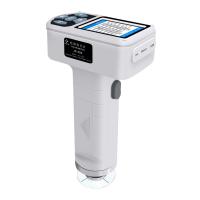
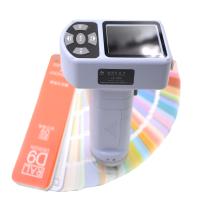
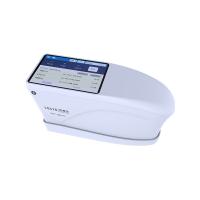
Spectrophotometer measurement requires standard sample measurement and sample measurement for color comparison, so how does color spectrum Spectrophotometer measure standard samples and samples?

On the main page, press the U p, D ow n selection keys to select the "Measurement" icon, and press the "Enter" key to enter the "Measurement" page.
Under this page, the user can measure the color space and chromaticity index parameters of the sample, and view the spectral reflectance of the sample and other information. It can also measure the color difference and chromaticity index parameters between the sample and the standard sample , check the spectral reflectance , and check whether the sample is qualified or not.
Standard measurement

Press the "Print" button, first locate the measurement area with the image, and then press the "Test" button, the measurement , and the test results can be viewed.
In the title bar of the test result, the first column is the name of the standard sample. After pressing the "Save" button to save, it will display the name of the saved standard sample. If the standard sample has not been saved, the name of the standard sample will always be displayed as "Txxx".
The second column is the measurement condition of the test result, the format is measurement condition/light source/observer, which can be set in "Measurement Settings" before measurement (see Settings). The third column is the viewable content, which can be selected to view the spectral reflectance data of the measurement standard by pressing the "Enter" key.
When viewing the spectral reflectance in the standard sample measurement, move the cursor through the U p and D ow n keys to view the reflectance values of different wavelengths.
Sample measurement

After the above standard sample measurement is completed and saved, press the "Menu" button to enter the " Sample Measurement" interface under the standard sample, press the "Test" button to measure, and the color difference measurement will be completed after the "beep" sound. Check
measurement results. Press the "Test" key again to perform a new color difference measurement. Same as the standard sample measurement, when the sample measurement is not saved, in the title bar of the measurement result, the sample name in the first column name is displayed as "Sxxx", and after saving, it is displayed as the saved name.
In the "Data View" interface, color difference measurement can also be performed. Select an existing , and press the "Enter" key to view the selected standard sample. Then, under the "view standard sample" page , press the "Menu" key to enter the sample measurement interface under the standard sample, and press the "Test" key to measure . After the "beep" sound, the color difference measurement is completed, and the test result can be viewed. Press the "Test" key again for a new color difference measurement.
Note: Please set the tolerance before color difference measurement. (see Tolerance Settings)
In the "Sample Measurement" page, press the "Enter" key to select the spectral reflectance through U p and D ow n .