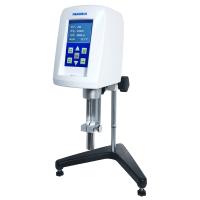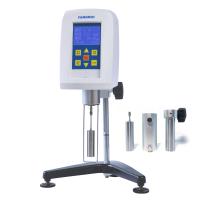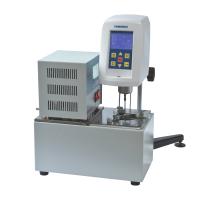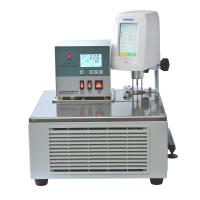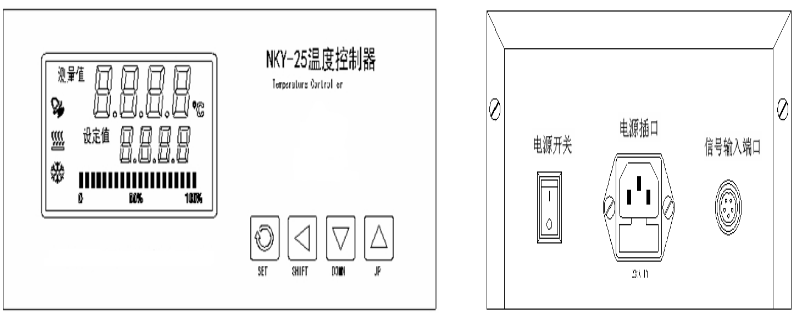
(1) The above figure is the front view of the temperature controller, the left part of the liquid crystal display is the temperature display area, and the right end is the temperature setting area.
"Measured value" The current actual temperature value in the sample cylinder.
"Setpoint" Pre-set target temperature value.
"SET" This key is used to modify the set value and confirm the function of modifying information.
"SHIFT" Shift key, used to move digits when modifying parameters.
"DOWN" When the parameter is modified, the corresponding set value will decrease by 1 each time it is pressed.
"UP" When the parameter is modified, each time it is pressed, the corresponding set value will increase by 1.
(2) The vertical square display below the set value represents the percentage of heating power output by the machine, and the larger the percentage value, the greater the heating power. The size of the heating power is automatically controlled by the machine. In principle, the greater the difference between the measured value and the set value, the greater the output heating power of the machine; and vice versa.
(3) "Power switch" is used to control the power on and off of the temperature controller.
"Power socket" integrates the power fuse of the temperature controller and the power socket together.
"Signal input port" is connected with the lead wire of heating furnace
(4) Temperature controller parameter setting
Heating temperature setting: In the standby state of the instrument powered on, press the "SET" button once, and the displayed value will display "SP" (indicating entering the temperature setting state), and the last digit on the set value display will flash. At this time, press the "DOWN" key or "UP" key and "SHIFT" key to set or modify the required heating temperature parameter value. After setting, press the "SET" button to confirm the set temperature value, and enter the time setting at the same time.
Heating time setting: In the standby state of the instrument powered on, press the "SET" key twice, and the display will display "ST" (indicating entering the time setting state), then press the "DOWN" key or "UP" key and "SHIFT" key to set or modify the required heating time parameter value. After setting, press the "SET" button to confirm the set time value, and the display will return to the standard display state.
Note: ■ Every time the "SET" key is pressed, the display will cycle between temperature setting (SP) → time setting (ST) → return to the standard display state.
■ After setting the parameters, you need to press the "SET" button to confirm the set value, otherwise the set value will not be saved.
■ The set time starts counting when the temperature of the heating box reaches the set value. After the timing is completed, the temperature controller will sound an alarm and the "set value" will display EDN.