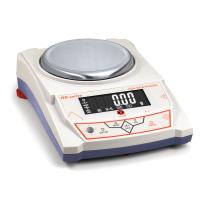
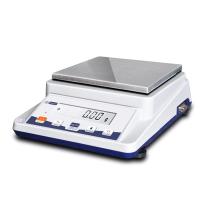
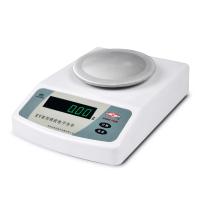
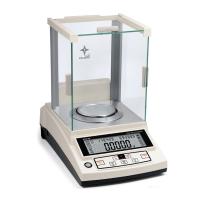
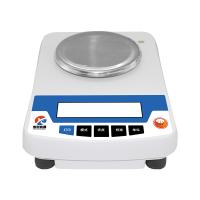
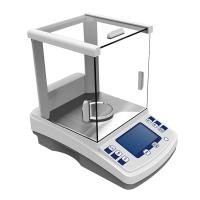
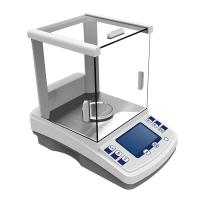
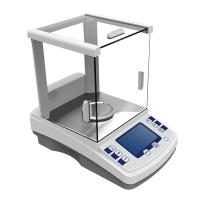
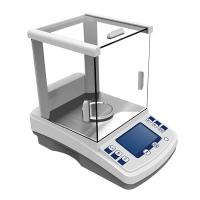
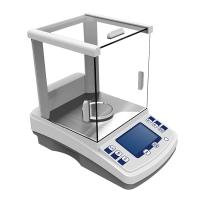
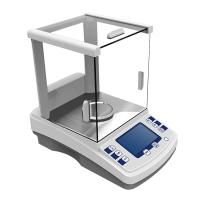
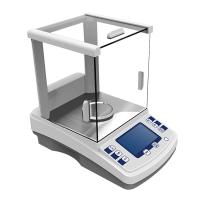
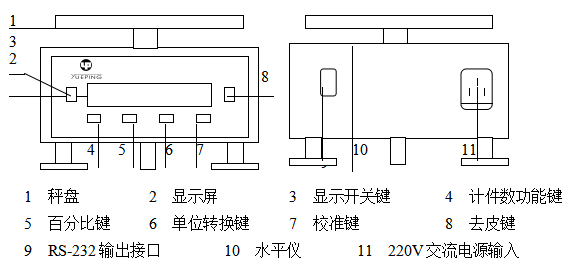
1. Schematic diagram of balance structure
Schematic
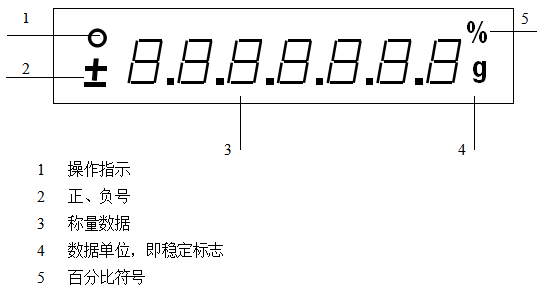
Screen diagram
2. Use environment
For JA series balances, the correct placement is the key to obtaining accurate weighing results. so please
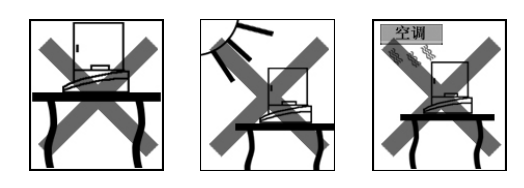
Place the balance on a stable and level work surface free from vibration, sunlight and drafts. In fact, a good placement is a sheltered corner, a stable and level work surface, as far as possible from doors, windows, radiators, and air outlets of air conditioning units. Try to keep the air dry, no strong magnetic fields around, little change in ambient temperature, and no corrosive gases.
3. Operation
Preparations before use
After you unpack, please check whether the accessories are complete according to the packing list. If there is any missing, damaged or inconsistent model, please contact the seller in time for replacement.
1) Open the packing box and take out the balance;
2) Do a good job of cleaning with a handkerchief or brush;
3) Place the weighing pan on the balance host;
4) Turn on the power.
Note: In order to improve the accuracy of the electronic balance in use, after the balance is powered on, it should be preheated, and the time should not be less than 30 minutes.
3.1 Calibration
The balance that has been warmed up should be calibrated before use, so that your balance can be in good condition.
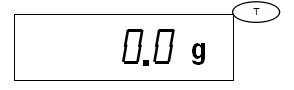
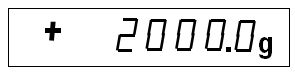
1) Press Tare key . Clear the items on the weighing pan and press the Tare key to make the balance display "0.0g". For example JA41001,
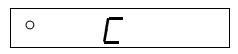
2) Press the calibration key . Press the calibration key CAL, the balance will display "C". For example,
3) Load the calibration weight. Refer to the "Technical Data" table to load the calibration weight.
4) Calibration is complete . When the balance displays the value of the calibration weight and sends out a "beep", the calibration is completed and it will automatically return to the weighing state. At this point, remove the weight.
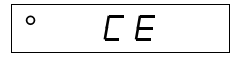
Note: When the balance is unstable or there are items on the weighing pan, after pressing the calibration key CAL, the balance will display an error message "CE", remove the items on the weighing pan and press the tare key T to perform the calibration operation again. For example,
3.2 Weighing
After calibration, the weighing operation can be carried out.
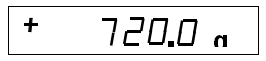
1) Put the item to be weighed on the weighing pan, when the stable sign "g" appears, it means the reading is stable
At this time, the displayed value of the balance is the mass of the item. For example,
2) If you want to weigh the second item on the weighing pan, press the tare key T to make the balance display "0.0g". For example,
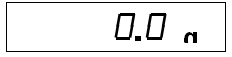
3) Put the second item, the displayed value is the quality of the item.

4) At this time, press the tare key T again to make the balance display "0.0g".
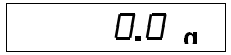
5) 将天平上的物品全部拿掉,天平显示两物品的总质量。
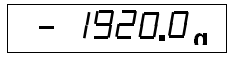
3.3 计件数
该天平具有计算物品个数的功能。
1) 清除秤盘上的物品,按去皮键T,使天平显示为“0.0g”。例如,
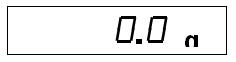
2) 将需计件数的物品清点10个于秤盘上,待读数稳定后,按计件数键PCS,天平进入计件数工作状态,显示“10n”。例如,
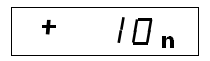
3) 此时在秤盘上添加或拿掉若干个物品,天平自动显示秤盘上物品的个数。例如,

4) 如需知道秤盘上物品的质量,可按转换键,物品的个数就转换成对应的质量,再按转换键,质量又换成个数。

5)如要退出计件数工作状态,可在计件数工作状态下,再按计件数键pcs即可。
注意:1)不同的物品应不同设置;
2)物品单个质量应大于10d,且相互间的质量差应小于天平的精度;
3)计件功能的样本数出厂设置为10,还有20、40、80可供选择。
3.4 百分比
该天平具有百分比功能,可计算出两次称量之间的质量比率。
1)清除秤盘上的物品,按去皮键 ,使天平显示为“0.0g”。例如,
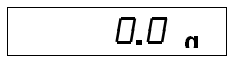
2)将参考样品置于秤盘上,待读数稳定后,按百分比键%,天平进入百分比工作状态,显示“100%”。例如,

3)此时在秤盘上添加或拿掉若干个物品,天平的显示即为秤盘上物品质量占参考样本质量的百分只几。

4)如需知道在秤盘中增加或减少的物品占参考样品质量的百分之几,可先按去皮键 ,使天平显示为“0%”,然后再进行增加或减少物品的操作即可。例如,
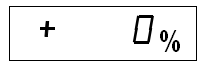
5)如需知道秤盘上物品的质量,可按转换键,物品的百分比转换成对应的质量,再按转换键,质量又换成百分比。例如,

如要退出百分比工作状态,可在百分比工作状态下,再按一次百分比键%即可。
注意:1)不同的物品应不同设置;
2)参考样品质量不应小于最大称量的30%,否则回显示“E1”,例如,
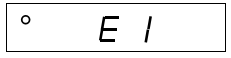
这时应重新设置样品。
3.5 单位转换
该天平具有质量单位g与其它质量单位(如ct)的转换功能。
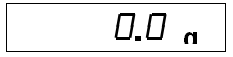
1)清除秤盘上的物品,按去皮键T,使天平显示为“0.0g”。例如,
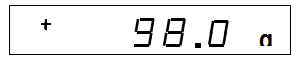
2)将带册物品置于称盘之上,当稳定表示“g”出现时,表示读数已稳定,此时天平的显示值即为该物品的质量。例如,
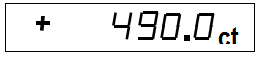
3) Press the unit conversion key, the display value of the balance is carat unit indication status. For example,
4) Press the unit conversion key again, and the displayed value of the balance will be the indicated value in gram unit again. For example

4. Data interface
The balance has an RS-232 output interface, which can be connected with external devices such as computers and electronic balance recording instruments.
5. Troubleshooting and troubleshooting of JA series balances
Symptoms | reason | method |
Display is off | Power is not on | Check power supply and wiring |
show L | The weighing pan is not placed properly | Reposition the weighing pan |
Balance not calibrated | recalibrate the balance | |
Show H | overweight | remove items from the weighing pan |
Balance calibration error | recalibrate the balance | |
The displayed value is unstable | The weighing pan is not placed properly | Reposition the weighing pan |
vibration or draft | choose the right environment | |
The displayed value has a large error | Not peeled before weighing | Peel the skin before using |
Balance not calibrated | recalibrate the balance |