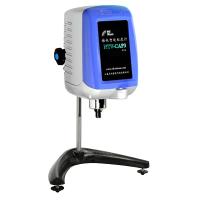
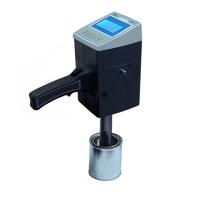
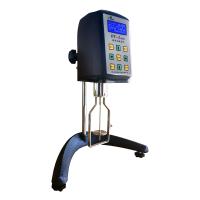
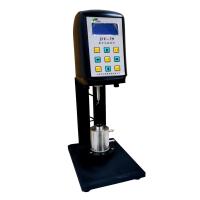
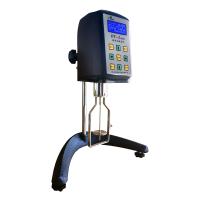
Nirun viscometer DV series is equipped with analysis software, which supports program programming control. The following describes in detail the DV data acquisition and program-controlled analysis software program-controlled operation method, DV program instruction description, practical application, and program download.
1. Edit program
DV-II+PRO viscometer is a programmable viscometer, DV data acquisition and program-controlled analysis software provides dozens of instructions for users to use. When the user clicks the [Edit Program] menu item, the following graphical interface will pop up.
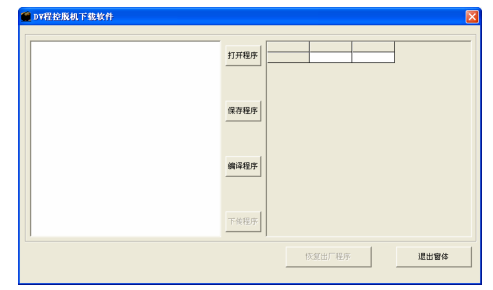
The [Restore factory program] button becomes unusable, because the serial port of the user is not opened.
After opening the program-controlled download window, the user can write the command in the edit box on the left side of the DV program-controlled offline download software window, and press the [Compile Program] button after completion to pass the compilation program inspection. If the compilation program fails, it means that there is a problem with the editing program . ,please check carefully. After passing, press the [download program] button to download to the DV series digital viscosity measuring instrument.
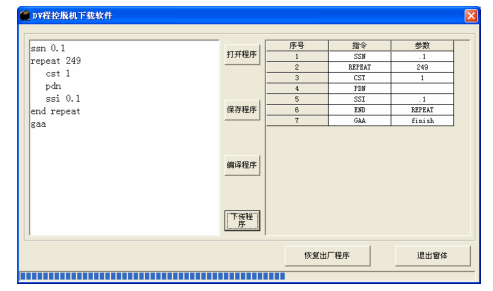
Click the [Restore factory program] button to erase the user-defined program of the viscometer; the viscometer will not run according to the user's program instructions, but will be in the manual state when leaving the factory.
If the viscometer has been loaded with a user-defined program, after the user presses the Measure/Run key, the viscometer is in the state of running the user- defined program, and all the keys on the panel except the reset key will be disabled.
DV Program Instructions
1. WTI+second: program pause time
2. WPT+%: Set the torque. After the torque is set, the program will wait until the torque value reaches the set value .
Execute the next instruction in sequence.
3. WTD+%: Waiting for torque. After the torque is set, the program will wait until the torque value is less than the set value .
Execute the next instruction in sequence.
4. WTA+%: Set the torque. After the torque is set, the program waits until the torque value is greater than the set value .
Execute the next instruction in sequence
5. WTP+temperature value: the program waits until the temperature value reaches the specified value before continuing to execute the next instruction .
6. SSN+speed: set the speed .
7. STM+ temperature : set the temperature.
8. SSI + speed increment: speed increment setting.
9. STI + temperature increment: temperature increment setting.
10. PDN : Let the printer output a set of data immediately.
11. GAA: alarm, when the previous instructions are completed, the user needs to confirm before continuing to execute the following instructions, viscosity
The instrument is waiting for the user to press a key.
12. SSP+rotor number: Prompt to replace the rotor .
13. SPT+acquisition times: at the current rotational speed, idle rotation for N circles, but no sampling . This instruction mainly does not read
Take unstable data.
14. CST+time (seconds): Continuously collect T seconds, and then execute the next instruction .
15. CSN+Collection Times: Continuously collect N times of result data, and then execute the next instruction .
16. Repeat+N: Supports a loop, the loop starts and executes the following instruction N times continuously .
17. End Repeat: The first cycle ends .
18. CAN+N: Continuously sample N times, and take the average value of N times as a primary value output .
应用上列命令组合,可以实现粘度测量的自动控制和进行数据采集
DV程控脱机下载软件实际应用
举例 1 : : 我们有一个样品,要求升温到160℃时,恒温30分钟,数据采集10次,然后升温到170℃时,,恒温30分钟,数据采集10次,再升温到180℃时,恒温30分钟,数据采
集10次,结束报警提示。我们按照以上步骤编辑了以下程序:
wtp 160 //等待温度到达160 ℃
repeat 2
wti 1800 // 恒温30分钟
csn 10 // 数据采集10次
sti 10 //温度设定调高10 ℃
end repeat
gaa //报警结束
repeat 2 意思是程序段重复2次, end repeat 意思是程序段结束, gaa 意思是报警提示。
举例 2: : 我们有一个非牛顿液体样品,要求转速开始在10转/分下,每数据采集5次,速度增量5转/分,也就是说在10转/分,数据采集5次,然后转速递增5转/分,到15转/分,数据采集5次后,转速递增5转/分,到20转/分。以此类推,一直转速到 90 转/分时,数据采集5次后,结束报警提示。
ssn 10 //设定开始速度为10RPM
repeat 16
spt 2 //转速变动的瞬间,数据是不稳定的,前面2圈数据不要,空转
can 5 //连续采集5次,并取5次平均值做为当前转速下的粘度值
ssi 5 //速度调高5RPM
end repeat
gaa //报警结束
下载程序到DV系列数字式粘度测量仪
在下载前,需要确保仪器处于以下状态:
1、电脑与DV系列数字式粘度测量仪已连接好。
2、COM通讯口设置正确。
3. The DV series digital viscosity measuring instrument is in the power-on state .
4. After downloading to the DV series digital viscosity measuring instrument, press the [Exit Program] button to remove the communication connection line .
5. Press the reset button on the panel of the DV series digital viscometer, select the rotor number, and press the measurement button. The DV series digital viscometer will run the measurement program according to the user 's definition to realize automatic and personalized operation.
2. Open the program
Open an existing program instruction.
technical analysis
The user clicks the [Technical Analysis] menu item, selects one of the appropriate calculation models, and the following window will pop up.
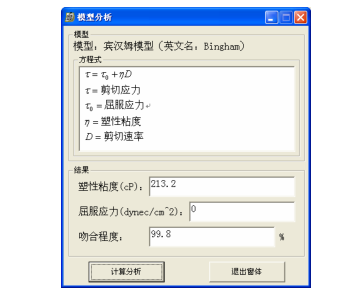
The user clicks the [Calculate Analysis] button to calculate the yield stress, plastic viscosity, consistency index, fluidity index and other indicators of the currently selected curve.