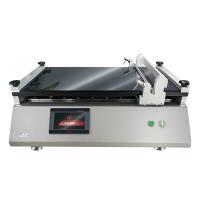
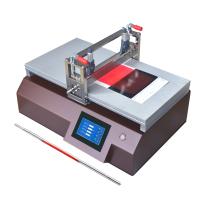
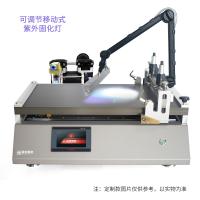
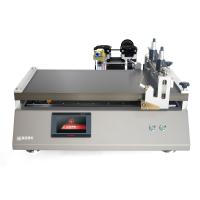
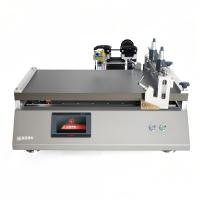
Installation location selection
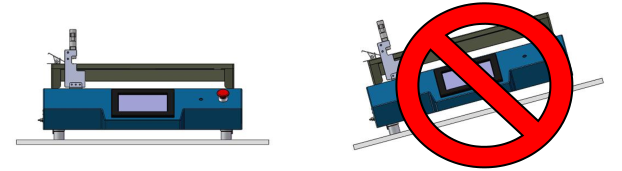
① The installation location should be chosen on a rigid plane with a spacious and well-ventilated space, and there are no other sources of vibration around, otherwise the coating effect will be affected. (foot height adjustable)
② If you need to deal with glue containing volatile or toxic solvents, please be sure to place the equipment in a well-ventilated fume hood.
③ The installation location of the equipment should be away from direct sunlight or cold/heat sources and moisture, (to avoid damage to the internal parts of the equipment).
④ Do not install the equipment on the edge of the workbench to prevent the equipment from slipping due to vibration during operation. 200mm should be drawn around the equipment as a work hazard area.

Connection of the power cord
Plug one end of the power cord into the power socket on the back of the device, and plug the other end into a well-grounded power socket .
Vacuum source connection
When using vacuum adsorption, an external Vacuum Pump must be connected. PF400 is randomly distributed with a 1-meter-long transparent vacuum tube . Please connect one end of the vacuum tube to the vacuum tube port on the back of PF400, and the other end to the inlet of your Vacuum Pump . When using the PF400 Film Applicator, please turn on the power of the Vacuum Pump and check whether the vacuum is normal.
Use of wire rod (( Film Applicator) )
First spread the coated paper on the vacuum panel, and the front end can be held by a horizontal clip to prevent sliding, and then used according to the type of Film Applicator:
① Use of wire rod loading: Pull the limit handle upwards and rotate it 90 degrees to lock it, put in the wire rod, then return the limit handle, and the limit handle will automatically press both ends of the wire rod.
② Use of the fixed Film Applicator: The fixed Film Applicator can be placed directly and lightly in front of the retaining rod.
③ Use of the adjustable Film Applicator: Adjust the screw micrometers at both ends of the adjustable Film Applicator to the required film thickness setting position, and gently place it in front of the stop rod.
Display Interface Description
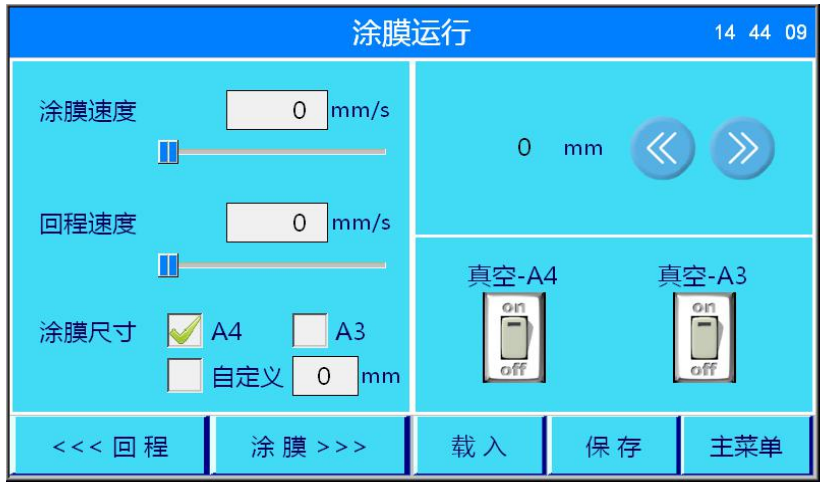
Definition description
Film coating speed The speed at which the Film Applicator moves when the film coating operation starts
Return speed The speed at which the applicator resets at the end of the application process
Coating film size adjusts the coating film range according to actual needs
The Film Applicator is reset during the return trip or at the end of the film coating
Coating film starts coating operation
Lateral distance of painted job
Manually control the progress of the film direction
Manual control of progress in return direction
Load Load a saved coating program
Save Save the coating parameters set this time
Main Menu Back to Main Menu
Vacuum A3/A4 select A4 or A3 vacuum adsorption
set up
The PF400 film coating machine uses a patented vacuum pipeline system to connect the external Vacuum Pump and the vacuum panel,
The substrate can be tightly adsorbed on the vacuum panel by vacuum negative pressure. Customers can choose according to the size of the substrate
Adjust the vacuum range using A4 or A3.
Coating Run Settings
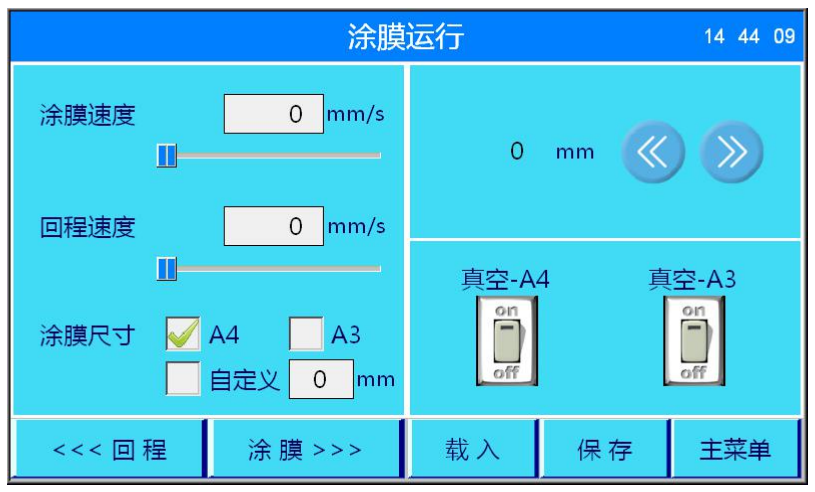
The standard settings for coating operations are as follows:
① Set the running speed of the Film Applicator in the film coating operation, which can be manually input or adjusted using the slider under the value box; if you want to use the previously archived data, click the load button.
② Set the speed at which the Film Applicator resets after the film coating operation, which can be manually input or adjusted using the slider under the value box.
③ Select A4, A3 or customer-defined coating stroke according to the size of the coating substrate.
④ Select the vacuum adsorption size as A3 or A4 according to the size of the coating substrate.
⑤ After the setting is completed, you can choose automatic coating or manual coating.
⑥ After the film coating is completed, select automatic reset or manually return a certain distance.
Load coating process
When you press the "Load" button on the coating film running interface, you will enter the interface shown in the picture below.
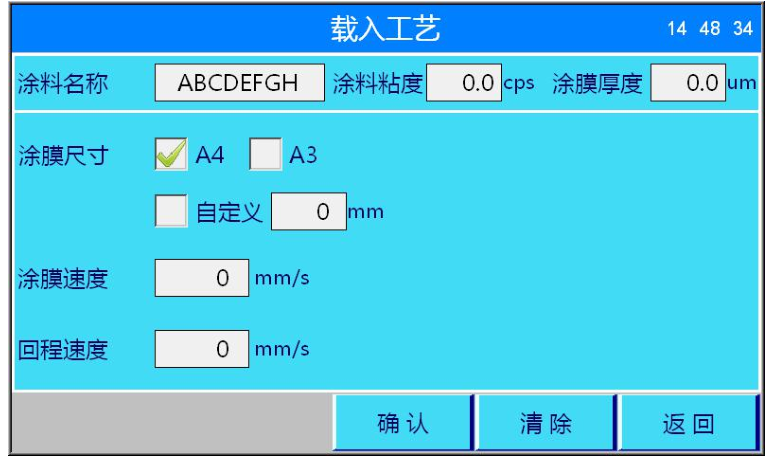
At this point, you can select the corresponding sample preparation process to load.
After loading the coating process, switch to the process list interface, and the corresponding coating parameters will be displayed in the input box.
At this point, you can modify the loaded data, and if you need to save the changes, press the "Save" button to save.
If you don't need to change, you can directly press the "Start" button to start the film coating operation.