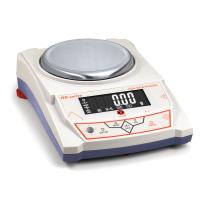
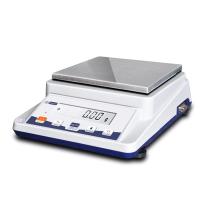
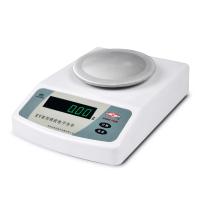
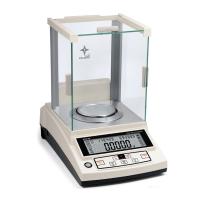
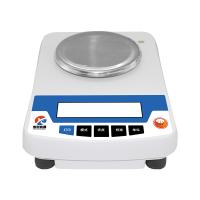
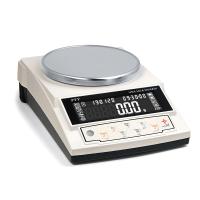
Show Icon Description

1. "+" and "-" indicate the weight status of the object, "o" indicates the weighing process, and when the "0" icon disappears, it indicates that the weighing is stable.
2. Weighing numbers, the corresponding numbers represent the weight of the object
3. Unit icon
4. Battery power indication symbol (optional function)
use environment
Temperature limit: 0℃~40℃ Maximum power consumption: 5W
Temperature fluctuation: 5℃/h Power supply: 220V±10%, 50HZ±1HZ
Relative humidity: 50%~85%
Balance Operating Procedures
1. When opening the balance, please adjust the level adjustment feet first to ensure that the level bubble is in the center;
2. Turn on the machine and warm it up for 30-60 minutes before using it, so that the machine core can be fully warmed up to help the balance be more stable;
3. Use random standard weights to check whether the balance is accurate. If there is any deviation, please refer to the "ten" balance calibration method. The calibrated balance will be more accurate;
4. If the balance cannot be used normally, please contact us in time, and do not dismantle it by yourself;
5. Please read the user manual before use, and it is strictly forbidden to press the balance with a weight greater than the maximum weighing capacity of the balance.
weighing
1. Start up and warm up stably and display "0" status.
2. When the object is placed on the weighing pan, the weight of the object will be displayed. When the value displayed in the window does not change, it means that the weighing capacity has been stabilized.
Unit conversion function
The balance has built-in multiple unit functions, and the unit conversion can be performed through the "UNIT" key: g\oz\ct\
Tare
(1) When there is a container on the plate, the balance will display the weight of the container
(2) After pressing the "ENTER" key, "0" is displayed, that is, the tare weight has been removed.
(3) Put the weighed object in the container, and the weight of the weighed object will be displayed.
Minimum weighing setting
In the weighing mode, you can set the minimum weighing capacity of the balance. If you need to set the weighing capacity for "0.00" precision, please follow the steps below.
1. Press the "ENTER" key + "COU" key until "1d" is displayed (weighing settings from the built-in 1d-5d five grades, d indicates the reading accuracy)
2. Press "COU" key or "CAL" key to select the starting weighing, press "ENTER" to confirm.
Nine, balance counting operation.
(1) Press the "COU" key, "COU" will be displayed, and then a certain number in the point mode "5, 10, 20, 40, 50, 100, 200, 300, 400, 500" will be displayed flashingly, press "ENTER" key to select the desired mode number. Put the same object as the mode number on the weighing pan, press the "COU" button, "= = = = = = " will be displayed, and after a while, the mode number without blinking will be displayed, which means the setting of the point operation is completed. Thereafter, the point operation is performed. The number of objects will be displayed when objects are placed on the weighing pan.
The point operation requires that the unit weight of the object must be greater than 4 times the minimum reading value. Otherwise, the point error is large or cannot be counted
(2) Exit point operation: press the "COU" button, "======" will be displayed, exit the point state after a while, and return to the weighing state.
balance calibration
A. One-point calibration method (individual models only have three-point calibration)
After powering on and displaying the "ENTER" state, press and hold the "CAL" key until "CAL" is displayed, then let go and then flashes to display the standard weight value, put the standard weight equivalent to the flashing number on the weighing pan, and the display "========", the standard weight value will be displayed after a few seconds,
Take off the weight, display "=======", and display "0" after a few seconds, the electronic scale calibration is over at this moment.
If there is still a large error in weighing, it can be calibrated according to the three-point calibration method.
B. Three-point calibration method
Turn off the power, turn on "ON/OFF", press and hold the "CAL" key immediately and display "CAL", then let go,
Calibrate as follows:
Flashing display the weight value of the first point, put the equivalent weight; display "======"
Fixedly display the weight value, remove the weight, and display "======";
Flashing display the weight value of the second point, put the equivalent weight; display "======"
Fixedly display the weight value, remove the weight, and display "======";
Flashingly display the weight value of the third point, put the equivalent weight; display "======"
Fixedly display the weight value, take off the weight, display "======"; later display "0" status and the balance calibration is over.
Calibration of the balance should be carried out 15 minutes after starting up, otherwise the calibration accuracy will be affected.