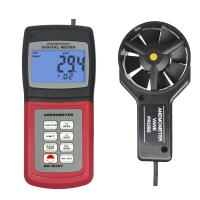
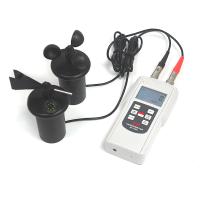
wind speed measurement
1. Connect the sensor to the sensor jack on the top of the meter;
2. Press the key to start the meter;
3. Use the UNITS button to select the wind speed function, and press this button repeatedly until "VEL" appears on the LCD screen;
4. Press and hold the UNITS button for about 2 seconds until you hear two "beeps", change the temperature unit, and select °C or °F;
5. Use the UNITS button to select the wind speed unit;
6. Place the sensor at the measuring point and make sure that the wind direction is consistent with the direction indicated by the arrow (inner surface of the fan) (see the figure on the right).
7. Read wind speed and wind temperature readings on the LCD screen.

Air Flow Measurement (CFM / CMM)
1. Connect the sensor to the sensor jack on the top of the meter;
2. Press the key to start the meter;
3. Use the UNITS key to select the FLOW mode, press this key repeatedly until FLOW CFM (cubic feet per minute) or FLOW CMM (cubic meters per minute) appears on the LCD screen;
4. Measure the area of the tuyere, calculated in square feet or square meters;
NOTE: If dimensions are measured in inches (or centimeters), convert them to feet (or meters) before calculating area;
5. To start the area mode, press and hold the AREA button for about 2 seconds until you hear two beeps;
6. Continuously press the NEXT button to select the storage location to store the area value (a total of 8 storage locations);
7. Use the key to adjust the value of the flashing number, the key to adjust the editing digit, and the key to move the decimal point;
8. Press and hold the AREA button for about 2 seconds until you hear two beeps to save the area value;
9. Place the sensor at the measurement point to ensure that the wind direction is consistent with the direction indicated by the arrow (inner surface of the fan);
10. Read the air volume and air temperature readings on the LCD screen;
11. If the CFM or CEM reading value is greater than 9999, X10 or X100 will be displayed in the lower right corner of the LCD screen, indicating that the current displayed value needs X10 or X100 to obtain the correct air flow measurement value.