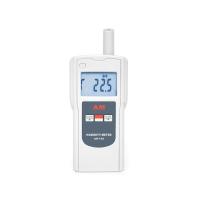
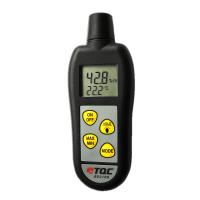
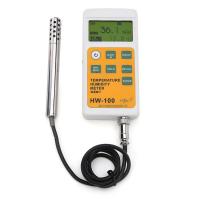
1. MAN MIN infrared temperature, K-type temperature, air humidity, temperature and maximum/minimum reading hold function
1. Press the MAX/MIN key to start recording the maximum and minimum values, and the "REC" icon will appear in the upper left corner of the screen.
2. Press the MAX/MIN key to browse the maximum and minimum readings recorded by the meter.
3. To exit this mode, press and hold the MAX/MIN button until the screen returns to normal operation, and the "REC" icon in the upper left corner of the screen will disappear.
2. WB DP
Press this key to select between air temperature/wet bulb/dew point measurement modes.
3. HOLD
1. Press the HOLD key to record the air temperature and humidity displayed on the upper part of the screen. At the same time, the "HOLD" icon will also appear on the upper right corner of the screen, press the HOLD button again to return to the normal measurement mode, and the "HOLD" icon will disappear.
2. Press the HOLD key to record the infrared temperature and K-type temperature at the bottom of the screen. The "HOLD" icon will appear at the bottom of the screen, press the HOLD D key again to return to the normal measurement state, and the HOLD icon at the bottom of the screen will disappear.

4. IRT
1. Press this key to activate the infrared measurement function of the meter, which can measure the surface temperature of the object.
2. Release the button, the surface temperature value will be recorded after 10 seconds, and then the K-type temperature will be measured.
5. °C °F
Press this key to select °C/°F conversion.
6. Power button
Press this key to turn on or off the instrument power.
7. Automatic shutdown
If you do not press any key on the meter for 15 minutes, the meter will automatically shut down.
If you want to turn off this function, press the IRT button after power on until "disAPO" appears on the screen, then release the button.
8. Replace the battery
If the battery symbol appears in the upper left corner of the screen, it means that the battery is low, please replace the 9V battery.