A Colorimeter is inconsistent with the printing sample: | Inspection and solution | Pay attention to the reason |
1 The rubber roller of the printing machine is not clean | Stop the rubber roller before inking, take a piece of white cloth with solution and rub it on the rubber roller to check whether there is color on the white cloth, print dark color before printing light color, print dark color before printing bright color or rubber roller has sand The condition of the hole is most affected: clean with spot remover cream or multiple washes. | |
2 The thickness of the ink layer is inconsistent | Instrument measurement or visual inspection: control the amount of ink in printing | Print quality control strips measured using Spectrophotometer and visual inspection |
3 The ink is not stirred evenly | Prolong the stirring time or improve the stirring method | The color development ink is not consistent with the ink tank ink |
4 The tank water is not clean | Use a transparent cup to fill a glass of tank water Visual inspection: replace the tank water | Light colors and bright colors have obvious influence |
5 ink oxidation | PH meter to detect acidity: Infrared thermometer to detect ink roller temperature: properly adjust water acidity, conductivity, water volume, ink roller temperature or replace brand ink | Generally, gold and silver inks are easy to oxidize, while other inks are not easy to oxidize |
6 Excessive emulsification of ink | Use the emulsification Tester to check the emulsification degree of the ink: properly adjust the water acidity, conductivity, water volume, ink roller temperature or replace the brand ink | In printing, the ink is in constant contact with the dampening solution. If the ink cannot be emulsified with enough water or over-emulsified, the ink will cause adverse effects in the printing process. Generally, it has little effect on the hue, but the wet ink will generally become lighter by 3% after drying. . |
Two color development is uneven or barred | Inspection and solution | Remark |
1 Ink distribution time is insufficient or the method is wrong | Ink distribution thickness Check whether the ink is evenly attached to the metal roller and the rubber roller, increase the ink distribution time, and use the metal roller and the rubber roller to contact the ink to distribute the ink intermittently | Ink distribution requires the use of intermittent ink distribution in order to evenly distribute the ink |
2 rubber roller, printing cylinder bearing damage | Disassemble the machine and inspect the bearings, if damaged | The bearings are located in Germany and Japan, and are generally not easy to damage |
Three colors are false | Inspection and solution | Remark |
1 Insufficient pressure (general glossy materials) | Press the emergency stop during color development, check the ink bar width 5-6mm | Adjust the pressure of metal roller and rubber roller |
2 The printing material has poor adsorption or the surface of the material is uneven (textured paper, rough paper) | Take a small amount of ink, use colorless adjustment ink (varnish) to dilute it, reduce viscosity and improve fluidity, and then develop color after increasing the color development pressure | Change the viscosity and fluidity of the ink, increase the printing pressure, and the ink type can be reserved in the backyard of the printing, which is convenient for the next color matching |
Color scheme common problem causes and solutions

Guess you like it
-
-
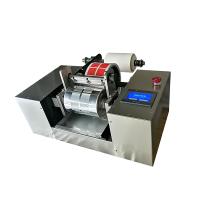
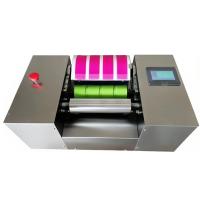 CHINA offset ink Colorimeter NBC-225$ 3308.00
 -
-
-
-