


QNix 9500Pro Coating Thickness Gauge
Thickness Gauge host, probe need to be purchased separately. With continuous Measurement mode and Pin code protection function, equipped with QN9 software, can be connected to PC online measurement, Protection level IP64.
 Qnix
Qnix QNix 9500Pro
 QNix 9500
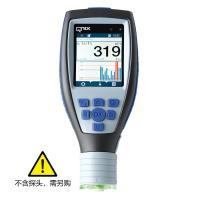 QNix 9500Pro+

-
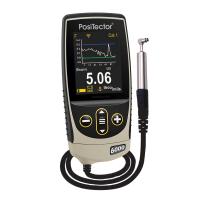
Defelsko PosiTector 6000 N90S3 Coating Thickness Gauge 90 ° probe eddy Current thickness measurement principle
$ 1818.00 -
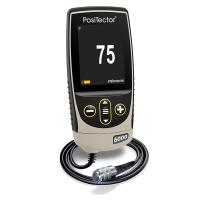
Defelsko PosiTector 6000 NAS3 Coating Thickness Gauge Aluminum oxide film
$ 1818.00 -
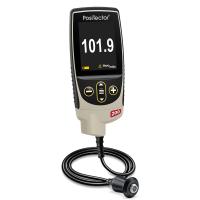
Defelsko PosiTector 200 D1 Non-metallic Substrate Coating Thickness Gauge Standard Edition
$ 3305.00 -
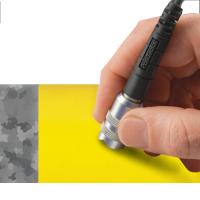
Defelsko FNDS composite coating probe, zinc/paint
$ 1357.00 -
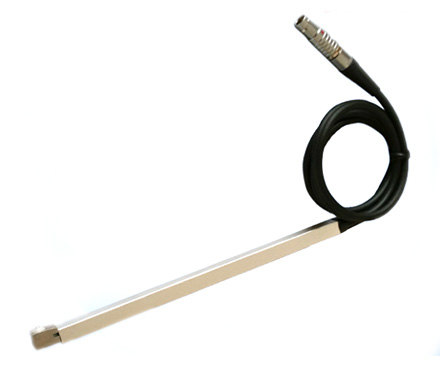
KAIRDA F190 ° 90 ° Right Angle Probe Optional probe for NDT530 Coating Thickness Gauge
$ 459.00


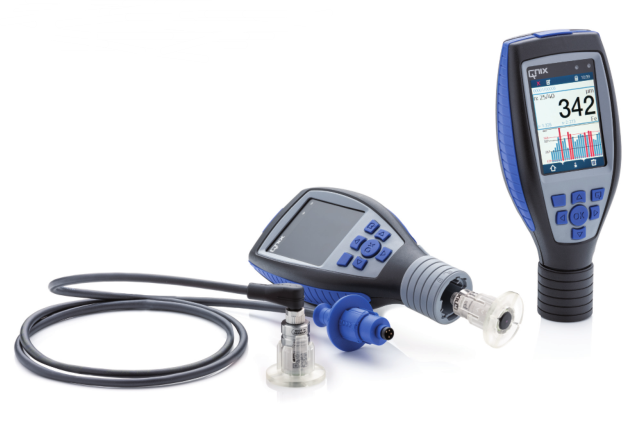
QNix9500, sturdy and durable, user-friendly interface, reliable quality, multi-purpose and high precision.
QNix9500 has considerable characteristics in the quality control of product production in the process of industrial anti-corrosion, spraying and surface treatment, both in terms of compliance with standards and technical parameters. The newly developed QNix9500 computer software can achieve efficient and fast management of documents and inspection reports that has never been possible before. Every QNix9500 is entirely produced in Germany.
Compared with the basic Thickness Gauge, the enhanced Thickness Gauge adds independent value adjustment and calibration, has 10 sets of calibration value memory functions, continuous measurement mode and Pin code protection function. In addition, the measurement can be triggered by pressing a button, and the measurement can be delayed by placing the probe on the surface of the workpiece.
Features
1. High-precision measurement ensures effective quality results
⢠High-precision measurement across the entire range
⢠High repeatability of measurement results
⢠Temperature compensation inside the probe
⢠Guaranteed measurement accuracy on curved surfaces and small workpieces
⢠Easy calibration on rough, smooth and curved substrates
2. Solid and durable protection, suitable for long-term use under harsh conditions
⢠Contains fiberglass and consists of 5 components IP64 compliant
⢠Water and light resistant
⢠Three layers of shock protection
⢠LCD transparent window glass is scratch-resistant and chemical-resistant (H6 level)
⢠Working temperature -20℃-70℃
⢠Stainless steel probe with dustproof film
3. Utilize ergonomic design to save time and enable quick and continuous use without fatigue.
⢠Over-limit indication, directly displayed on the LCD and LED light on the probe
⢠High-brightness 24-inch LCD, viewable at 70° angle
⢠The LCD brightness can be adjusted automatically or manually to achieve a good display effect under sunlight
⢠Large tactile keys and low-to-center
⢠Flip to display 0°, 90°, 180°, 270°
4. Flexibility and scalability
⢠The host can be adapted to Fe (iron-based), NFe (non-ferrous-based), Fe/NFe (iron-based/non-ferrous-based) dual-purpose probes
⢠The host can be adapted to other types of probes
⢠Can be equipped with either integrated probe or split probe
⢠Quick and easy plug-and-play probe replacement
⢠Quick adaptation to meet different needs
5. Friendly interface that is easy for users to understand, intuitive and operable to save time and money
⢠Simple calibration for standard use
â¢The host and computer software are guided by intuitive menus and can be reported in three steps
â¢Customized buttons for quick and direct single operationâ
⢠Standard preconfigured
Display diagram
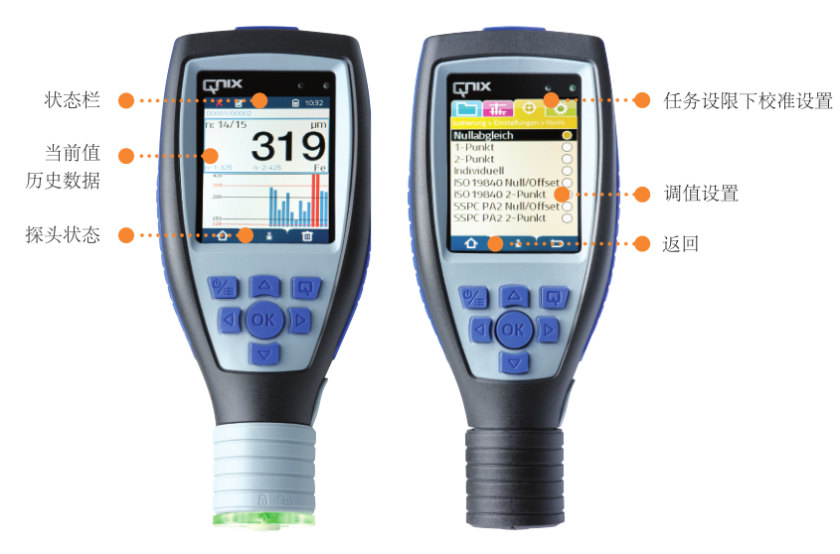
Qnix9500 Thickness Gauge specification chart
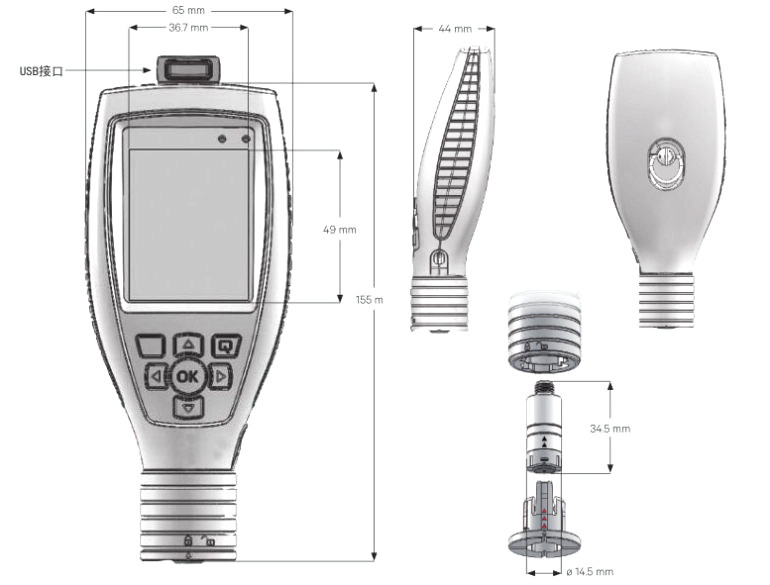
Qnix QNix 9500Pro Coating Thickness GaugeSpecifications
| LIST | VALUE |
|---|---|
| Measurement principle | Magnetic Induction + eddy Current (depending on probe) |
| Measurement range | Determined by the probe |
| Calibrated mode | Zero calibrated, 1 point calibrated, 2 point calibrated, independent (independent adjustment) calibrated |
| Measurement mode | Manual selection of substrate, automatic selection of substrate, double substrate combined measurement, continuous measurement, button trigger measurement |
| Unit display | µm/mil conversion |
| Interface | USB port |
| Data storage | 1000000 measurement readings |
| Power Supply | 2xAA alkaline dry battery/rechargeable battery/USB |
| Standards | DIN EN ISO 2808, DIN 50981, DIN 50984, ISO 2178, BS 5411 (3 & 11), BS 3900-C5, ASTM B 499, ISO 2360, ASTM D 1400, ASTM D 1186, ASTM D 7091 |
| Display screen | 2.4-Inch IPS-LCD color liquid crystal, 600 lumens, 70 ° Viewing Angle |
| Operating temperature | -20 ℃ -70 ℃ |
| Battery life | When the battery is not in use, 50% Capacity > 1 year, 60,000 times |
| Protection level | IP64 |
| Machine Weight | 175 g |
| Machine size | 155*65*44 mm |
| Storage temperature | -20~70℃ |
| Probe support | Trogramid® |
| Body hard material | PA12 GF30 |
| Body soft material | TPE |
| system clock | CR1220 |
| Battery life | > 2 years |
| Pin code protection | Yes. |
| Calibrated value memory | 10 groups |
Qnix QNix 9500Pro Coating Thickness Gauge Packing list
9500 host X1
[Note] Because the manufacturer's packaging may be updated or upgraded, the detailed packaging list shall be subject to the latest standard configuration of the manufacturer.
FAQ
- What is the difference between Magnetic Induction Film Thickness Gauge and eddy Current Film Thickness Gauge?
- Measurement principle of commonly used coating Thickness Gauge
- Principle, Application and Type Selection of Electronic Coating Thickness Gauge
- QNix ® 9500 Coating Thickness Gauge Operation Test FAQ
- QNix®9500 PC软件的安装说明
- Coating Thickness Gauge for coated Film thickness measurement in vehicle evaluation
- QNIX 9500 Coating Thickness Gauge Real Photo Appreciation
- Which Coating Thickness Gauge is Right for You?
- Consequences of poor coating thickness control
- Three precautions for the use of paint film coating Thickness Gauges
- ActiveISO
- ActiveGB/T 44757-2024
- ActiveJB/T 13939-2020
- ActiveHG/T 3240-2007
- ActiveQJ 990.3A-2011
- ReplacedNF EN ISO 2808-2007
- ActiveGB/T 42541-2023
- ActiveGB/T 13912-2020
- ActiveGB/T 7991.5-2014
- ActiveGB/T 13448-2019
- ActiveJJG 818-2018
- ActiveGB/T 1727-2021
- ActiveGB/T 12967.1-2020
- ActiveHG/T 20720-2020
- ActiveHG/T 5367.1-2018
- ActiveSY/T 0315-2013
- ActiveASTM B244-2021
- ActiveGB/T 1740-2007
- ActiveISO 2808-2019
- ActiveGB/T 4956-2003