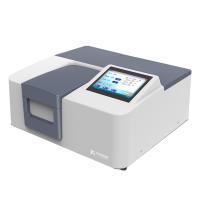
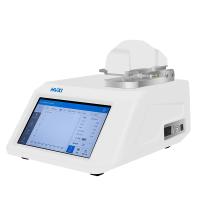
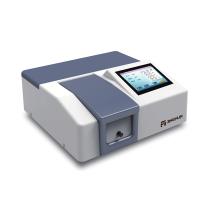
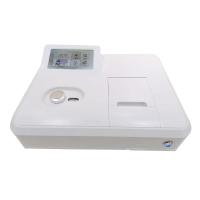
1. Purpose
In order to ensure the normal operation of the instrument and ensure the reliability of the results, this operating procedure is specially formulated.
2. Scope of application
laboratory
3. Responsibility
Laboratory technicians should strictly follow the operating procedures, and the QC supervisor is responsible for supervising the implementation of the procedures.
4. Definition
none
5. Safety Precautions
If an organic solvent is used as a solvent, it should be noted that it is harmful to human health.
6. Procedures
6.1. Preparation
6.1.1 Start up: Turn on the Sipper (suction machine), 8453 Detector, monitor, computer host and printer in turn, and warm up the instrument for 30-45 minutes.
6.1.2 Select WindowsNTVersion4.00.
6.1.3 Press "Alt+Ctrl+Del" to log in.
6.1.4 Enter UserName: "Administrator" and PassWord: "3000hanover" in sequence to enter the main window of Window-NT.
6.1.5 Press the "START" button, click Program with the mouse, and then click HP-UV-Chemstation to enter the workstation state, and select "Instrumentonline".
6.2. Test operation process
6.2.1 Tap the "Mode" button in the dialog box, select "Standard" mode in its menu, select lamp from the "Instrument" item, and turn on the deuterium lamp or tungsten lamp.
6.2.2 Determination of absorbance at a fixed wavelength
·Tap the Task button and select "FixedWavelength" from the menu.
Tap the SetUp button next to the FixedWL button to set the following measurement parameters:
Enter the set wavelength.
Enter the background correction method
Select the data mode.
• Tap the "Sampling" dialog box and select "Sipper" from its menu.
·Immerse the "Sipper" straw in the solvent used to prepare the test solution, tap "Blank" to do a blank scan.
Dip the "Sipper" pipette into the sample solution, tap "Sample" to scan the test solution, and measure the absorbance value of the sample at this wavelength.
6.2.3 Full wavelength scanning
• Tap the "Task" box and select "spectrum/peaks" from the menu.
Tap the "SetUp" button to the right of "spectrum/peaks" to set the following parameters:
Number of absorption peaks and troughs
Scanned wavelength range
Enter the desired data model (DataMode)
• Tap the "Sampling" dialog box and select "Sipper" from its menu.
·Immerse the "Sipper" straw in the solvent used to prepare the test solution, tap "Blank" to do a blank scan.
·Immerse the "Sipper" straw into the test solution, tap "Sample" to scan the test solution and determine the absorbance value of the test solution.
6.2.4 Determination of content by working curve method
• Tap the "Task" dialog box and select "Quantities".
·Tap "SetUp" next to it to set the following parameters.
Enter the measurement wavelength.
Select a calibration curve.
Select the data mode (DataMode).
Enter the appropriate units.
• Tap the "Sampling" dialog box and select "Sipper" from its menu.
·Immerse the "Sipper" straw in the solvent used to prepare the test solution, tap "Blank" to do a blank scan.
·Tap "Standard Table", in this screen, measure the control solution with different concentrations, and get the corresponding standard curve, input the name of the control solution and its corresponding concentration in the reference column.
Dip the "Sipper" straw into the test solution, tap "Sample" on the lower left to scan the test solution, and measure the absorbance of the test solution at this wavelength.
·Click "SampleTable", enter the name of the test solution and the dilution factor in the opened dialog box, and read the determined content.
6.3. End of work
6.3.1. Cleaning of the Sipper pipeline: first clean the pipeline with the solvent used for the sample to be tested, and then clean it with pure water.
6.3.2. Print scan atlas and test data.
6.3.3. Exit UV-Chemistation, exit Windows-NT.
6.3.4. Turn off the machine in the reverse order of starting it up, and cut off the power supply.
6.3.5. Fill in the usage records (see Appendix 1).
7. Reference
"HP8453 UV-Vis Spectrophotometer Operation Manual"
8. Distribution department
Quality Assurance Department
9. Revision history:
none
Appendix 1: HP8453 UV-Vis Spectrophotometer use record
date of use | experimental project | instrument status | operator | Remark |
date | TestingItems | Status of the Instrument | Operator | Remark |