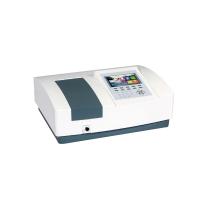
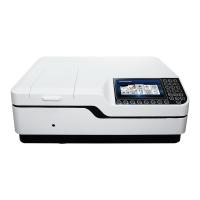
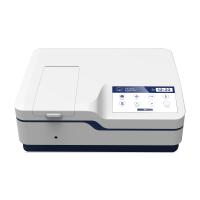
(1) Transmittance measurement
1. Transmittance measurement
Place the blank and sample in the sample cell ①Adjust the wavelength knob as needed, so that the display window displays the desired wavelength value.
②Press the (mode selection) key to light up the transmittance indicator light, and keep the blank solution in the light path.
③Press the (100%T) key to adjust 100%, and when the display shows 100.0, it means that 100%T has been adjusted.
④ Put the light blocking block in the sample cell, pull it into the light path, close the door of the sample chamber, and observe whether the display is zero. If it is not 0.0, press (0% T) to adjust to zero.
⑤ Take out the light blocking block, pull it into the optical path, close the door of the sample chamber, the display should show 100.0, if it is not 100.0, reset 100%T (repeat step 3).
⑥Pull the sample handle so that the samples to be tested enter the optical path in turn, and the transmittance .
(2) Absorbance measurement
Absorbance measurements are basically the same as transmittance, with one caveat:
When the mode selection key is pressed, the absorbance indicator light should be on.
(3) Concentration direct reading
1. Build a curve
There are three methods for building curves: 1-point method, 2-point method, and 3-point method
①Put the prepared two concentration standard solutions and the blank into the sample cell rack.
②Adjust the wavelength as needed.
③Press the (mode selection) key to the transmittance ratio, pull the blank solution into the light path, and press the (100%T) key to adjust to 100.0.
④ Put the light blocking block in the sample cell, press the (0%T) key, check 100.0 after zero adjustment, and readjust 100%T if there is any change.
⑤ Press the (mode selection) key to build the curve, press the (work curve selection) key to the second point, and the display should display 500.
⑥Pull the first point standard sample into the light path, press the (set number plus) or (set number minus) key to make the display show the concentration of the standard sample and press the (confirm) key to confirm this set of data.
⑦Pull the second point standard sample into the light path, press the (set number plus) or (set number minus) key to make the display display the concentration value of the second point standard sample, press the (confirm) key to confirm this set of data.
2. Concentration measurement
①Take out the standard sample, put the blank solution and the tested sample into the sample chamber.
②Press (mode selection) key to transmit ratio.
③ Adjust 100%T and 0%T in the blank solution (the method is the same as the transmittance measurement).
④Press the (mode selection) key to the concentration level (press the MODE key to light up the CONC light on the left).
⑤Pull the sample into the optical path, and the display should be the concentration value of the sample under the two-point curve.