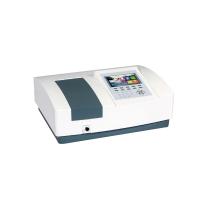
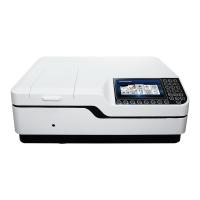
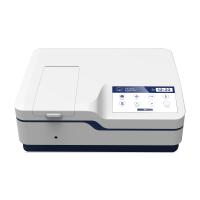
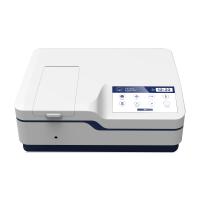
1. Instrument working environment
1. The rated working voltage of the instrument is 220V±22V, 50Hz ± 1Hz. Abnormal power supply voltage will make the instrument unable to work normally .
2. The instrument should be installed in a dry room, the ambient temperature is 5°C~35°C, (preferably 15°C~28°C) and the relative humidity is not more than 85% (generally controlled at 45%-65%).
3. Instrument H should be placed on a firm and stable workbench without strong or continuous vibration. The distance between the instrument and the wall should be greater than 15cm to ensure good ventilation and heat dissipation.
4. There is no corrosive gas such as hydrogen sulfide and fluorine nitrite in the room.
5. The instrument should be kept away from high-intensity magnetic fields, electric fields and equipment that can generate high-ton waves.
6. The instrument should avoid direct blowing by strong wind.
7. Only the device should avoid direct exposure to light.
8. The power supply of the instrument should have good grounding (it is better to have an independent ground wire).
2. Instrument installation
1. After unpacking, check whether the instrument is damaged, and check whether the accessories are complete according to the packing list.
2. After confirming that the accessories are correct, plug in the power cord and turn on the power.
3. Check whether the instrument works normally.
3. Jun device self-test process
After the instrument is powered on, it enters the self-test state, and the instrument will display the self-test status on the display. When "546.0m 0.00KA" is displayed on the display , the instrument is in the test state after the self-inspection is completed. The display shows the process and symbols of the self-graining items as follows:
JinugHua uv PHOTOMEIER Jinghua UV-Vis Spectrophotometer
Jinghua vIS PHOTOMEIER Visible Spectrophotometer
SELFTEST…;IC CHECK 00XX chip self-test
SELFIEST...;EXCH Yuanyuan switching position self-checking (UV potentiometer has this display)
SELFIEST…;FILTER filter position white inspection
Inltlalize Mac? 1.Yes 0.No whether to initialize? 1 yes, 0 no
SELEIEST…FIND 0nm wavelength limit position self-inspection and search for 0-level light
SELFTEST; FIND XXXnm to find the characteristic spectral line
546.0m BLANK--- Tune "100%T/OA"
546.0m ZERO--- Tune "O%T"
546.0um BLANK.-- word "100%T/OA"
546.0m 0.0XA self-inspection is completed and enters the test state
Function description: Initialize Mac? 1.Yes 0.No
Note: If the device was shut down in a non-test state last time, this step will be skipped and it will enter the self-test state directly.
1. Press the 1 key and the instrument enters the self-test state.
2. Press the 0 key, the display screen of the instrument will display "Wait..." Wait for a while, then skip the self-test state, and enter the state before the last shutdown (except for abnormal shutdown).
3. Do not press the "0" or "1" button, the instrument enters the preheating state, and automatically performs self-test after about 20 minutes.
*Precautions:
1. Before the self-inspection, it should be confirmed that the sample rack in the sample chamber is positioned correctly and there is no object blocking the optical path.
2. Do not open the sample chamber cover, push and pull the sample rack during the self-test.
3. After the self-test finishes the wavelength positioning (546nm), in the process of displaying "546.0nm ZERO...", it takes about 20 seconds because the full wavelength adjusted to 0%T. During this period, please do not open the Sample chamber cover.